Conversational AI with web search. Research, analyze, and get answers without building anything.
Chat Mode is a conversation-only experience. The agent answers questions, researches topics, analyzes uploaded files, and searches the web. It does not write code, execute commands, generate media, or build anything.Use Chat Mode when you need information, not artifacts.
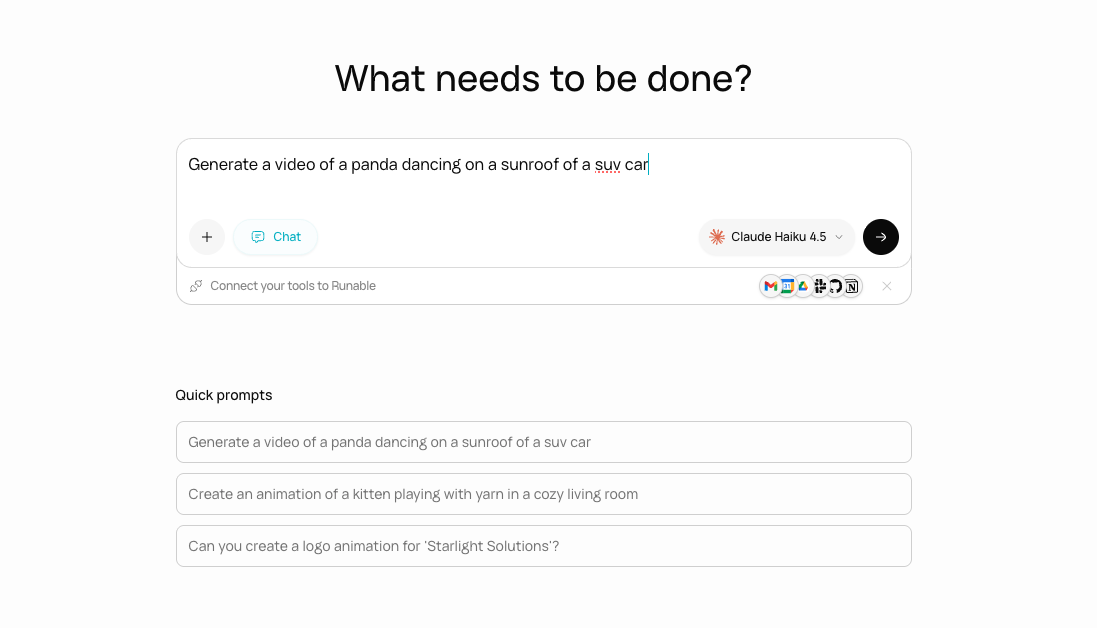
In the input bar, click the Chat button to switch to Chat Mode. The toggle is visible to the left of the model selector.
The Chat mode toggle in the input bar.
2
Choose a model
In Chat Mode, you select a specific model from the dropdown instead of a tier. Choose from all available models across Anthropic, Google, OpenAI, and xAI.Your model selection is saved in your browser and persists across sessions.
3
Type your message
Ask your question or describe what you want to research. Attach files if you want the agent to analyze something.
Draws on the model’s knowledge to answer any question
Search the web
Finds current information and cites sources
Analyze files
Reads uploaded PDFs, images, and documents
Research topics
Multi-step research with web search and synthesis
Chat Mode has access to web search and documentation lookup only. It cannot execute code, generate images, create files, or use any of the 14 tools available in Agent Mode.