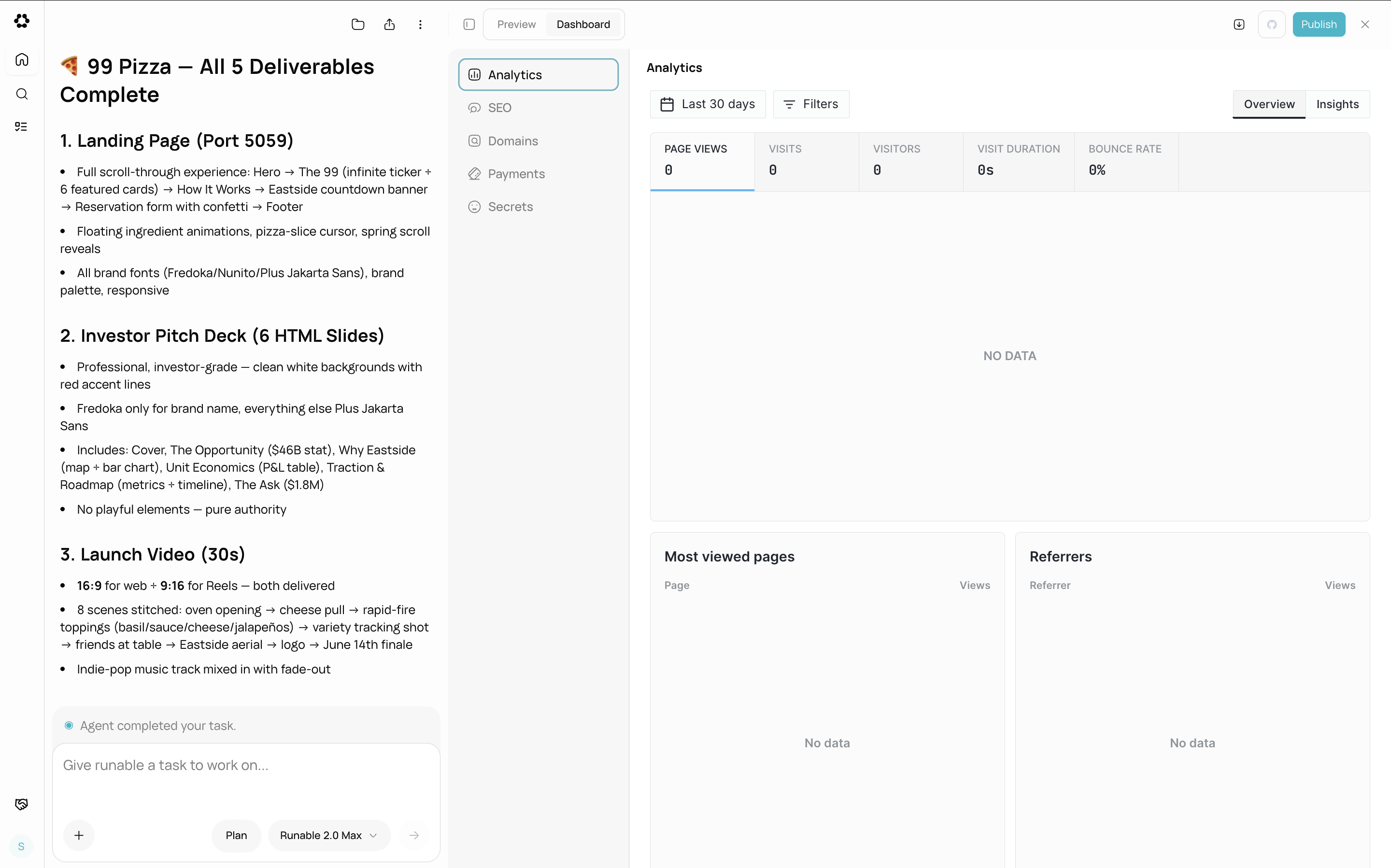
How to view analytics
Open the website dashboard
Go to the chat where your website was built. Click the Dashboard tab, then select Analytics from the sidebar.
What analytics tracks
| Metric | Description |
|---|---|
| Page views | Total number of pages viewed across all visitors |
| Visitors | Unique visitors to your site |
| Top pages | Which pages receive the most traffic |
| Events | Custom events tracked by your website’s code |
Custom event tracking
The agent can add custom event tracking to your website. Tell the agent what user actions you want to track (button clicks, form submissions, purchases) and it writes the tracking code.Add event tracking to a website.
What you cannot do
- You cannot export analytics data to CSV or other formats from the dashboard.
- You cannot set date ranges or filters beyond the default view.
- You cannot connect external analytics tools (Google Analytics, Mixpanel) through the dashboard. The agent can add these via code if you need them.
- You cannot view analytics for unpublished websites. Analytics only track live, deployed sites.

.png?fit=max&auto=format&n=J3TfNmZhqEoKcaaO&q=85&s=468b5adb026aa33181cc81ab54ab68db)