
Common Mistakes & Best Practices
Mistake 1: Giving Very Short Prompts
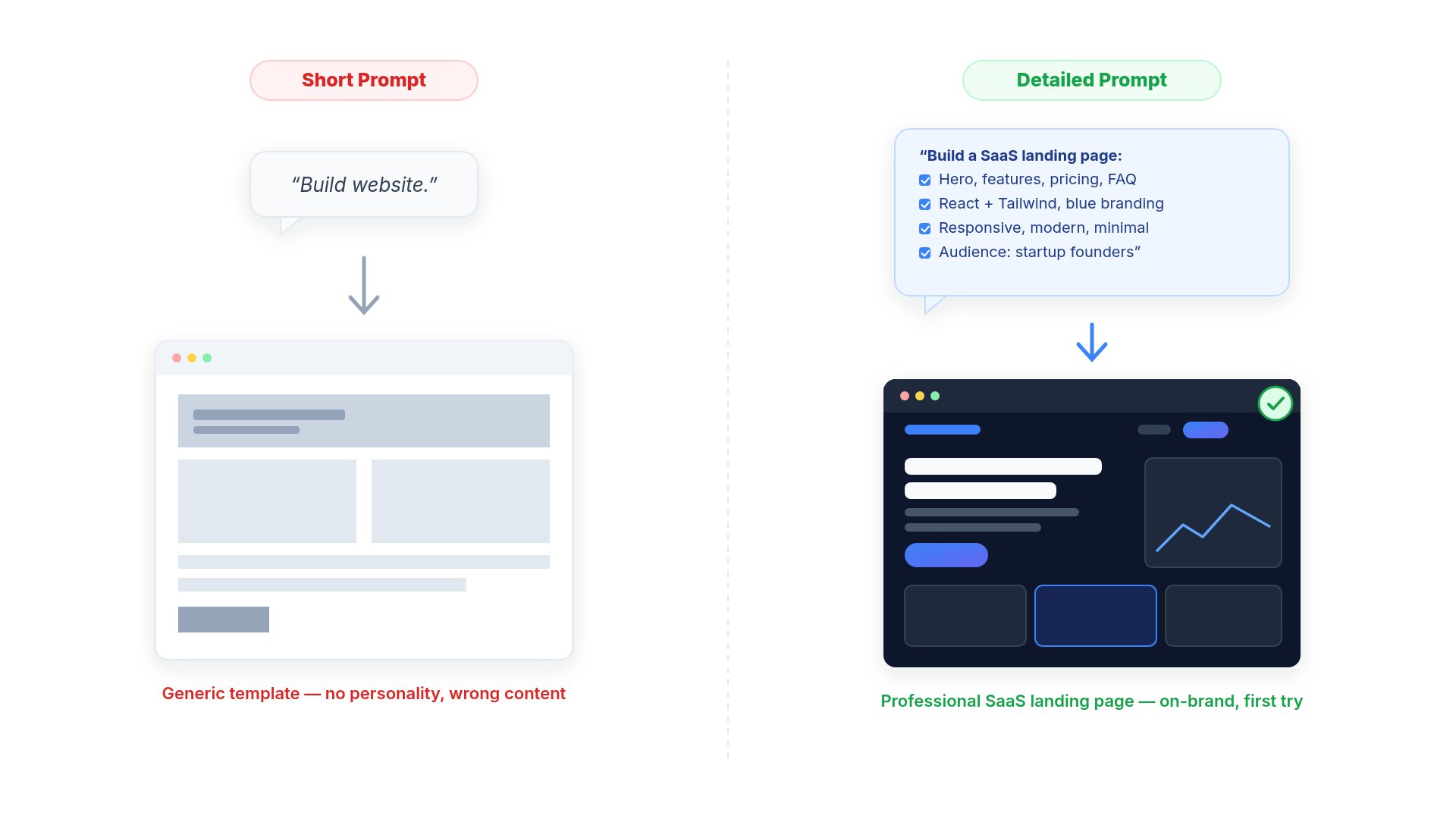
❌ Instead of
✅ Try
Mistake 2: Asking AI To Rewrite Everything
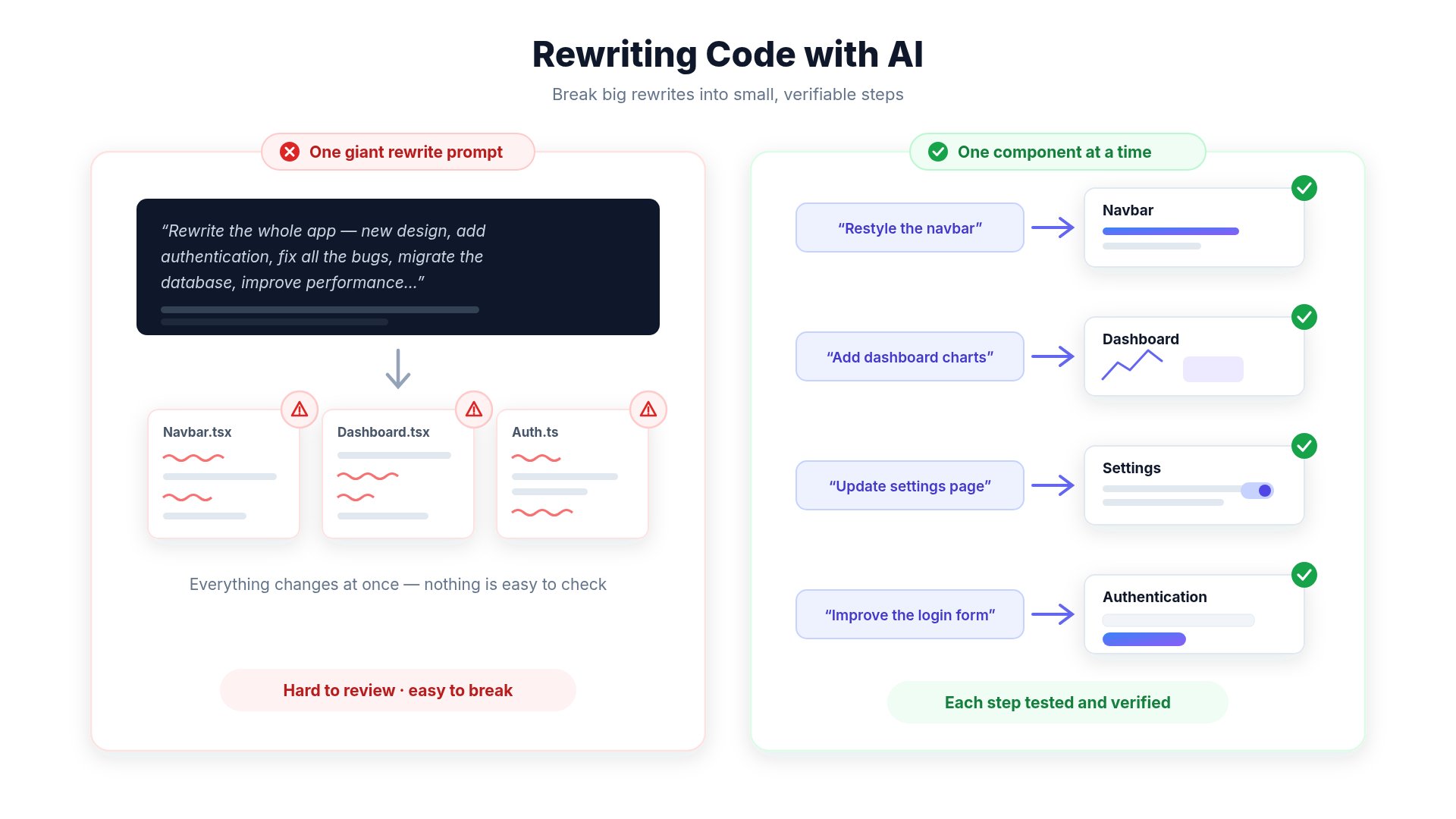
- unnecessary modifications
- broken layouts
- difficult reviews
- additional iterations
- Improve one page
- Update one component
- Add one feature
- Fix one bug
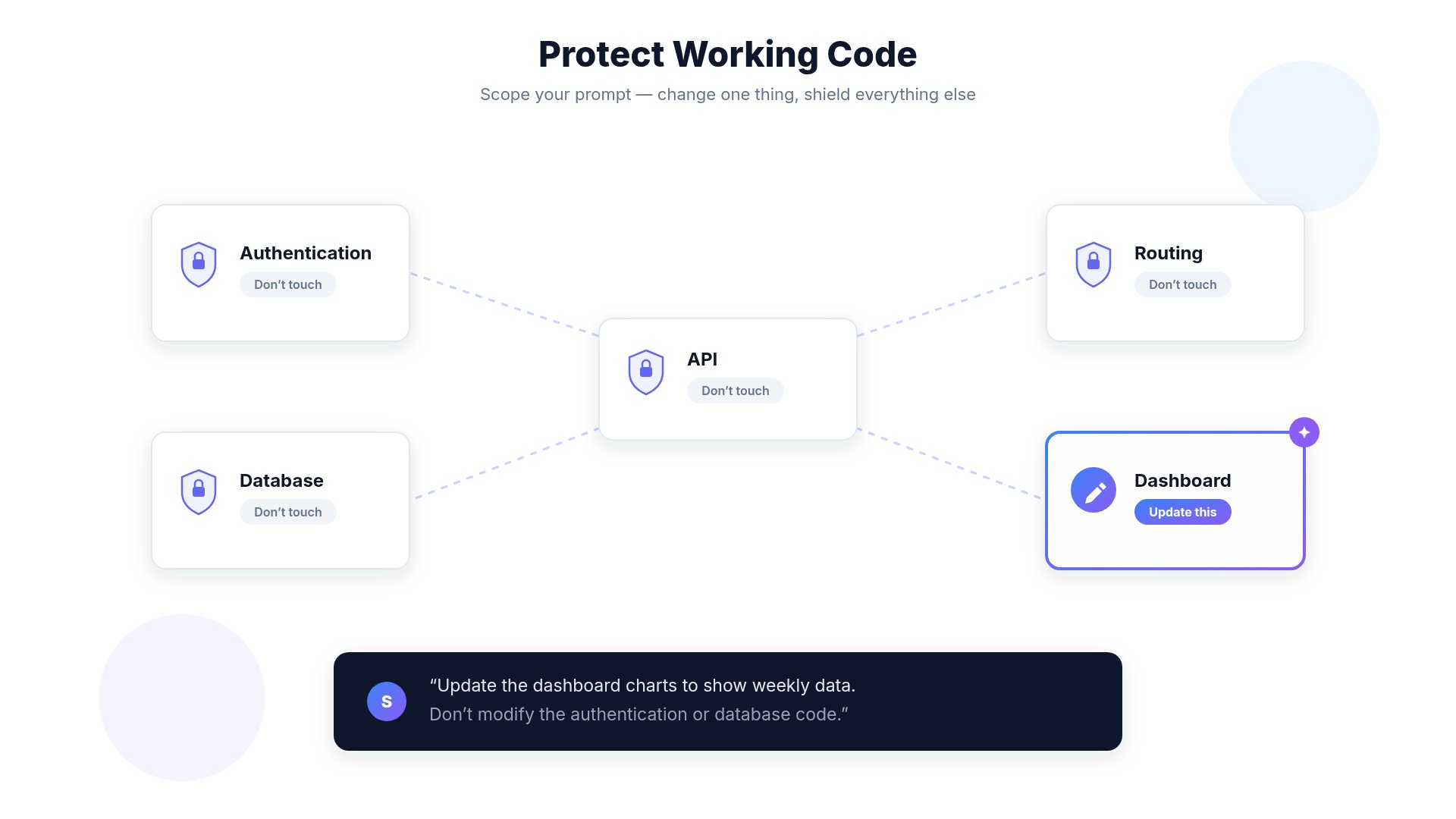
Mistake 3: Not Protecting Existing Code
Mistake 4: Regenerating Instead of Refining
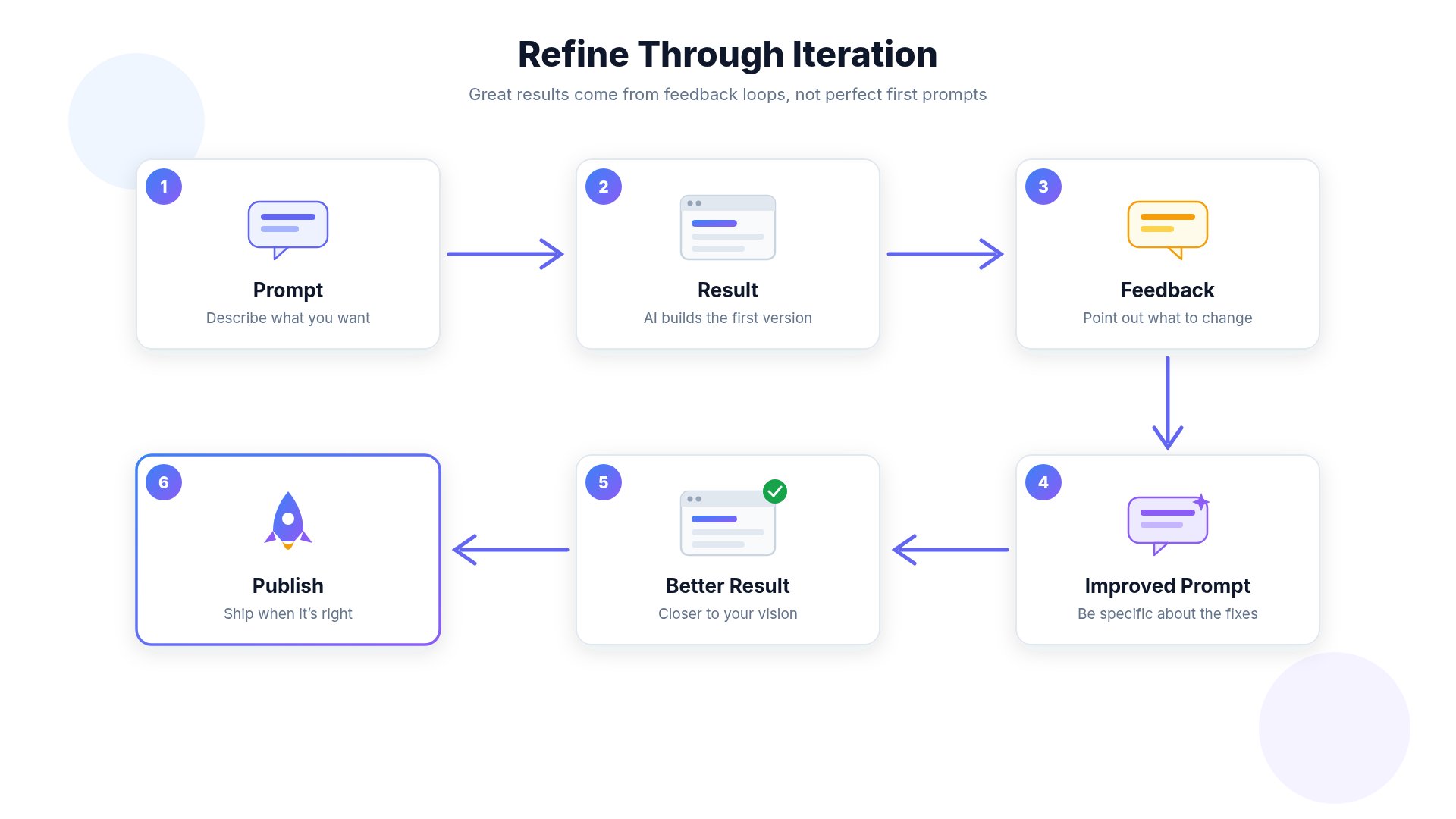
- what you liked
- what should change
- what should stay
Mistake 5: Large Projects In One Prompt
Large projects should be built step by step. Example roadmap:- Navigation
- Homepage
- Authentication
- Dashboard
- Settings
- API
- Deployment
Mistake 6: Forgetting To Test
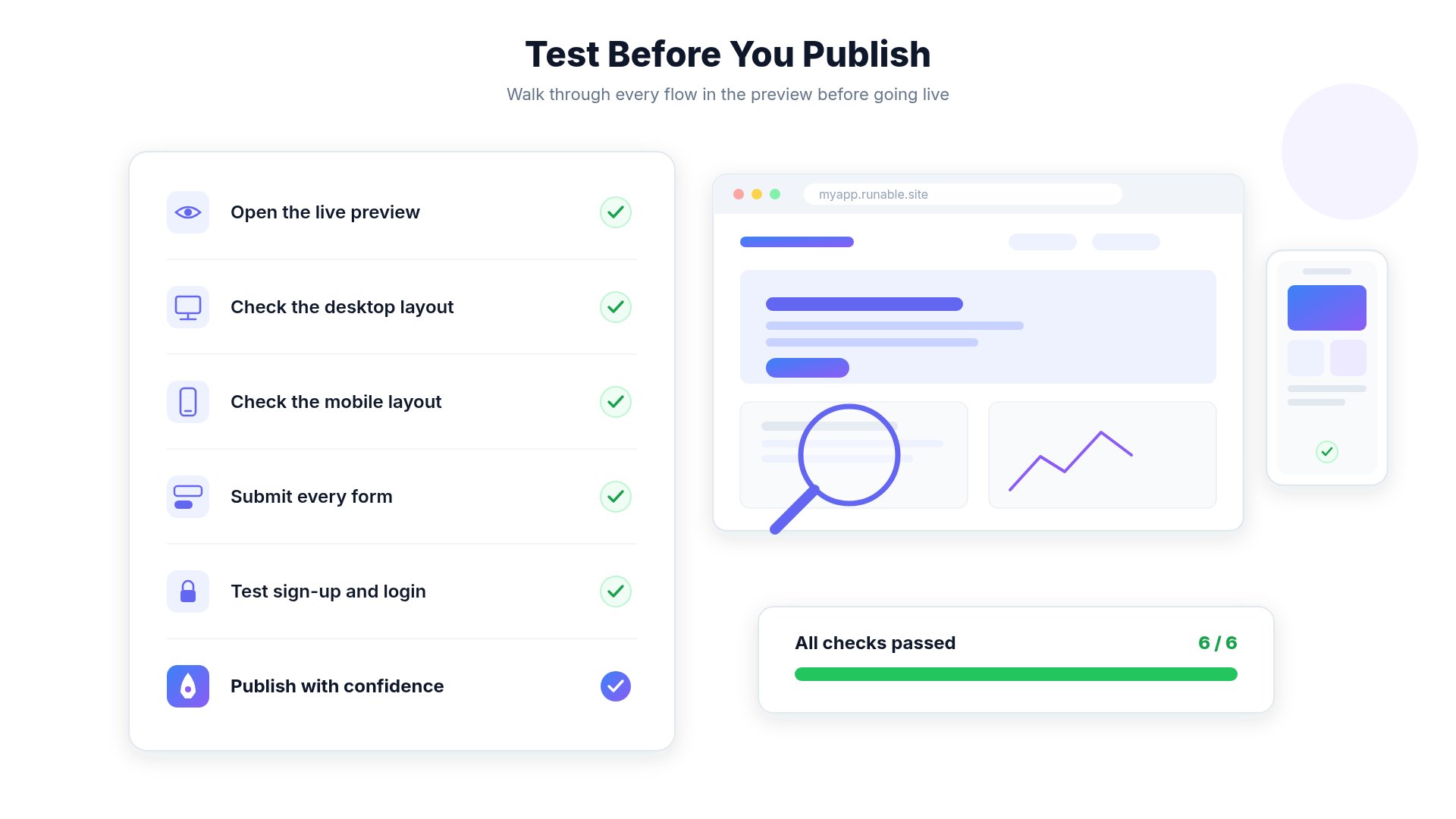
- Preview
- Mobile
- Desktop
- Forms
- Authentication
- APIs
- Payments
- Publishing
Mistake 7: Not Using Preview
Preview lets you verify changes before publishing. Always:- Generate
- Preview
- Test
- Publish
Mistake 8: Expecting AI To Read Your Mind
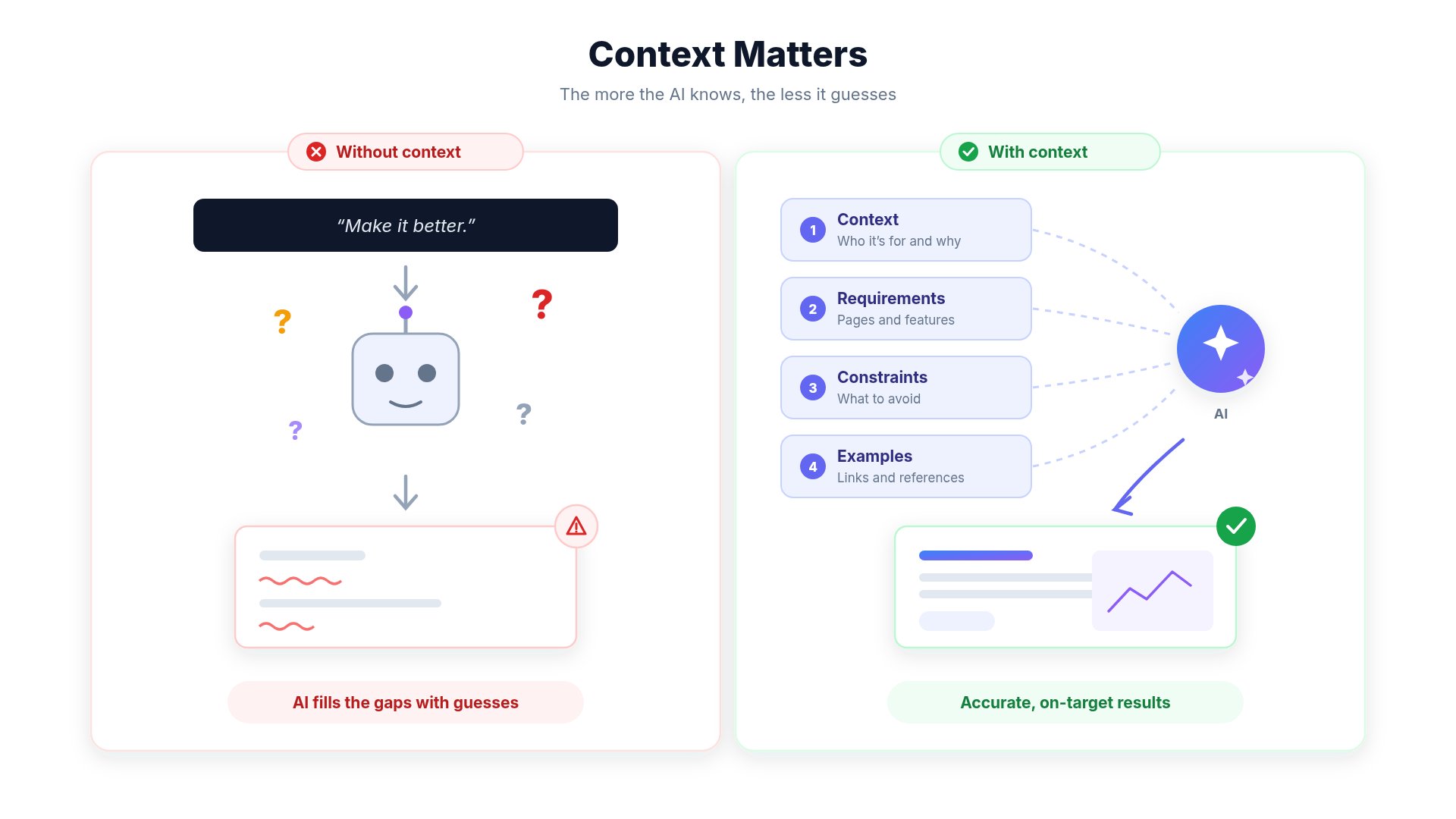
- your prompt
- uploaded files
- project context
- your preferences
- hidden requirements
- future plans
Mistake 9: Ignoring Credit Usage
Large requests usually require more computation. Instead ofMistake 10: Using Images Without References
Reference images dramatically improve image generation. Good workflow: Reference Image Detailed Prompt ↓ Much Better ResultsMistake 11: Using Long Videos With Lots Of Text
Current AI video models work best with:- short scenes
- minimal text
- readable subtitles
- clear instructions
Mistake 12: Publishing Without Reviewing
Always verify:- Layout
- Mobile responsiveness
- Links
- Forms
- Images
- Authentication
- SEO
- Accessibility
Mistake 13: Confusing Top-Ups With Subscriptions
A very common misunderstanding. Subscription- Monthly payment
- Monthly credits
- Hosting
- AI access
- One-time purchase
- Never expire
- Do not renew your subscription
- Do not change your billing cycle
Mistake 14: Cancelling After Renewal
Subscriptions renew automatically on your billing date. If you don’t wish to continue, cancel before your next renewal. Navigate to:Mistake 15: Letting Projects Become Too Large
As projects grow:- architecture becomes more complex
- prompts become harder
- AI needs more context
- organize components
- remove unused code
- keep project structure clean
Best Practices
Give Context
Explain your project before asking for changes.
One Task At A Time
Small prompts usually produce better results.
Protect Existing Code
Tell AI what should remain unchanged.
Use Preview
Always preview before publishing.
Review Everything
AI-generated content should always be reviewed.
Iterate
Improve previous prompts instead of starting over.
Use References
Reference images improve quality significantly.
Keep Projects Organized
Clean projects are easier for AI to understand.
Checklist Before Clicking Generate
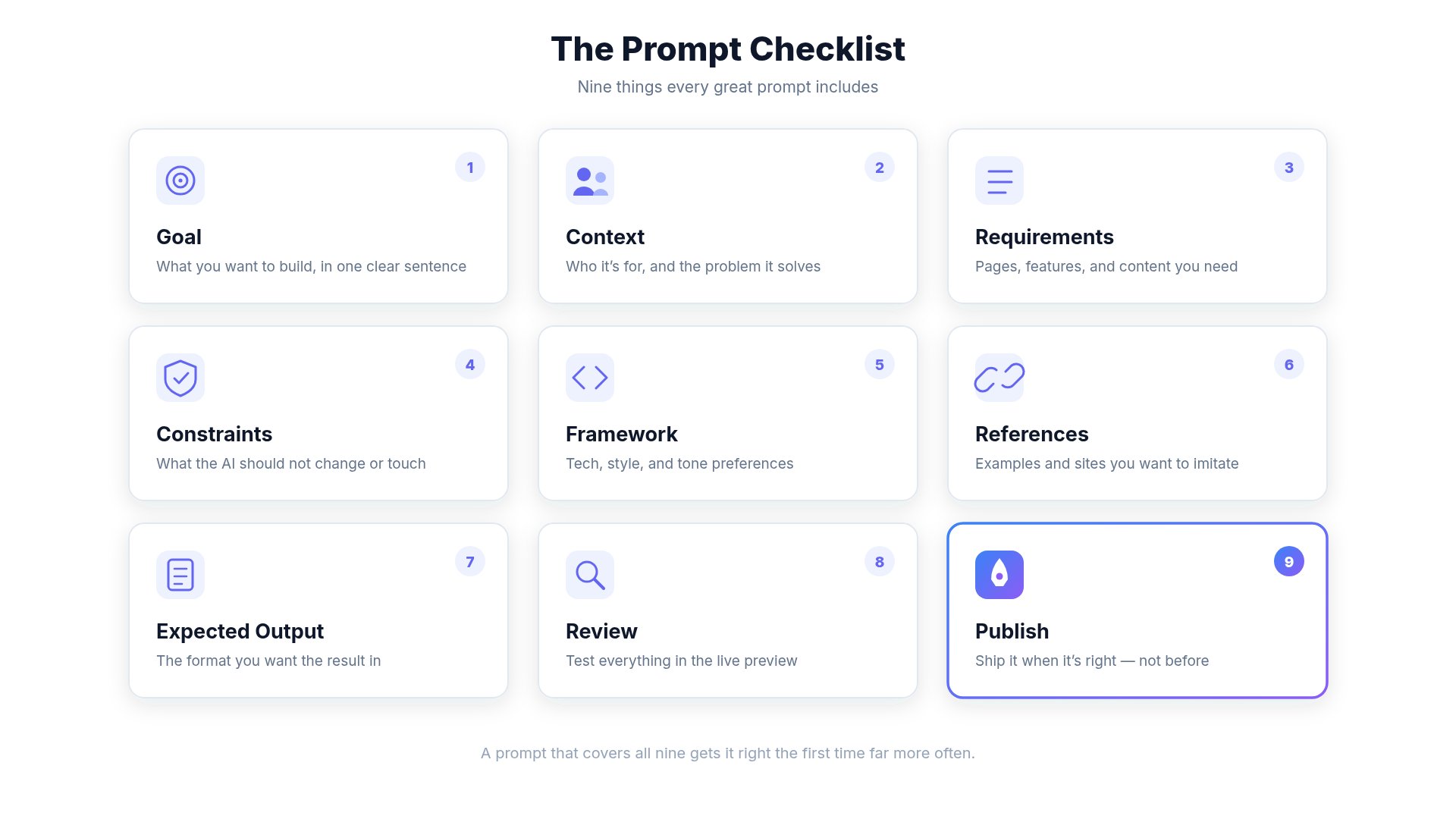
Related Guides
- Prompt Engineering Guide
- AI Limitations
- Understanding Credit Usage
- Image Generation
- Website Hosting