
Prompt Engineering Guide
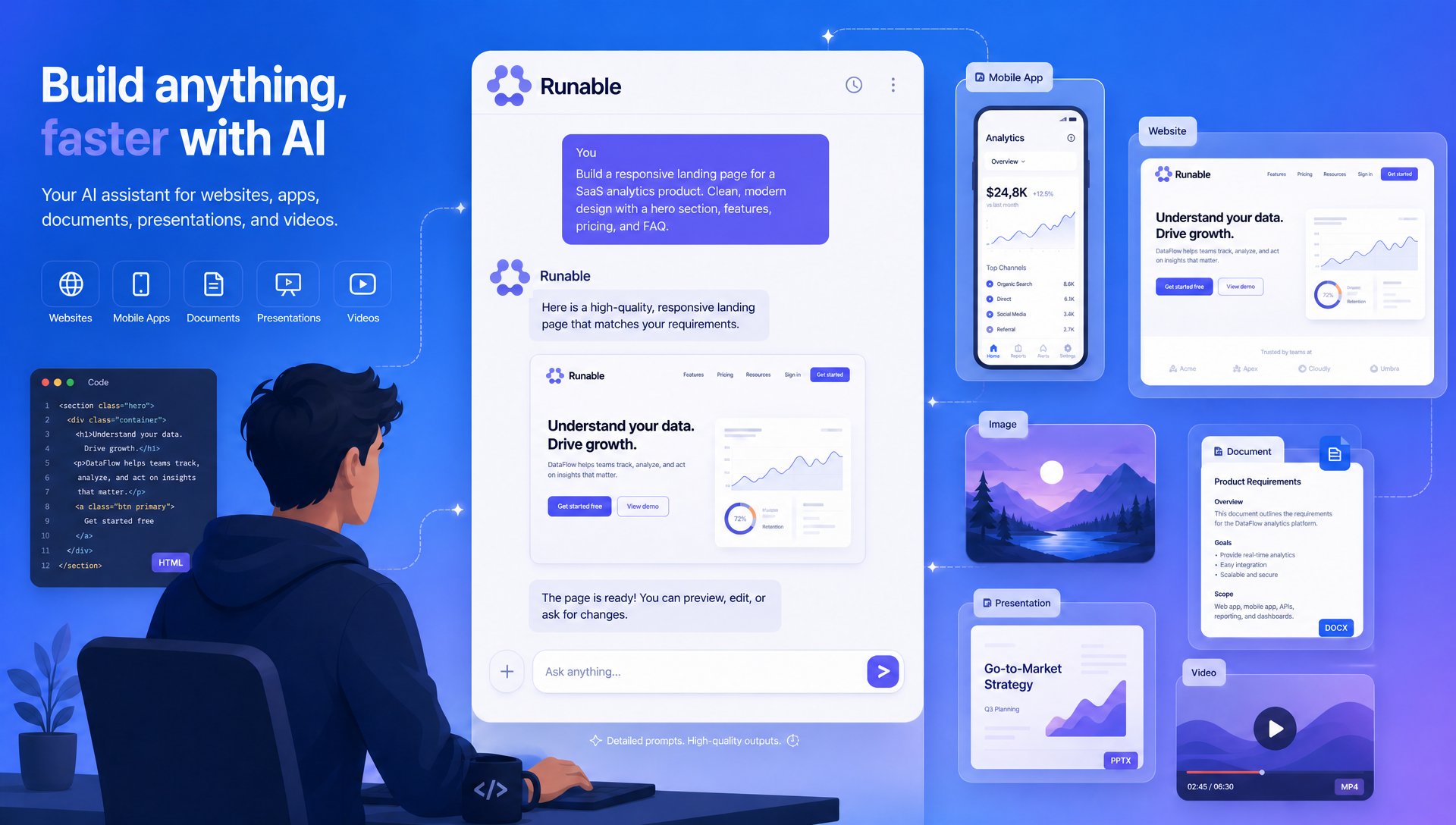
- Higher quality outputs
- Fewer retries
- Lower credit consumption
- Faster development
- More consistent results
How AI Understands Your Prompt
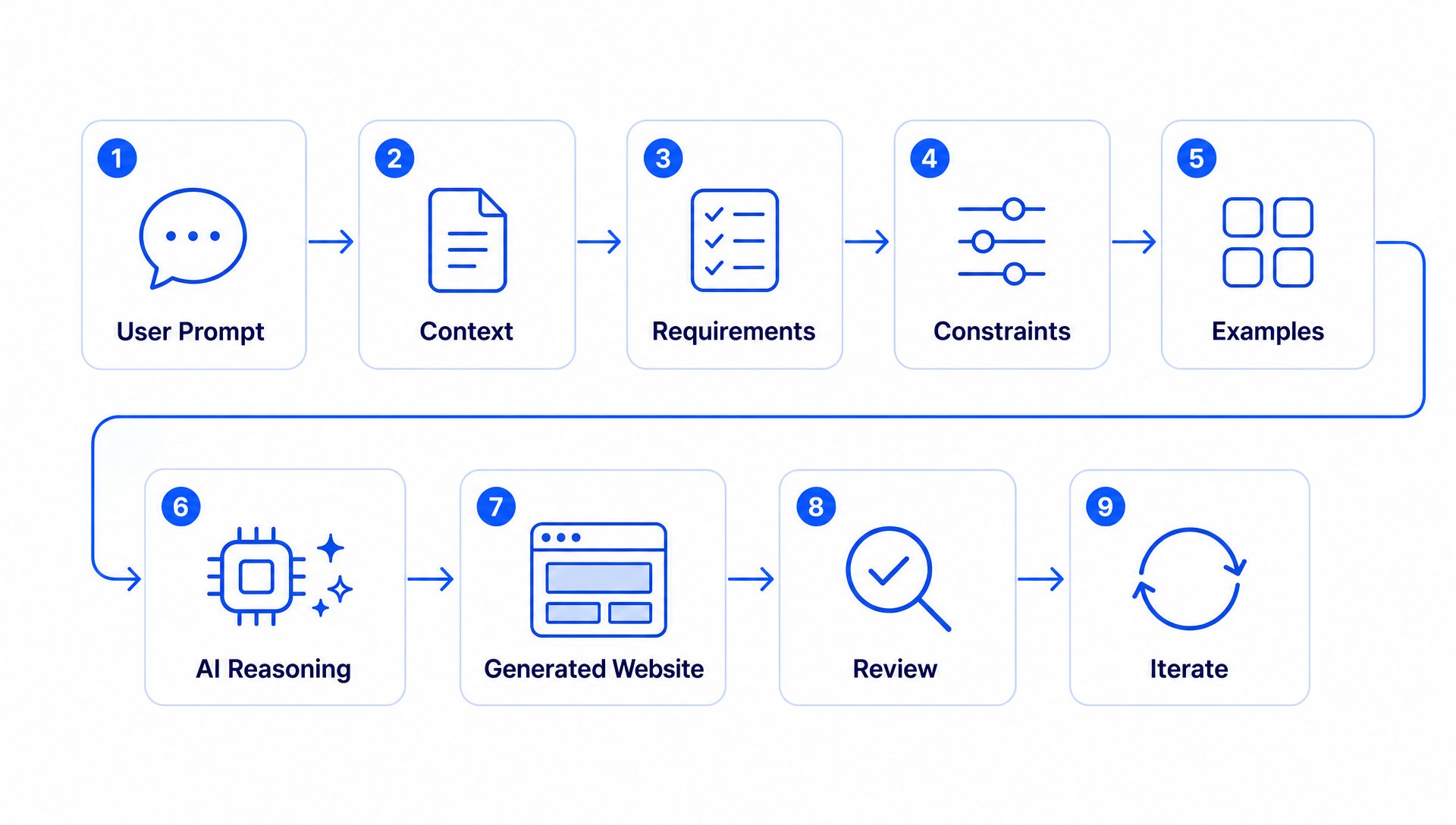
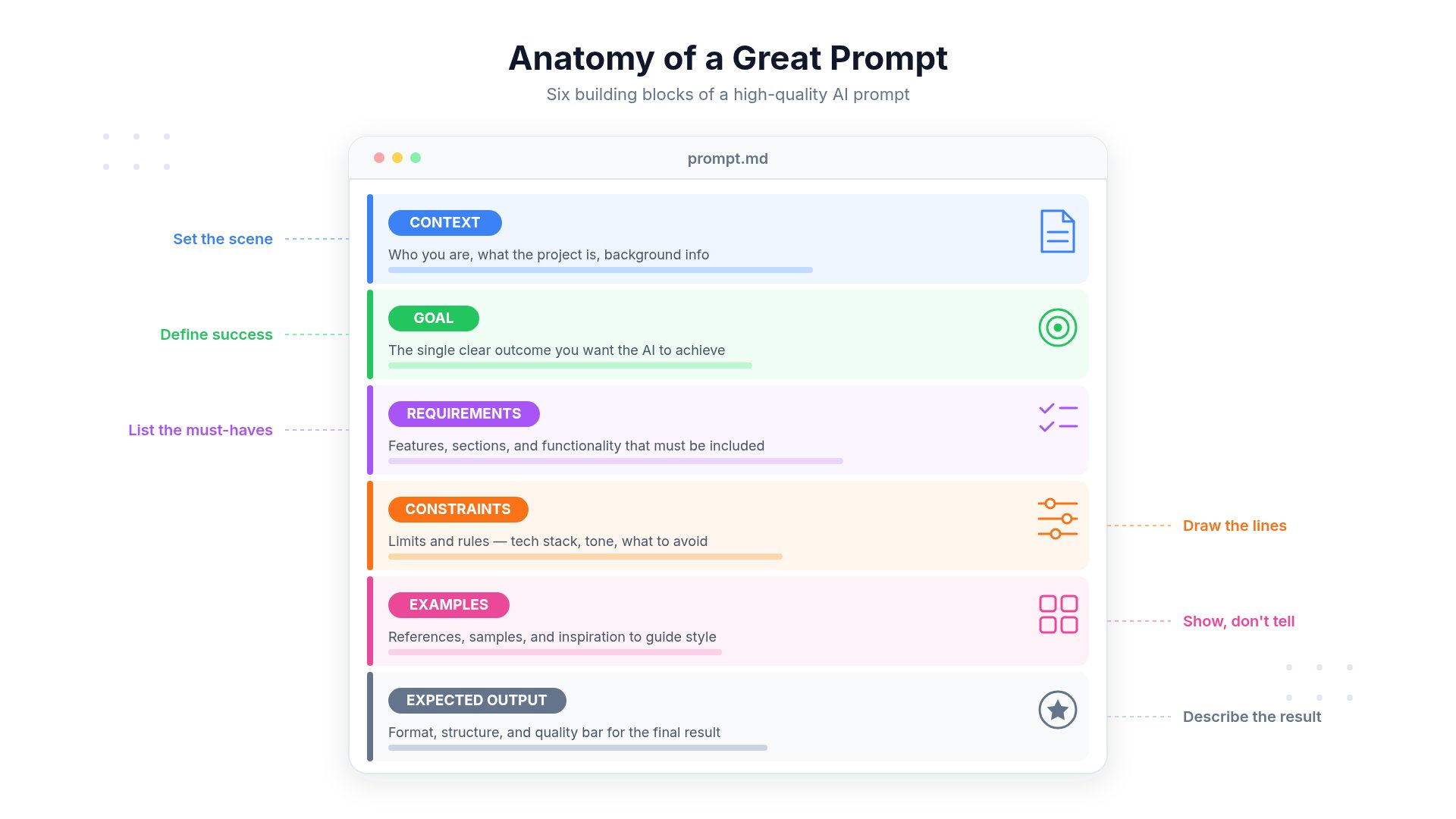
Context
Explain what you’re building.
Goal
Describe what you want to achieve.
Requirements
List required features.
Constraints
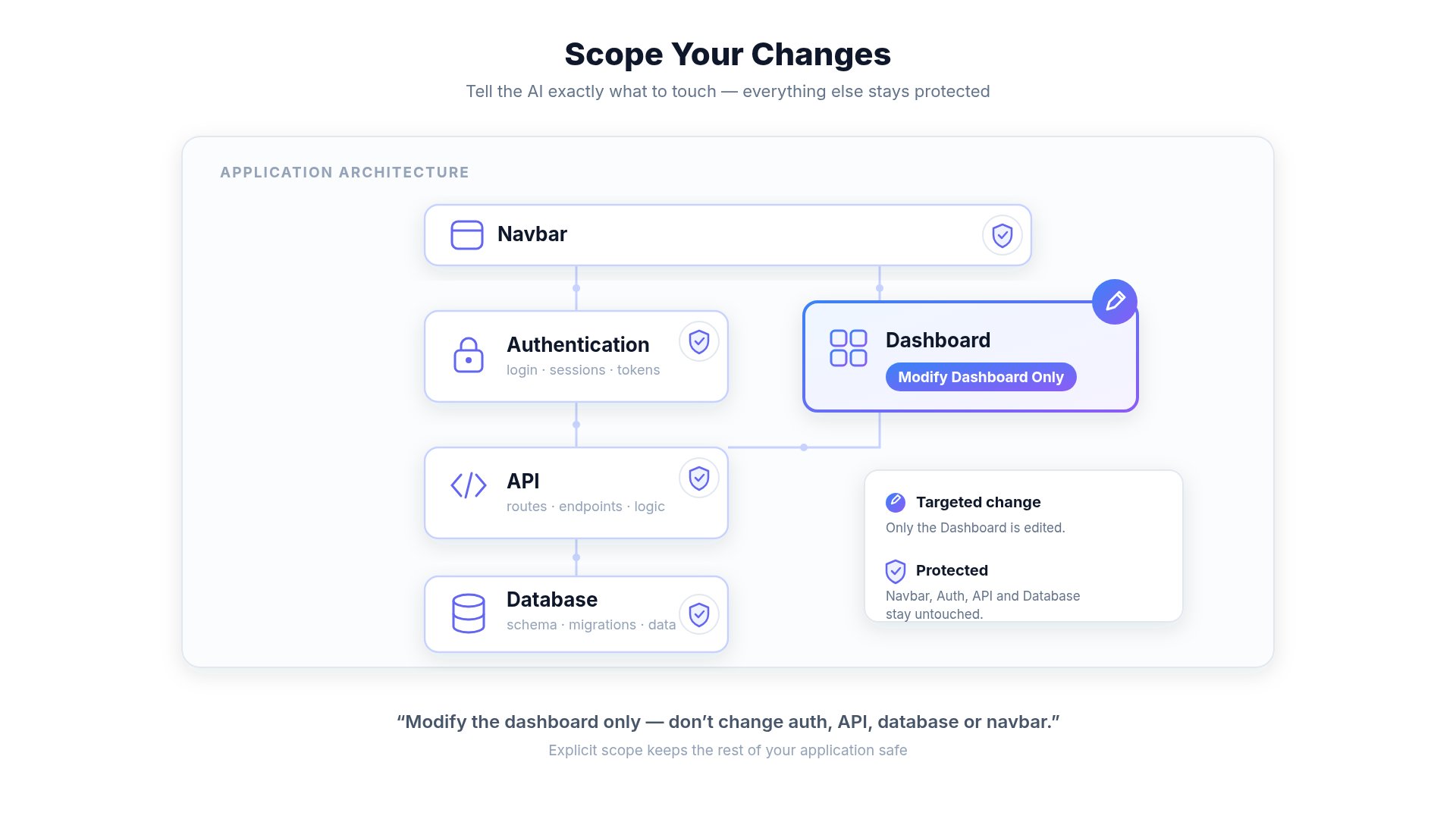
Explain what should NOT change.
Examples
Reference previous screens or designs.
Output
Specify the desired format or result.
The Anatomy of a Great Prompt
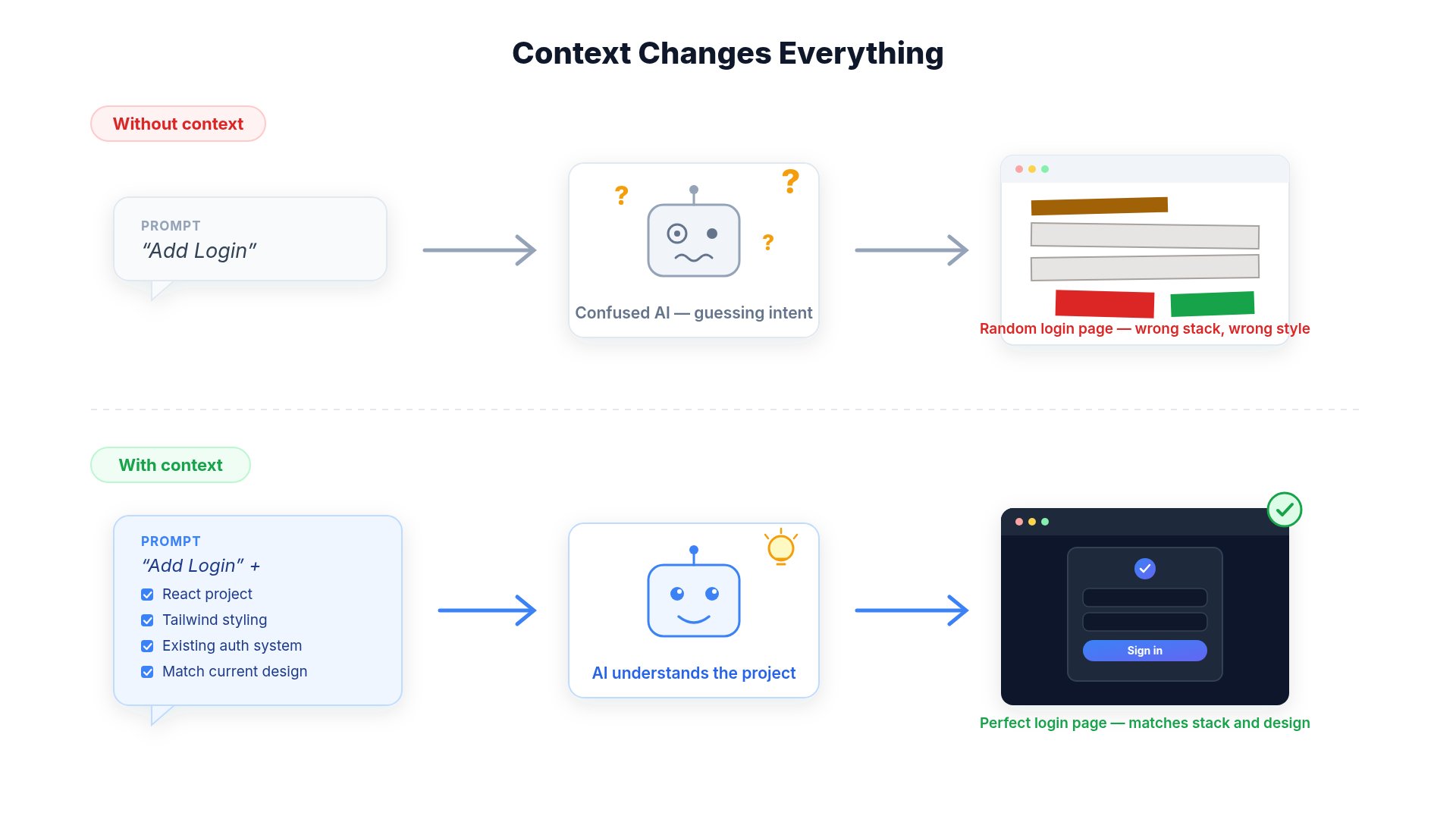
Example: Poor Prompt
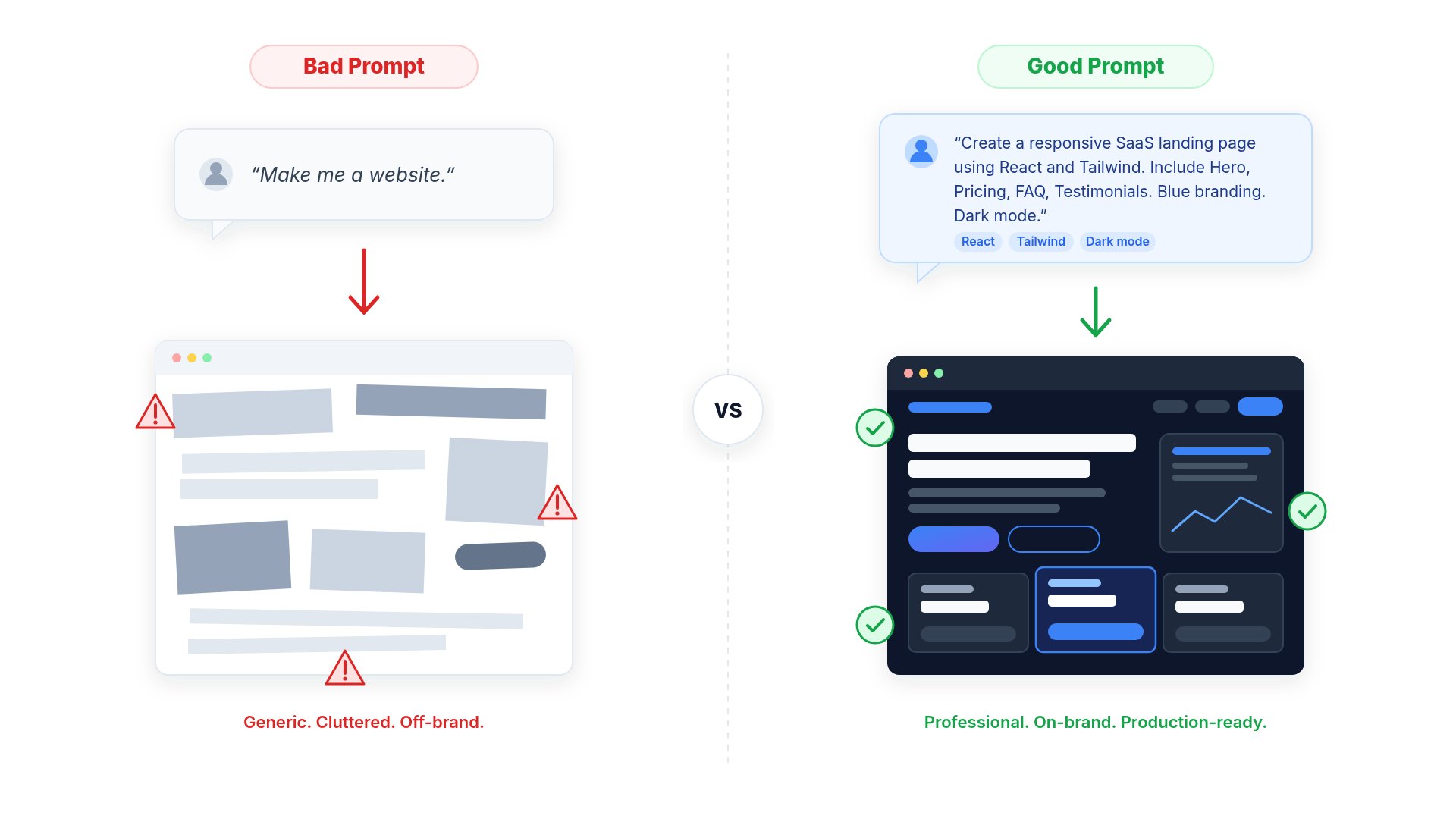
- No context
- No requirements
- No design direction
- AI must guess
- Generic output
- More retries
- More credits
Example: Great Prompt
Give the AI Context
Tell the AI What NOT to Change
Make Small Changes
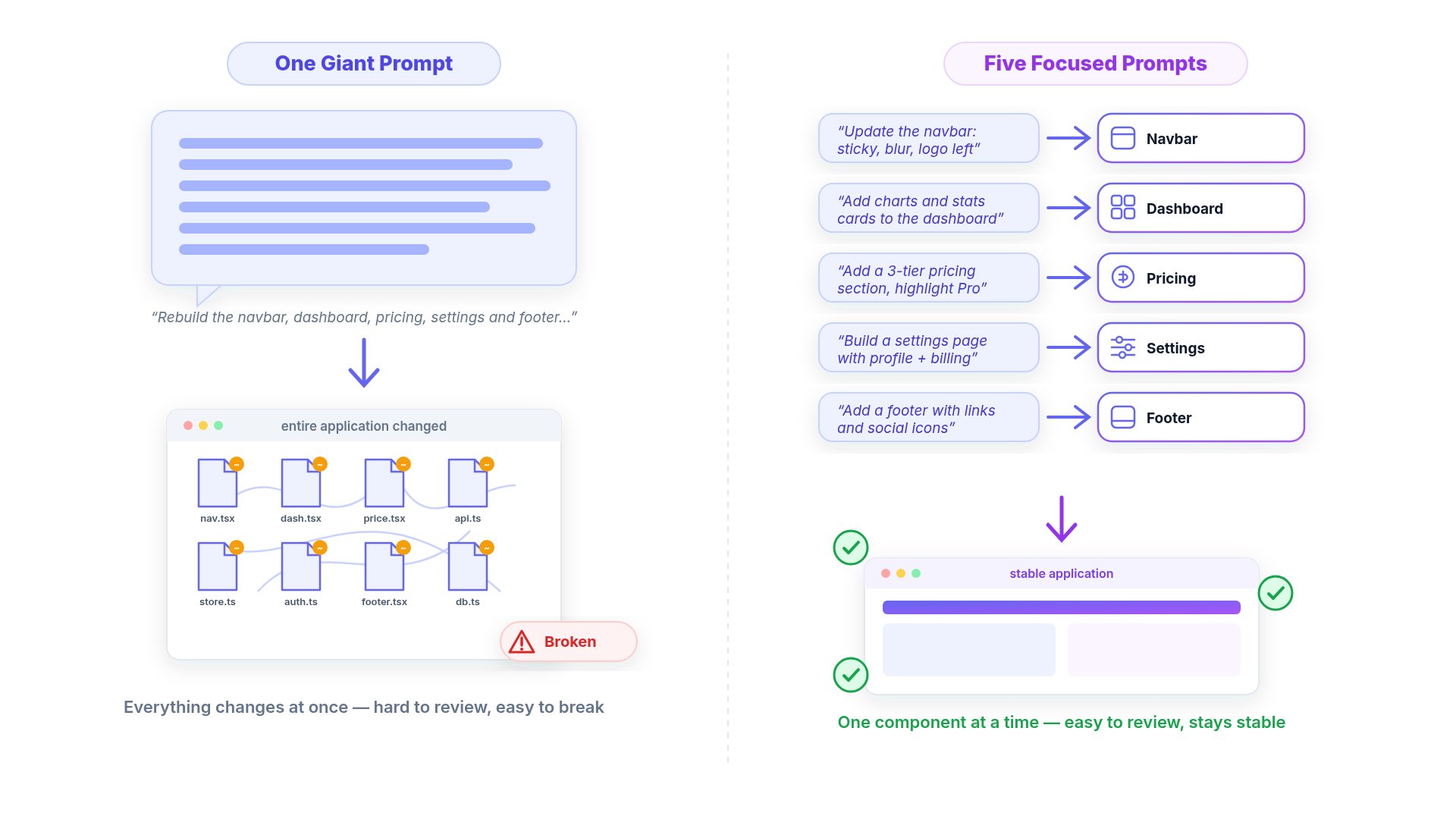
- Improve navbar
- Improve dashboard
- Improve settings page
- Improve mobile layout
- Improve performance
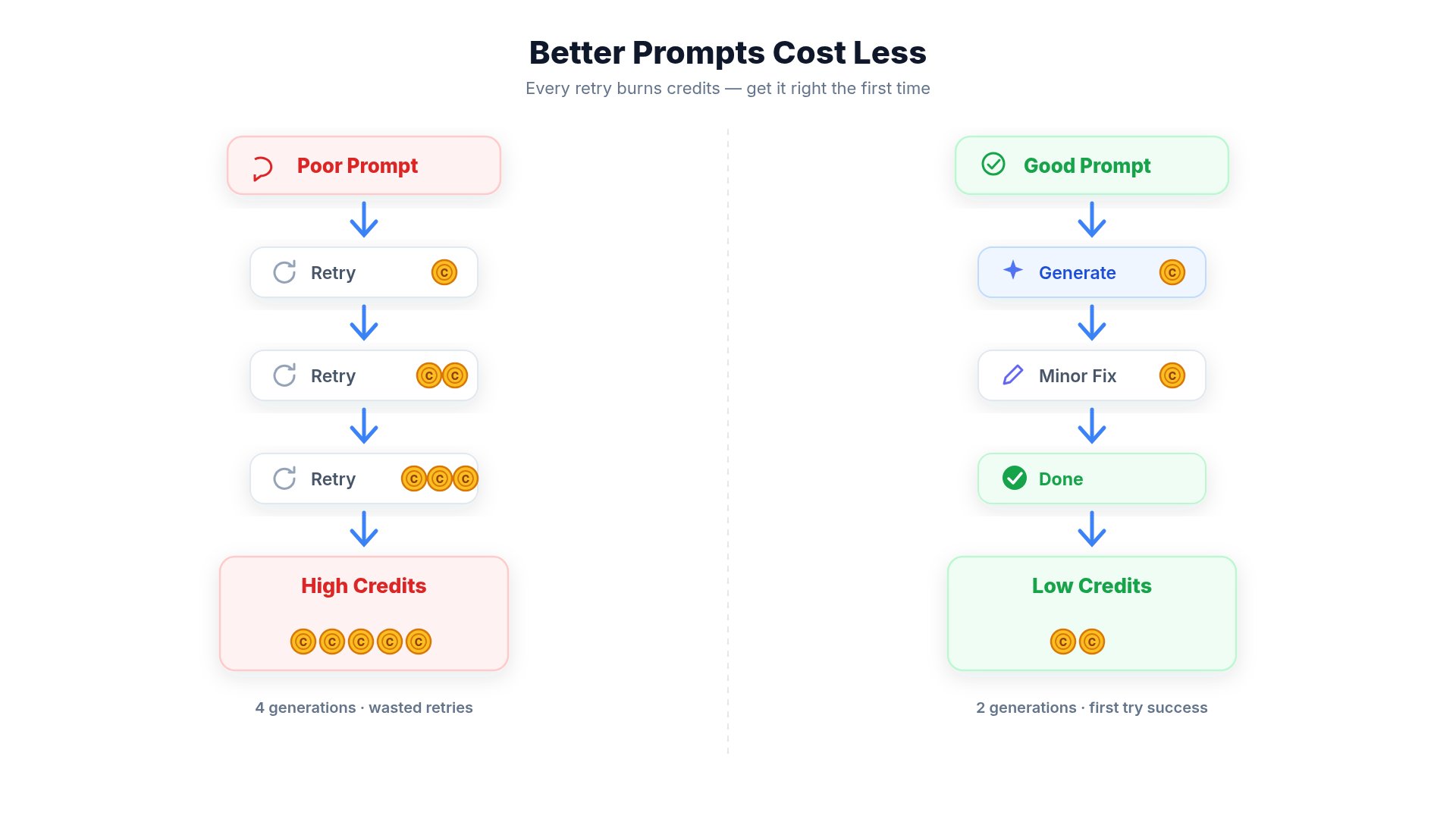
Why Better Prompts Save Credits
Example
❌ Poor Prompt
- AI guesses your intent
- Multiple sections may change unexpectedly
- Additional prompts are needed to refine the result
- More credits may be consumed across repeated iterations
✅ Better Prompt
- AI focuses only on the requested section
- Fewer revisions
- More predictable results
- Reduced overall credit usage
Why Credit Usage Varies
Credit usage depends on the amount of work the AI performs, not simply the length of your prompt. Factors include:- Number of files modified
- Complexity of the requested changes
- AI model used
- Images or videos generated
- Code generation
- External tools or integrations
- Research and reasoning required
A short prompt can still consume more credits if it results in significant code generation or complex processing.
Best Practices
Be Specific
Describe exactly what should be changed instead of asking for broad improvements.
Protect Existing Work
Tell the AI which parts of your project should remain unchanged.
Break Large Tasks
Split large requests into smaller, focused prompts for better control.
Refine Instead of Restarting
Update your prompt based on the previous result instead of starting over whenever possible.
Use Existing Components
Instead of:Ask the AI to Think Before Coding
A useful pattern is:For Large Projects
If your application has many files: Tell the AI:Working With Existing Code
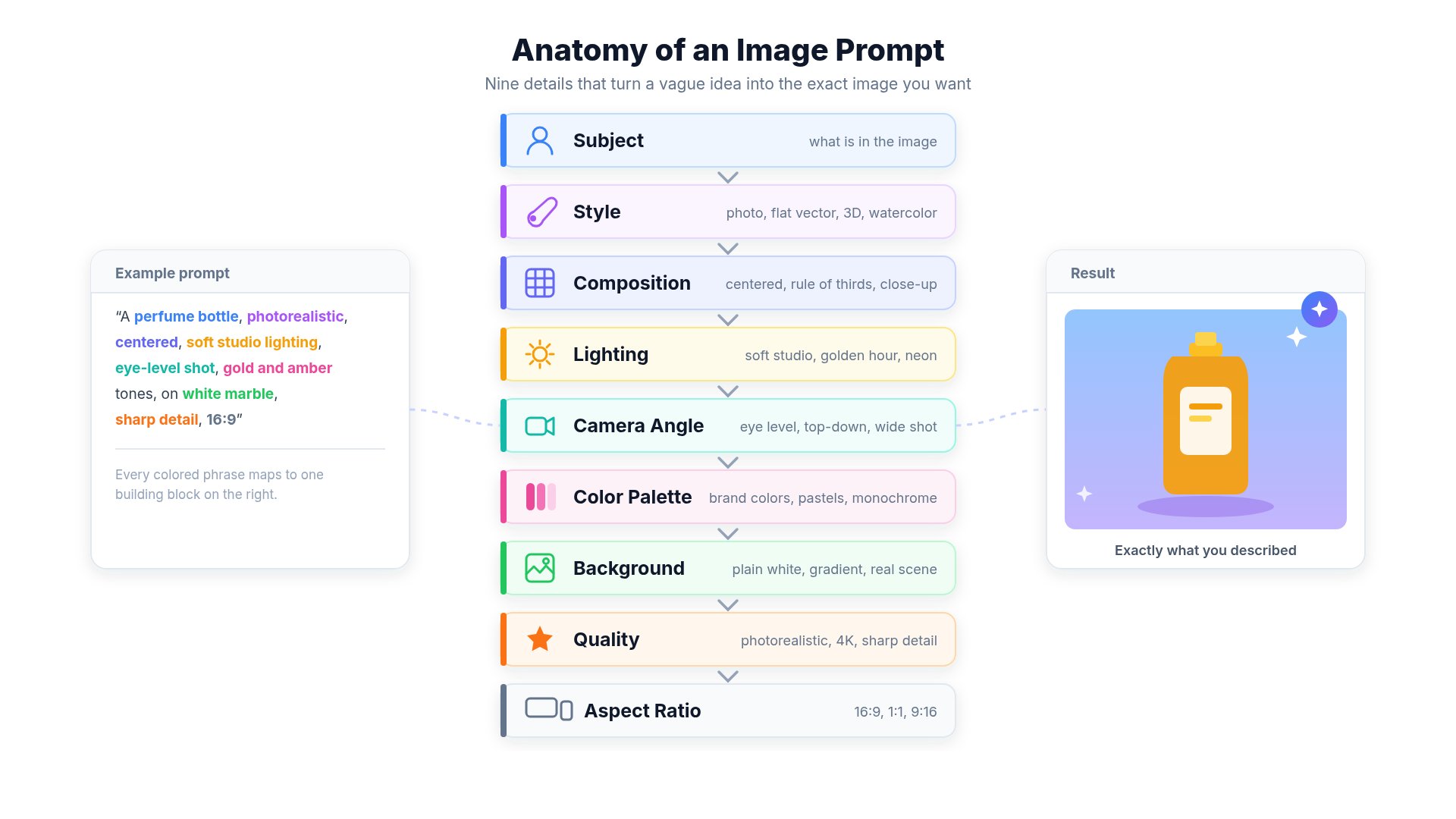
Instead of:Image Generation Tips
Video Generation Tips
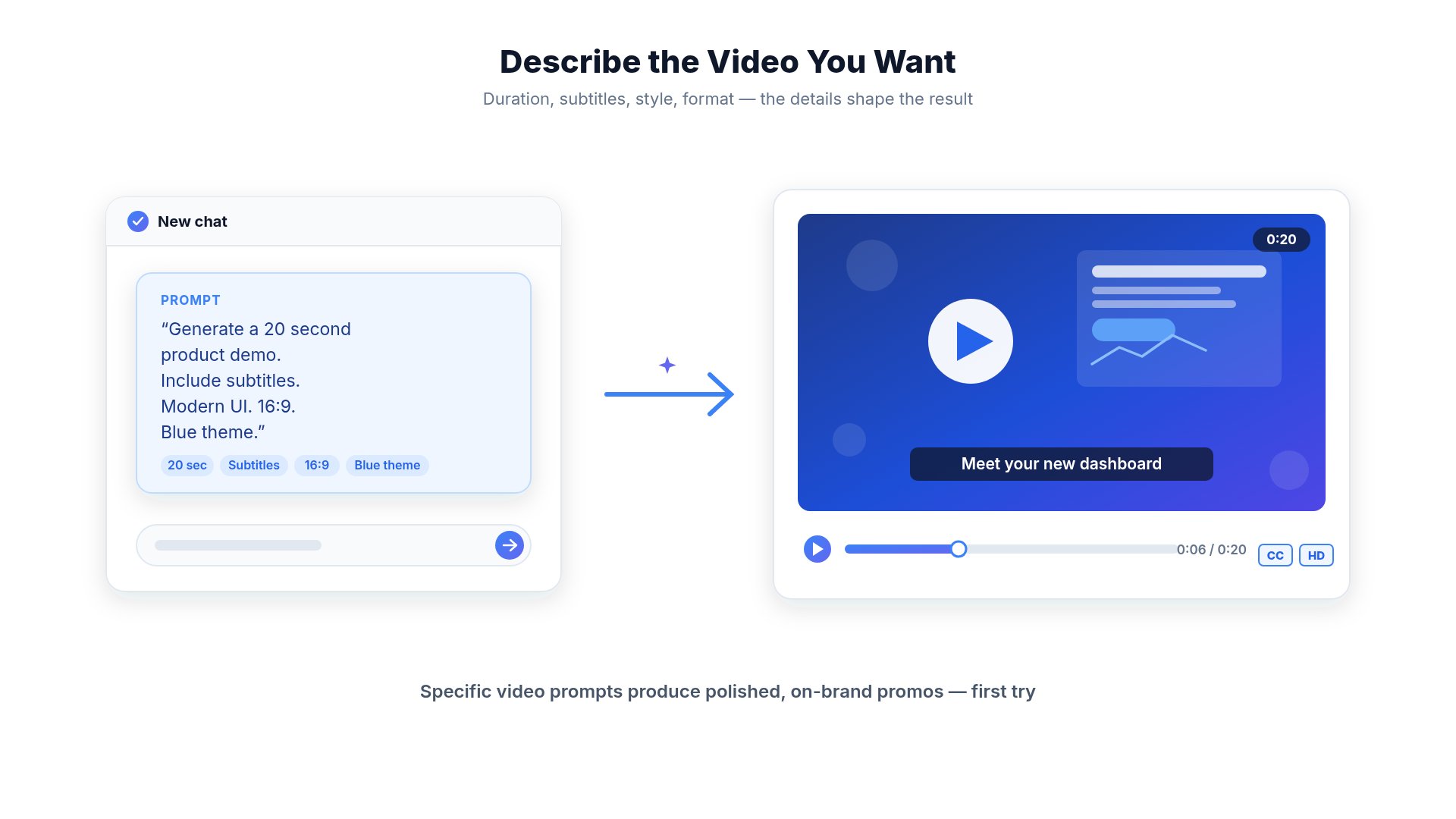
- duration
- language
- subtitles
- aspect ratio
- animation style
- camera movement
- background music
- audience
Website Generation Tips
Example:Mobile App Generation Tips
Example:Document Generation Tips
Instead of:Before Pressing Generate
- Did I explain the goal?
- Did I mention my framework?
- Did I tell the AI what NOT to change?
- Did I include examples?
- Did I explain the expected output?
- Is my request specific?
Common Mistakes
Using very short prompts
Using very short prompts
Short prompts force the AI to guess your intent.Always include context and requirements.
Changing too many things at once
Changing too many things at once
Break large tasks into smaller prompts.
Not specifying constraints
Not specifying constraints
Tell the AI what should remain unchanged.
Regenerating repeatedly
Regenerating repeatedly
Instead of clicking Generate again, improve your prompt.
Asking AI to rewrite an entire application
Asking AI to rewrite an entire application
Large rewrites are harder to review and can introduce unnecessary changes.Modify one feature at a time.
AI Limitations
Even with excellent prompts, AI may occasionally:- Misinterpret instructions
- Produce unexpected results
- Require multiple iterations
- Generate inefficient code
- Miss edge cases
Best Practices
Give Context
Explain your project before asking for changes.
One Task at a Time
Small prompts usually produce better results.
Protect Existing Code
Tell the AI what should not change.
Use References
Screenshots, designs, and examples improve accuracy.
Review Before Publishing
Always test AI-generated changes.
Iterate
Improve prompts instead of regenerating repeatedly.
Related Guides
- How Credits Work
- AI Limitations
- Website Hosting
- Common Mistakes