
What a skill looks like
A skill is a ZIP file containing aSKILL.md file. The SKILL.md defines what the skill does, what questions to ask before starting, and how to execute the task.
The SKILL.md file must include YAML frontmatter with a name and description:
SKILL.md
Two ways to add skills
Create with Runable
Ask the agent to build a skill for you. Describe what you want the skill to do, and the agent creates theSKILL.md file, saves it to your sandbox, and makes it available immediately.This is the fastest way to create a skill. No ZIP files, no manual setup.Upload a ZIP file
If you already have a skill as a ZIP file, upload it from the Agent Skills settings panel. Click Upload Skill, drag and drop your ZIP, and it appears in your skills list.ZIP requirements:- Must contain a
SKILL.mdat the root or inside a single top-level directory SKILL.mdmust have YAML frontmatter withnameanddescription- Name must be lowercase, letters/numbers/hyphens only, max 64 characters
- Max ZIP size: 50 MB
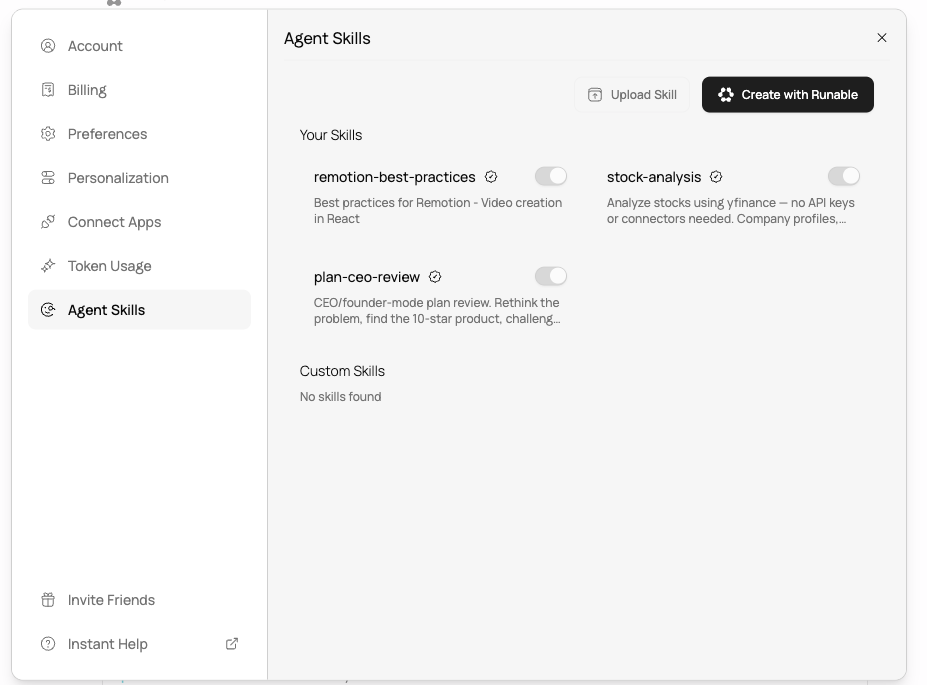
The Agent Skills settings panel showing your skills with toggles and the Upload Skill and Create with Runable buttons.
How to use a skill
Type / in the input bar
Type/ in the input bar and a dropdown appears with all your enabled skills. Each skill shows its name, an Official badge if it is a Runable skill, and a short description. Click one to select it, then type your prompt after the skill name.
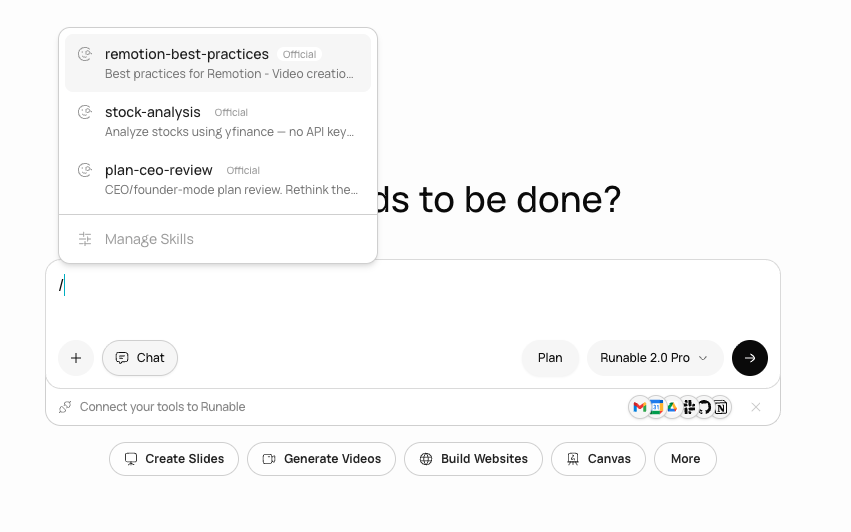
Typing / in the input bar opens the skills dropdown. Select a skill and add your prompt after it.
/skill-name followed by your instructions. For example:
Run the stock-analysis skill with a specific request (copy full prompt)
Run a weekly-report skill for a client (copy full prompt)
From the + button
You can also click the + button next to the input bar → Use Agent Skills to browse the same list.Automatically
You do not need to select a skill manually every time. If your prompt matches a skill’s description, the agent loads it automatically.Manage your skills
Go to Settings → Agent Skills to manage all your skills. You can also get there from the skills dropdown by clicking Manage Skills at the bottom of the list. You see two sections:- Your Skills — skills available in the Runable skill library, marked with an Official badge. Each one has a toggle to enable or disable it.
- Custom Skills — skills you created or uploaded yourself.
Example: create a skill for your business
Create a skill for weekly client reporting (copy full prompt)
Create a skill for product listing pages (copy full prompt)
Next steps
Enable and disable skills
Control which skills the agent can use in your conversations.
Official vs community skills
Understand the difference between library skills and your custom skills.