Skip to main content
Runable Docs home page
Search...
⌘K
Ask AI
Support
Dashboard
Dashboard
Search...
Navigation
Canvas Basics
Selecting & Moving Items
Introduction
Runable Inspirations
Import Anything
AI Slides
AI Websites
AI Images
AI Videos
AI Chat
AI Report
AI Documents
AI Canva
AI Carousel
Blog
Overview & Introduction
What is AI Canvas ?
Key Features at a Glance
Canvas Basics
Adding Media (Images & Videos)
Selecting & Moving Items
Zooming & Panning
Resize
Delete
AI Image Operations
Refine & Style Transfer
Outpaint (Extend Backgrounds)
Background Replacement
Background Removal
Upscale (2x-4x)
Text Editing
Editing text in images
Mark Edit Mode
Mark Edit
Timeline & Video Composition
Canva Timeline
Download
Download Options
File Formats
Where Files Are Stored
On this page
Keyboard Shortcuts
What You Can Do with Selected Items
Canvas Basics
Selecting & Moving Items
Copy page
Click, drag, and arrange your media
Copy page
1
Selecting Items
1
Single Select
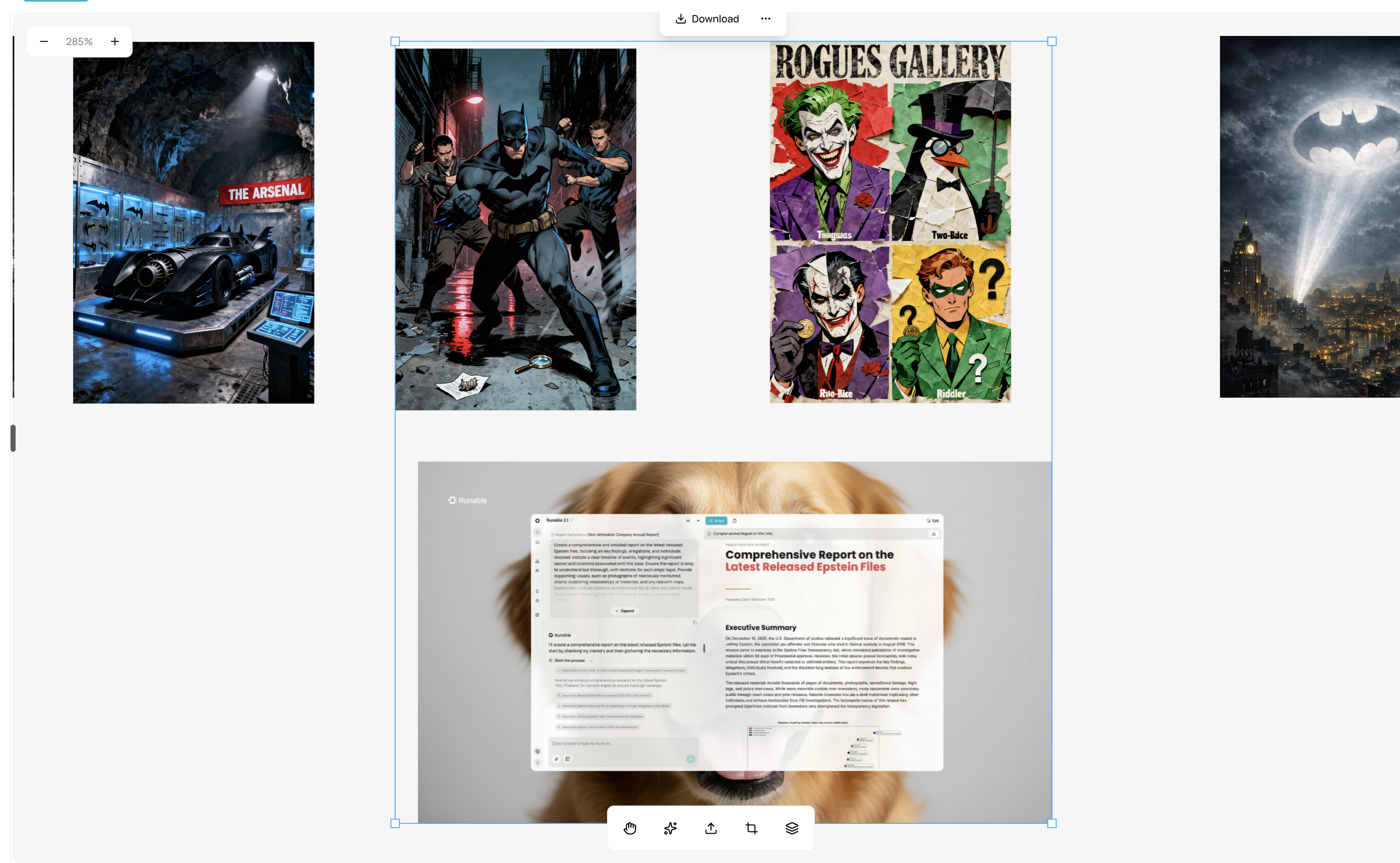
Click any item on the canvas
Selected item shows blue border with handles
Deselect by clicking empty canvas area
2
Multi-Select
Hold
Shift
+ click multiple items
Or drag a selection box around items
All selected items show blue borders
2
Moving Items
1
Drag to Move
Click and hold selected item
Drag to new position
Release to drop
2
Move Multiple Items
Select multiple items
Drag any selected item
All move together maintaining relative positions
3
Selection Indicators
When selected, you’ll see:
Blue border
around item
Corner handles
for resizing
Rotation handle
at top
Toolbar
appears with action buttons
Keyboard Shortcuts
Delete/Backspace
– Remove selected items
Shift + Click
– Add to selection
Click empty area
– Deselect all
What You Can Do with Selected Items
Move to new position
Resize using corner handles
Rotate using top handle
Apply AI operations from toolbar
Adjust opacity/visibility
Delete
Adding Media (Images & Videos)
Zooming & Panning
⌘I

.png?fit=max&auto=format&n=J3TfNmZhqEoKcaaO&q=85&s=468b5adb026aa33181cc81ab54ab68db)