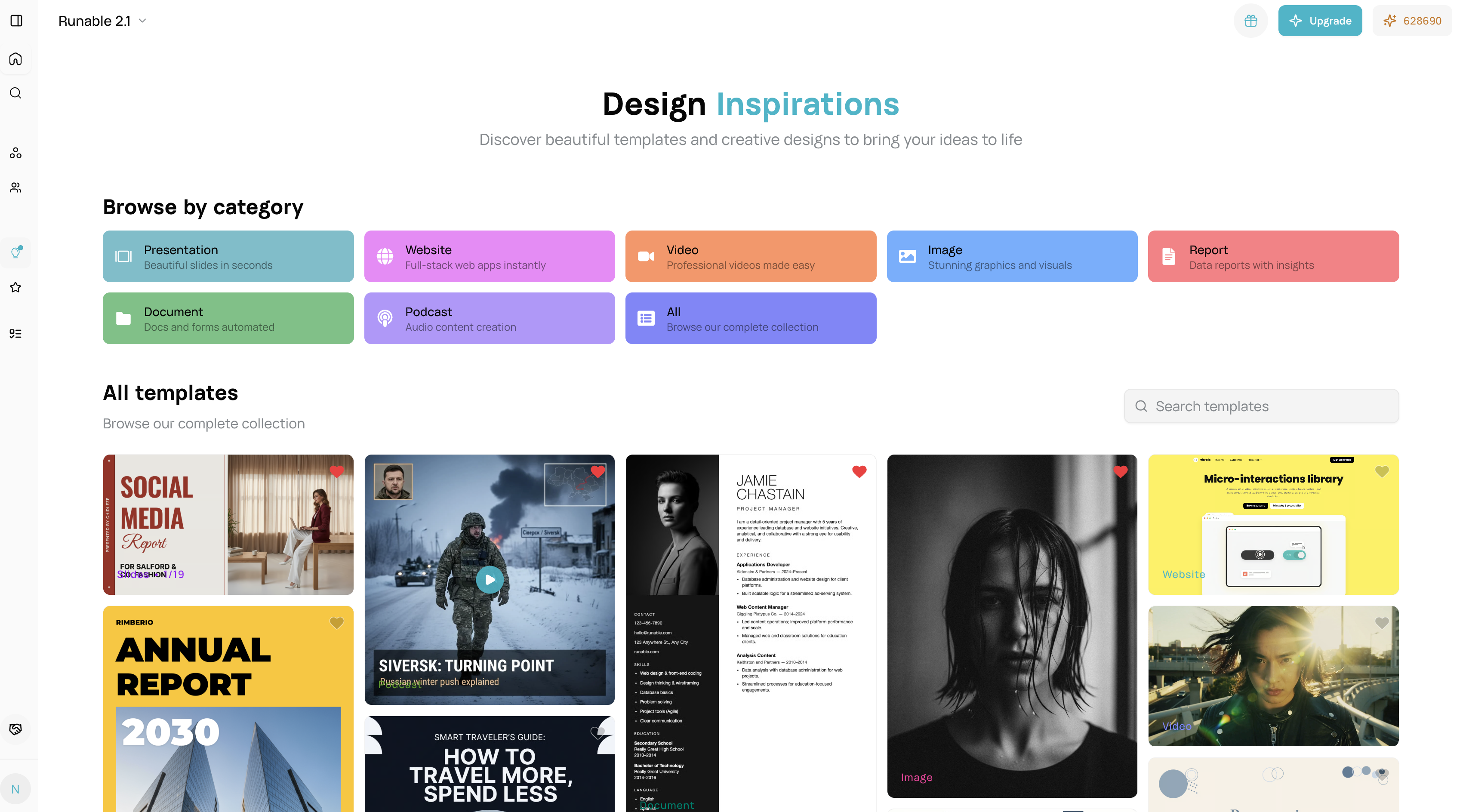
Overview Inspirations are pre-designed templates across all Runnable artifact types. Visit /inspirations to browse, customize, and use templates to jumpstart your projects.Supported Artifact Types:
Presentation : Slide decks, pitch presentations, visual storytellingWebsite : Landing pages, multi-section sites, static web experiencesVideo : Motion content, animations, video generation referencesImage : Graphics, visual assets, image generation stylesDocument : Articles, letters, resumes, written contentReport : Multi-page summaries, analyses, data reportsPodcast : Audio scripts, episode structures, podcast contentBrowser : Mini-apps, interactive tools, browser-based utilitiesCarousel : Social media slides, multi-image sequences, visual stories
Getting Started Access Inspirations:
Click “Inspirations” in the main navigation.
Browse all artifacts or filter by type: presentation , website , video , image , etc.
Click any template card to preview and customize.
Basic Workflow: Pick → Customize → Generate
Browse inspirations for your artifact type.
Click to preview template style & layout.
Enter your custom content/prompt.
Click “Use This Inspiration” or “Remix”.
AI generates your artifact with template styling applied.
Edit & refine in the artifact editor.
Features Across All Inspirations
Browse & Search : Filter by type, search by keyword, pin favorites, view similar templates.Preview : Thumbnail view, full preview, template info.Apply & Customize : Apply template, remix existing artifacts, customize before generation.Edit After Generation : Full artifact editor, manual overrides, export & download.
Cost Optimization Strategies
Single Artifact Approach : Generate a single artifact with inspiration.Series Approach : Generate multiple artifacts using the same inspiration for better efficiency.Remix Strategy : Apply different inspirations for refined artifacts.
FAQ Show Are inspirations free to use?
Yes, browsing and selecting are free; credits are only used for content generation.

.png?fit=max&auto=format&n=J3TfNmZhqEoKcaaO&q=85&s=468b5adb026aa33181cc81ab54ab68db)