
RunClaw brings Runable to the messaging apps you already use. Instead of switching to the Runable web app every time you need the agent, you message it directly from Telegram, Slack, or Discord. Same agent, same credits, same memory, same capabilities. You send a message. The agent processes it. The response streams back into your chat, formatted for that platform. If the agent builds something visual (a website, a presentation, an image), it sends you that so you can view and edit it in the full web app by clicking the “Open in Runable” link.Documentation Index
Fetch the complete documentation index at: https://docs.runable.com/llms.txt
Use this file to discover all available pages before exploring further.
Setting up RunClaw
The setup takes about 30 seconds per platform.Open Settings in the Runable web app
Click your profile icon in the bottom-left corner, then click Settings.
Go to the Run Claw tab
In the Settings panel, click the Run Claw tab. You see three platforms: Telegram, Slack, and Discord, each with a Connect button.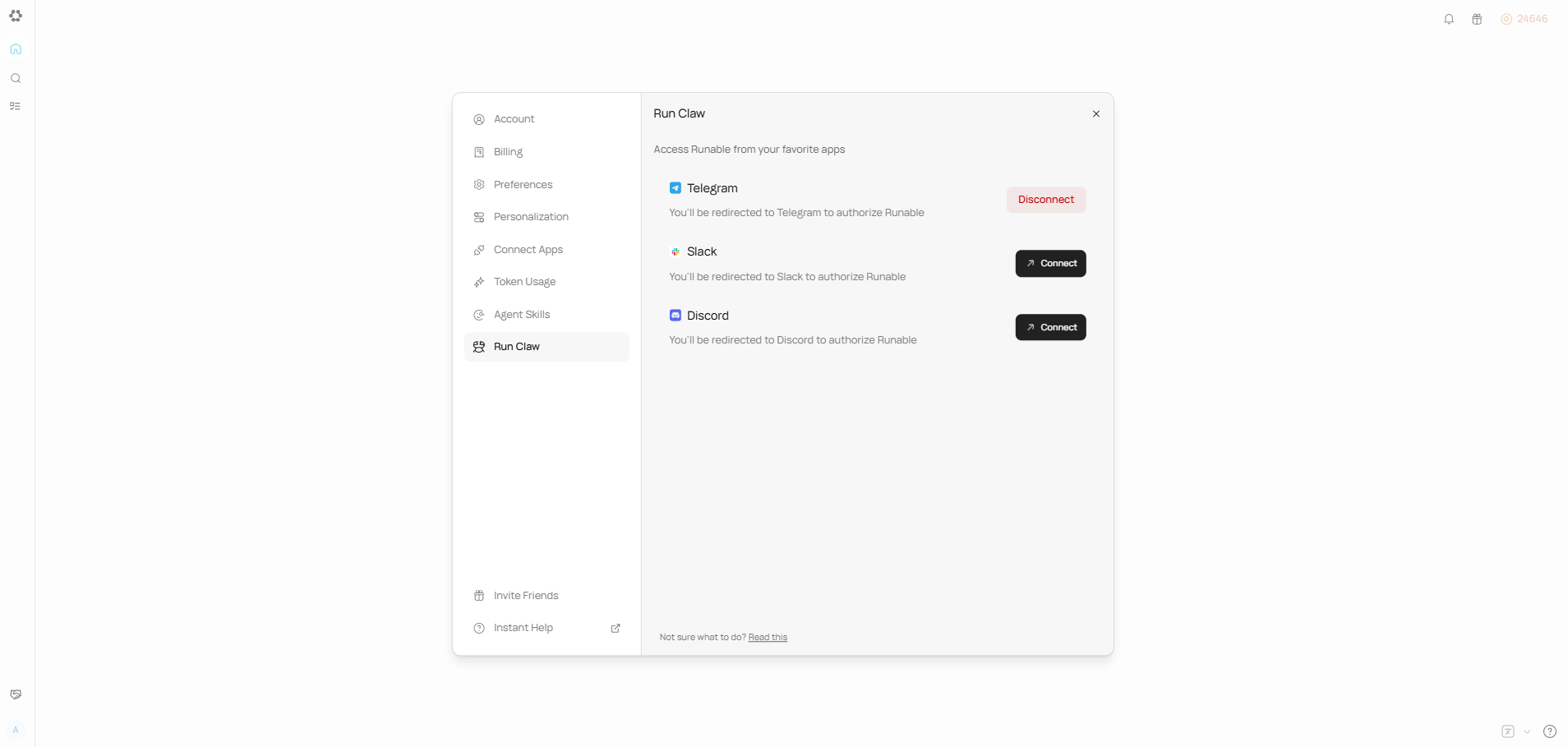
Click Connect on your platform
Each platform has its own connection flow:
- Telegram - opens a deep link to the Runable bot in Telegram. You tap Start and you are connected.
- Slack - launches an OAuth authorization page. You approve the permissions and the bot is added to your workspace.
- Discord - launches an OAuth authorization page. You approve and the bot is added to your server.
Supported platforms
Telegram
Message @Runable bot directly.
Slack
Invite the app to channels.
Discord
DM the bot or chat in server threads.
What you can do through RunClaw
- Chat with the Runable agent using natural language
- Execute the same tasks and workflows available in the web app
- Send files (images, documents, videos) to the agent
- Get streaming responses formatted for your platform
- Set your preferred model tier per connection (defaults to Pro)
- Connect and disconnect anytime from the Settings panel
Next steps
Connect Telegram
Set up Runable in Telegram in 30 seconds.
Connect Slack
Add Runable to your Slack workspace.
Connect Discord
Add Runable to your Discord server.