
.png?fit=max&auto=format&n=J3TfNmZhqEoKcaaO&q=85&s=468b5adb026aa33181cc81ab54ab68db)
Manage API Keys, Credentials & Configuration
Every AI website comes with a secure environment variable system so you can safely store API keys, credentials, and configuration without hardcoding them in your code.TL;DR
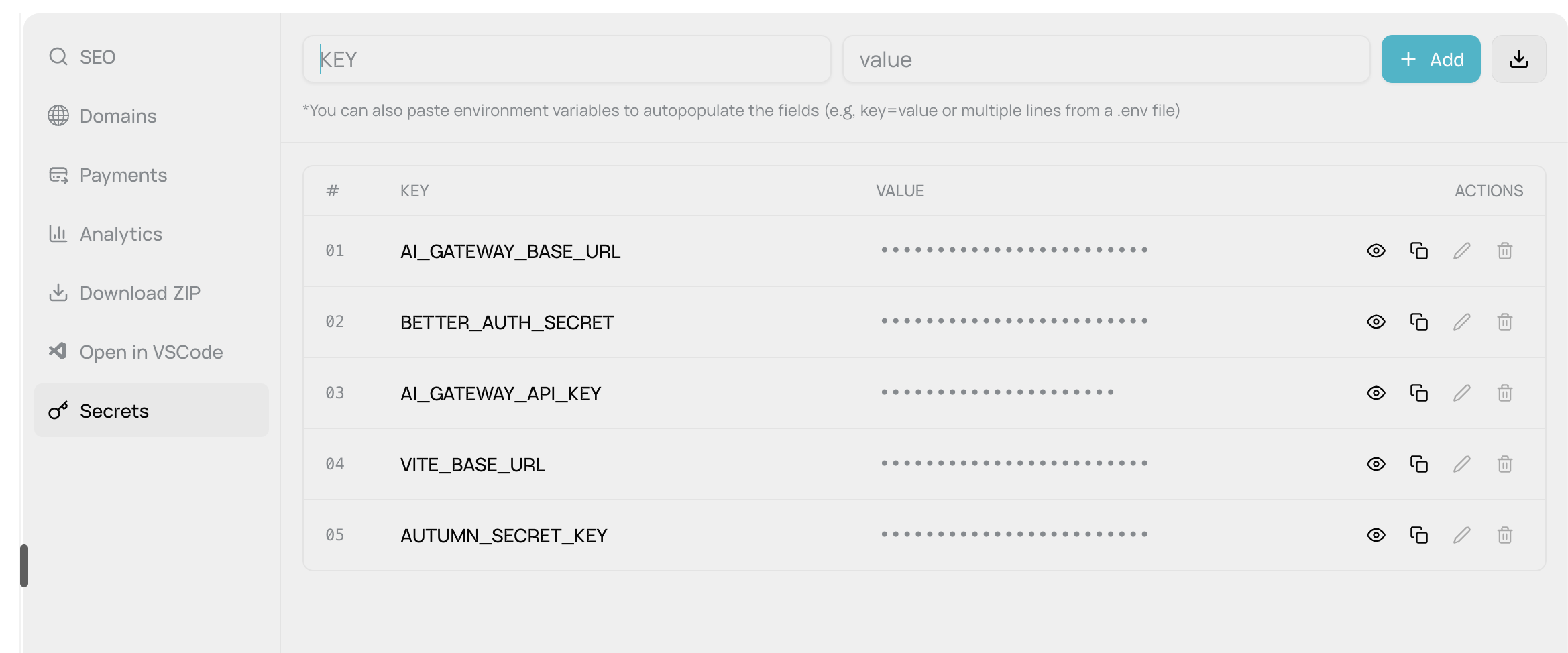
Your AI website includes:- 5 protected system variables (AI, auth, payments - auto-configured)
- Easy UI to add custom secrets (API keys, credentials, config)
- Secure storage (file-based in dev, Cloudflare bindings in production)
- Masked values (hidden by default, click to reveal or copy)
- Export/import (download
.envfiles for backup)
What You Get Automatically
5 Protected System Variables (pre-configured, cannot be edited):| Variable | What It’s For |
|---|---|
AI_GATEWAY_API_KEY | Your unique key to access 13+ AI models from your website |
AI_GATEWAY_BASE_URL | AI gateway endpoint (/api/gateway/v1) |
BETTER_AUTH_SECRET | 32-byte encryption key for user authentication & sessions |
VITE_BASE_URL | Your website’s URL (auto-updates for dev/production) |
AUTUMN_SECRET_KEY | Payment processing key for Stripe integration |
Add Your Own Variables
Easy UI in Website Settings:- Click “Environment Variables” tab
- Enter KEY and VALUE in the form
- Click “Add” or press Enter
Bulk Import:
- Paste entire
.envfile contents - Supports multi-line paste with automatic parsing
- Handles
KEY=valueformat, quoted values, comments
Security Features
Masked by Default:- Values shown as
•••••••••••••••••(bullet points) - Click eye icon to reveal temporarily
- Copy to clipboard without revealing (shows green checkmark)
- Edit any custom variable (inline editing)
- Delete any custom variable
- Protected system variables are locked (greyed out)
- Download all variables as
.envfile - Keep backups or share with team members
How It Works
Development Mode
Development Mode
- Variables stored in .env.local file in your sandbox
- Accessible immediately during preview
- Changes update in real-time
Production Mode
Production Mode
- All variables automatically converted to Cloudflare Workers “bindings”
- Deployed securely when you publish
VITE_BASE_URLauto-updates to your production domain- Secrets encrypted and managed by Cloudflare (never stored as plain text)
Validation Rules
Prevented:
- Empty keys
- Duplicate keys
- Editing/deleting protected system variables
Use Cases
API Integrations:- Stripe, PayPal, Braintree (payments)
- SendGrid, Mailgun, Postmark (email)
- Twilio, Vonage (SMS/voice)
- AWS, Google Cloud, Azure (cloud services)
- Feature flags (
ENABLE_BETA_FEATURES=true) - Environment-specific URLs (
API_BASE_URL) - Database connections (
DATABASE_URL) - Debug modes (
LOG_LEVEL=debug)
Best Practices
- Never commit secrets to git – Use environment variables instead
- Different keys for dev/production – Use test keys during development
- Rotate keys regularly – Update API keys periodically for security
- Use descriptive names –
STRIPE_SECRET_KEYnotKEY1 - Export backups – Download your
.envfile before major changes