
.png?fit=max&auto=format&n=J3TfNmZhqEoKcaaO&q=85&s=468b5adb026aa33181cc81ab54ab68db)
TL;DR
Analytics:
- Built-in Drizzle Analytics dashboard
- Auto-enabled on publish
- Track page views, visitors, events
- No configuration needed
Track Performance & Optimize for Search
Every AI website includes built-in analytics and full SEO control—no coding required.Analytics
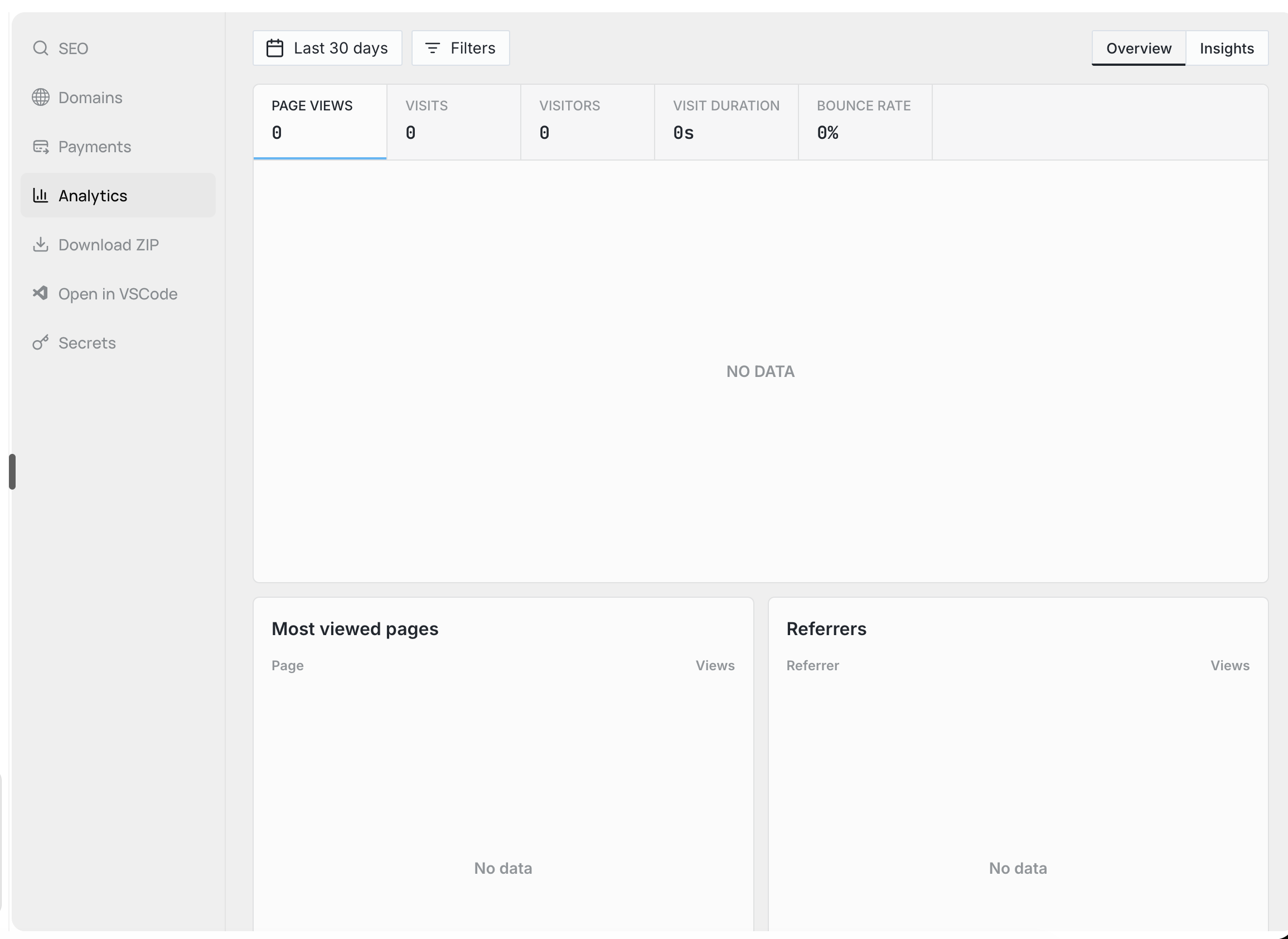
Built-in Analytics Dashboard
Understanding your website’s performance shouldn’t require technical setup. That’s why every Runable site comes with Drizzle Analytics pre-configured and ready to go. Your dashboard gives you interactive charts and real-time metrics without installing any tracking code. It works automatically the moment you publish, using your website’s domain as the identifier. The dashboard supports both dark and light themes to match your preference.| What’s Tracked | Why It Matters |
|---|---|
| Page views | See which pages attract the most attention |
| Visitor data | Understand who’s coming to your site |
| Custom events | Track specific actions visitors take |
| Performance metrics | Monitor how fast your site loads |
SEO Features
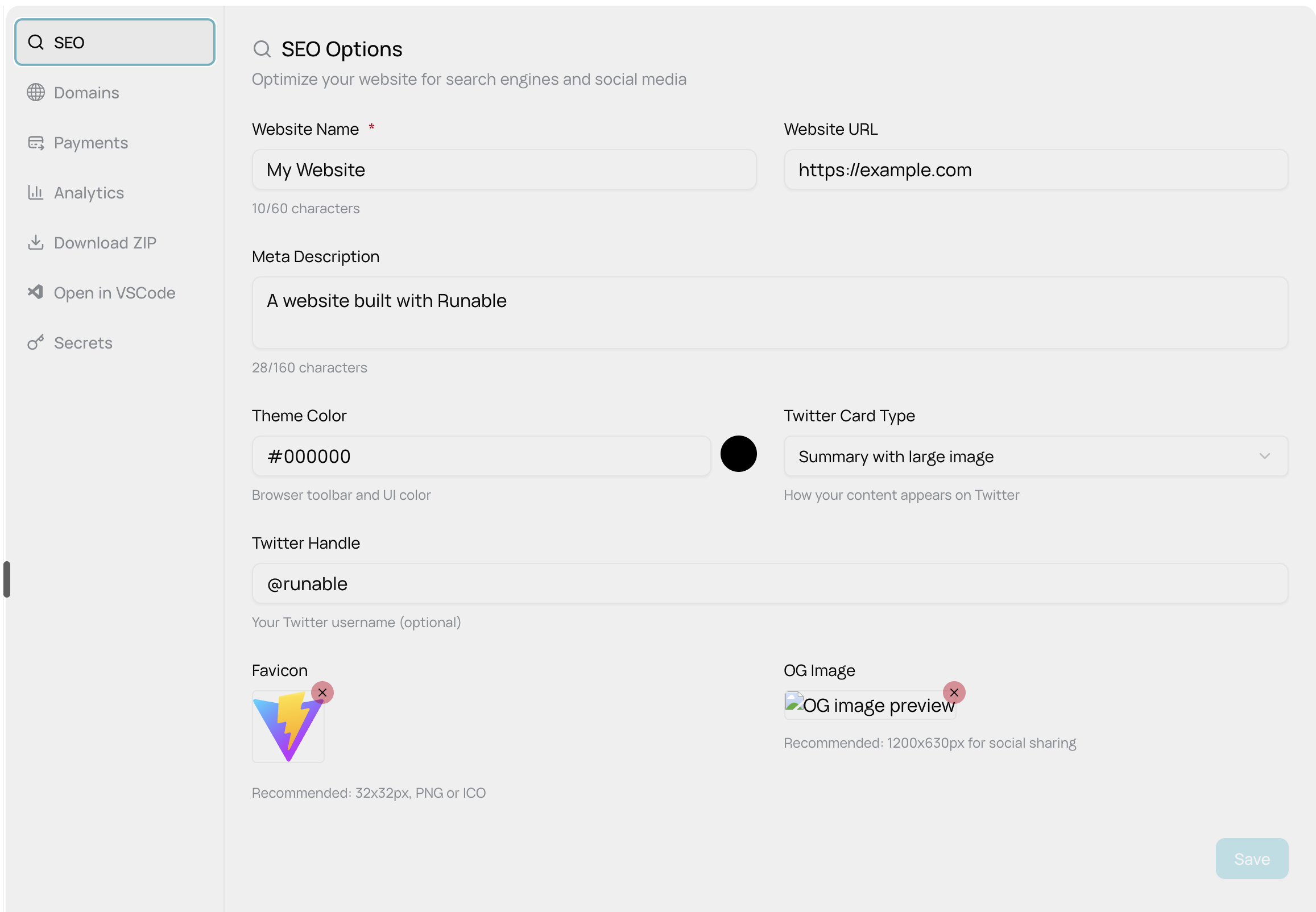
Meta Tags & Search Optimization
Configure everything search engines and social media platforms need to display your site correctly.| Setting | Character Limit | Where It Appears |
|---|---|---|
| Page Title | 60 characters | Browser tabs, Google search results, social media shares |
| Meta Description | 160 characters | Search result summaries, social platform previews |
| Website URL | — | Auto-populated from your deployment settings |
| Theme Color | Hex format (#000000) | Mobile browser address bar, matches your brand |
Theme color adds a polished touch by matching the mobile browser interface to your brand identity.
Social Media Cards
When you configure SEO settings, we Automatically generate: Open Graph Tags:- Generated using TanStack Router plugin
- All routes included with priorities
- Default change frequency: weekly
- Accessible at /sitemap.xml
- Standard robots.txt included
- Located in
/public/robots.txt - Search engines can crawl your site
Storage & Deployment
Where SEO Data Lives:Development:
website.config.json– Master config file in sandbox/public/favicon.*– Favicon file/public/og-image.*– OG image file
Best Practices
For Maximum SEO Impact:Page Title:
- Keep under 60 characters (will be cut off in search results)
- Include primary keyword
- Make it compelling and clickable
Meta Description:
- Use all 160 characters wisely
- Include call-to-action
- Explain what your site offers
OG Image:
- Use 1200x630px for best quality
- Include text overlay (legible at small sizes)
- Test on multiple platforms (Twitter, LinkedIn, Discord)
Validation & Limits
Character Limits:
- Page title: 60 characters (enforced with counter)
- Description: 160 characters (enforced with counter)
- Twitter handle: Optional, must start with
@