
.png?fit=max&auto=format&n=J3TfNmZhqEoKcaaO&q=85&s=468b5adb026aa33181cc81ab54ab68db)
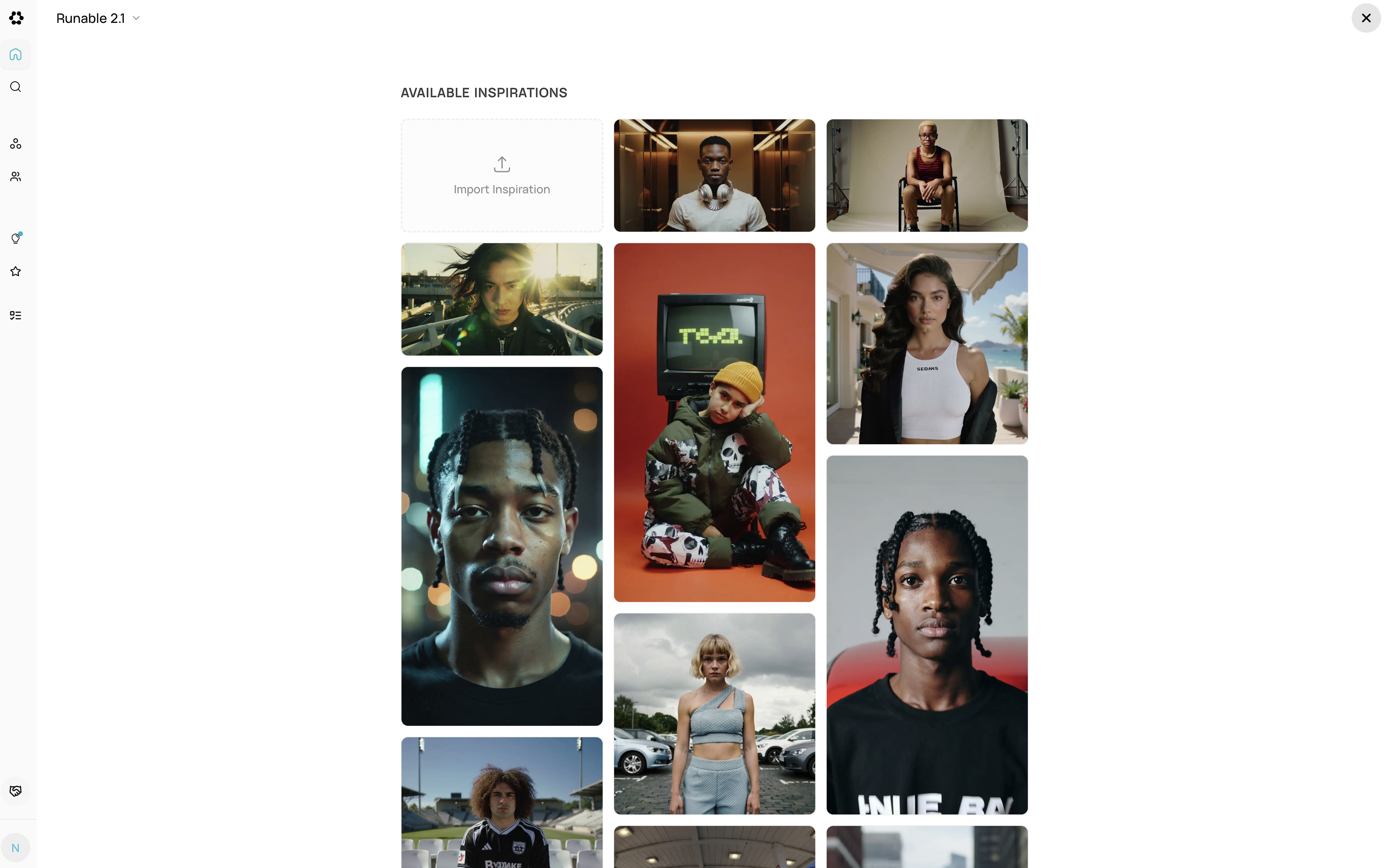
How it works:
1. Select an Inspiration Browse video inspirations and choose a visual style:- Cinematic — Dramatic lighting, smooth camera work
- Product Showcase — Clean studio lighting, professional motion
- Social Media — Energetic, fast-paced, vibrant
- Abstract — Flowing shapes, creative motion graphics
- Lifestyle — Natural lighting, authentic feel
- Professional — Corporate, polished, subtle motion
- Choose model (Wan 2.5, Seedance, Veo, Kling)
- Select duration (4s-12s depending on model)
- Pick aspect ratio (16:9, 9:16, 1:1, 21:9)
- Set resolution (720p, 1080p)
- Toggle audio (if supported)
-
Without inspiration:
-
With inspiration: (style, lighting, camera automatically applied)
- Visual style and color grading applied
- Camera movement pattern matched
- Lighting and mood maintained
- Motion pacing set automatically
- Video Remix — Adjust specific elements (lighting, pacing, colors)
- Canvas — Crop or reposition in timeline
- Regenerate variation — Try different motion within same style
- Export — Download when satisfied
Why use Video Inspirations:
- Pre-set styling saves prompt effort — Focus on content, not technical details
- Consistent professional results — Inspiration ensures cohesive visual style
- No need to describe camera/lighting — Inspiration handles technical aspects
- Quick iterations with Video Remix — Adjust elements without full regeneration
- Budget-friendly workflow — Test concept with inspiration before custom prompts
When to use Video Inspirations:
- Creating multiple videos with consistent branding
- Building a video series with matching aesthetics
- Quick video generation without detailed prompts
- Learning what works before writing custom prompts
- Social media content requiring consistent style
Pro Tips:
- Match inspiration to use case — Product inspiration for product videos, social inspiration for social content
- Start with budget models — Test inspiration with Wan or Seedance (50-720 credits)
- Use Remix for brand adjustments — Tweak colors to match brand without changing core style
- Combine inspirations with custom details — Add specific actions while keeping style consistent
- Export at consistent settings — Use same resolution across series for uniformity