
.png?fit=max&auto=format&n=J3TfNmZhqEoKcaaO&q=85&s=468b5adb026aa33181cc81ab54ab68db)
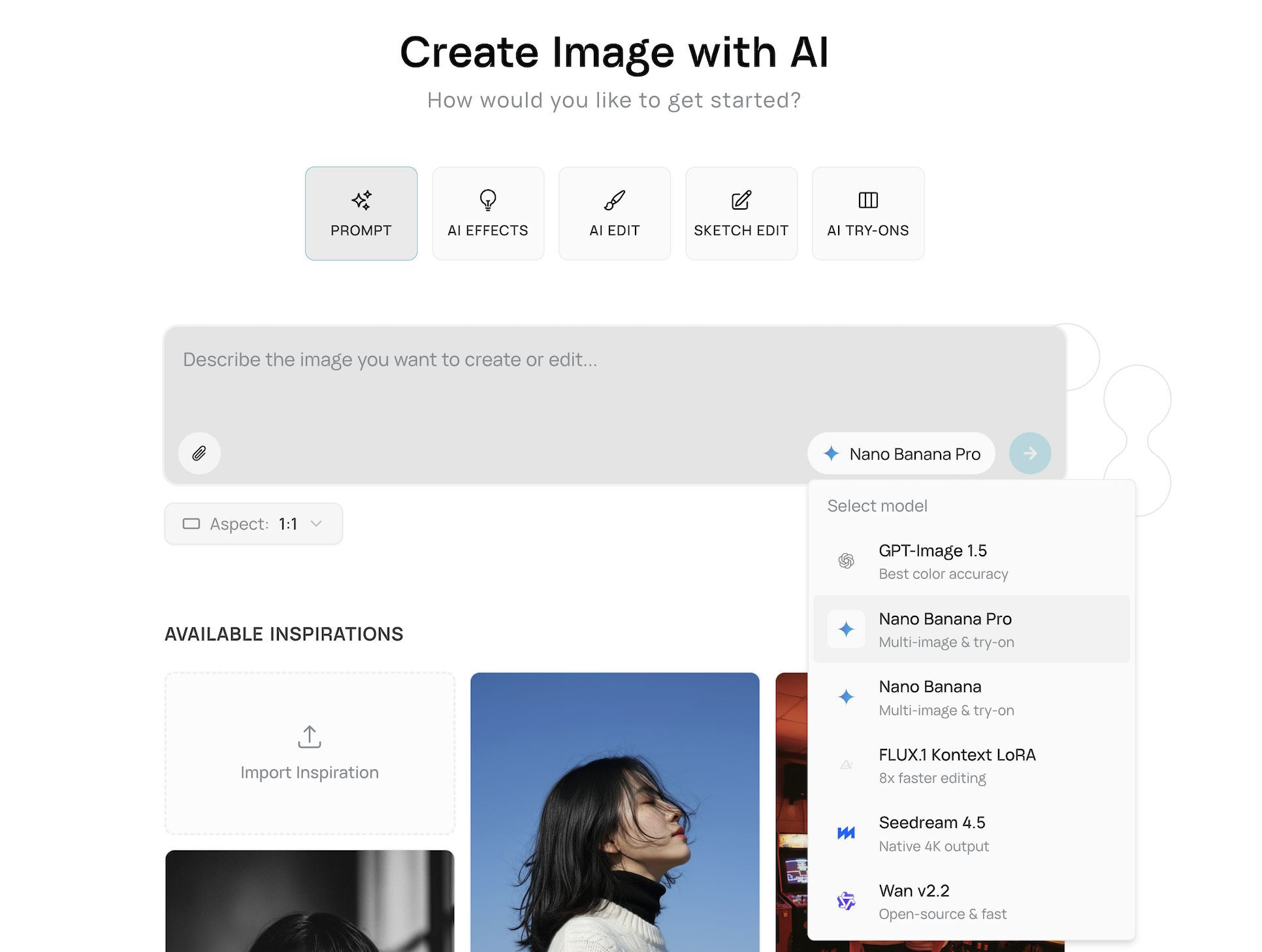 To select a model:
- Click the model selector dropdown in the image input box
- Browse available models with their icons and descriptions
- Select your preferred model
- The selection is automatically saved to your preferences
- If no model is selected, Runable automatically uses the first available compatible model
- Your last selection is remembered for future sessions
- Click the advanced settings icon to access additional options
- Set custom aspect ratios (1:1, 3:2, 16:9, 4:3, 9:16, etc.)
- Adjust upscale factors for refinement operations
| If you want… | Use a model optimized for… | Recommended by Runable |
|---|---|---|
| Accurate brand colors (logos, product colors, exact palette matching) | Color-accurate generation | GPT-Image 1.5 |
| Best try-on / multi-image edits (highest consistency across multiple refs) | Multi-image conditioning (pro quality) | Nano Banana Pro |
| Multi-image edits with faster iteration (good results, quicker runs) | Multi-image conditioning (fast) | Nano Banana |
| Fast editing & prompt iteration (regenerate/adjust quickly) | Speed-optimized editing | FLUX.1 Kontext LoRA |
| Ultra-high-resolution exports (crisp banners, zoom, print-ready) | Native 4K / high-res output | Seedream 4.5 |
| Open & fast generation (good speed + open-source flexibility) | Open-source models | Wan v2.2 |