> ## Documentation Index
> Fetch the complete documentation index at: https://docs.runable.com/llms.txt
> Use this file to discover all available pages before exploring further.
# AI Audio
> Text-to-speech, multi-speaker dialogue, music generation, sound effects, voice cloning, voice swap, dubbing, and transcription.
AI Audio is a full audio production toolkit. You can convert text to natural speech, generate music from a prompt, create sound effects, clone voices from samples, swap voices in existing recordings, dub content into other languages, and transcribe audio or video files to text.
All audio operations are handled by the agent through the chat. Describe what you need and the agent selects the right tool.
 ## What you can do
Convert text into natural-sounding speech with 6 preset voices.
Generate conversations between multiple speakers from a script.
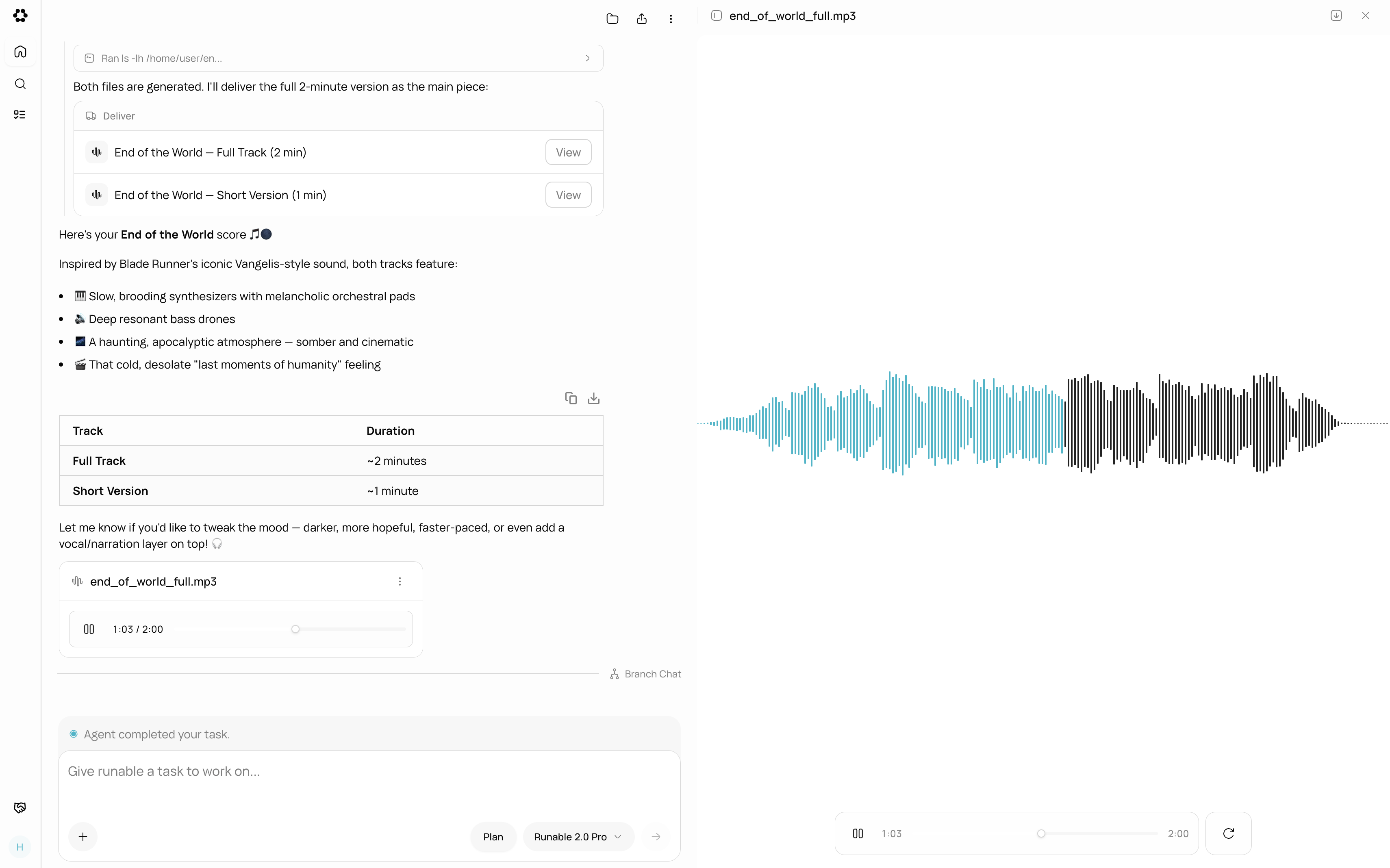
Compose original music from a text prompt describing genre and mood.
Generate sound effects from a text description with loop support.
Clone any voice from audio samples and use it across all audio tools.
Replace the voice in a recording while keeping emotion and timing.
Dub audio or video content into another language automatically.
Convert speech to text with speaker labels and audio event tags.
## Preset voices
For text-to-speech and dialogue, 6 preset voices are available:
| Voice | Description |
| -------------------- | ------------------------------ |
| **Rachel** (default) | Neutral, clear, conversational |
| **George** | Male, warm tone |
| **Sarah** | Female, professional |
| **Charlie** | Male, casual |
| **Lily** | Female, friendly |
| **Chris** | Male, energetic |
You can also use a cloned voice for any operation. See [Voice Cloning](/generate-media/ai-audio/voice-cloning).
## Output format
All audio files are generated as MP3 (128kbps, 44.1kHz) or WAV. Files appear in the chat with a waveform player for instant playback. Click **Download** to save to your device.
## What AI Audio does not support
* Real-time audio streaming or live voice interaction.
* Merging or mixing two audio tracks together (for example, voice over background music).
* Editing audio waveforms directly (trimming, cutting, fading). Use an external audio editor for post-production.
* Generating audio longer than 10 minutes in a single operation for music.
## Next steps
Convert your first text into natural speech.
Compose original music from a text description.
## What you can do
Convert text into natural-sounding speech with 6 preset voices.
Generate conversations between multiple speakers from a script.
Compose original music from a text prompt describing genre and mood.
Generate sound effects from a text description with loop support.
Clone any voice from audio samples and use it across all audio tools.
Replace the voice in a recording while keeping emotion and timing.
Dub audio or video content into another language automatically.
Convert speech to text with speaker labels and audio event tags.
## Preset voices
For text-to-speech and dialogue, 6 preset voices are available:
| Voice | Description |
| -------------------- | ------------------------------ |
| **Rachel** (default) | Neutral, clear, conversational |
| **George** | Male, warm tone |
| **Sarah** | Female, professional |
| **Charlie** | Male, casual |
| **Lily** | Female, friendly |
| **Chris** | Male, energetic |
You can also use a cloned voice for any operation. See [Voice Cloning](/generate-media/ai-audio/voice-cloning).
## Output format
All audio files are generated as MP3 (128kbps, 44.1kHz) or WAV. Files appear in the chat with a waveform player for instant playback. Click **Download** to save to your device.
## What AI Audio does not support
* Real-time audio streaming or live voice interaction.
* Merging or mixing two audio tracks together (for example, voice over background music).
* Editing audio waveforms directly (trimming, cutting, fading). Use an external audio editor for post-production.
* Generating audio longer than 10 minutes in a single operation for music.
## Next steps
Convert your first text into natural speech.
Compose original music from a text description.