> ## Documentation Index
> Fetch the complete documentation index at: https://docs.runable.com/llms.txt
> Use this file to discover all available pages before exploring further.
# Follow-up actions
> After the summary is generated, Run Meet can automatically kick off one agent task per meeting the part that separates it from a transcription service.
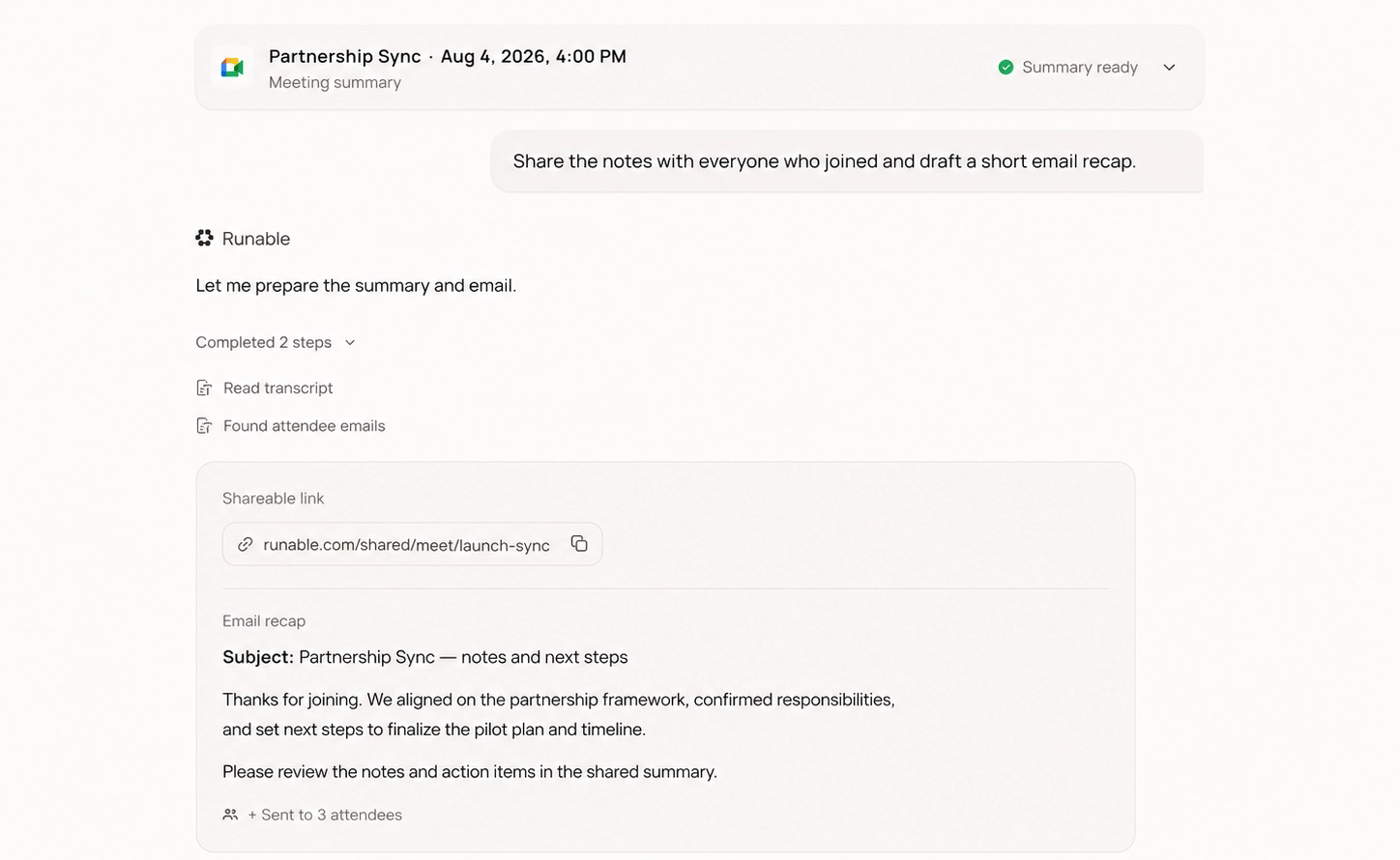 This is the part that separates Run Meet from a transcription service. After the summary is generated, Run Meet can automatically kick off **one agent task per meeting**.
## Built-in options
* **Draft the follow-up email**
* **Send the summary to a Slack channel**
* **Extract every actionable into a checklist**
* **Create the action items in Notion**
* **Run a custom prompt** you write yourself (up to 5,000 characters)
These run through the Runable agent with your connected integrations.
## Important details
* The same actions are available as **one-click suggestions** on every finished meeting, so you can run them selectively instead of automatically.
* Follow-up actions depend on connected integrations and agent execution. They're powerful, but they're agent tasks, not guaranteed API exports.
## Next steps
Send the recap to clients and teammates with one link.
What Run Meet costs, in Runable credits.
This is the part that separates Run Meet from a transcription service. After the summary is generated, Run Meet can automatically kick off **one agent task per meeting**.
## Built-in options
* **Draft the follow-up email**
* **Send the summary to a Slack channel**
* **Extract every actionable into a checklist**
* **Create the action items in Notion**
* **Run a custom prompt** you write yourself (up to 5,000 characters)
These run through the Runable agent with your connected integrations.
## Important details
* The same actions are available as **one-click suggestions** on every finished meeting, so you can run them selectively instead of automatically.
* Follow-up actions depend on connected integrations and agent execution. They're powerful, but they're agent tasks, not guaranteed API exports.
## Next steps
Send the recap to clients and teammates with one link.
What Run Meet costs, in Runable credits.