> ## Documentation Index
> Fetch the complete documentation index at: https://docs.runable.com/llms.txt
> Use this file to discover all available pages before exploring further.
# After the call
> Each finished meeting opens as a chat with the recap pinned at the top flip between summary and transcript, download the recording, and ask the meeting questions.
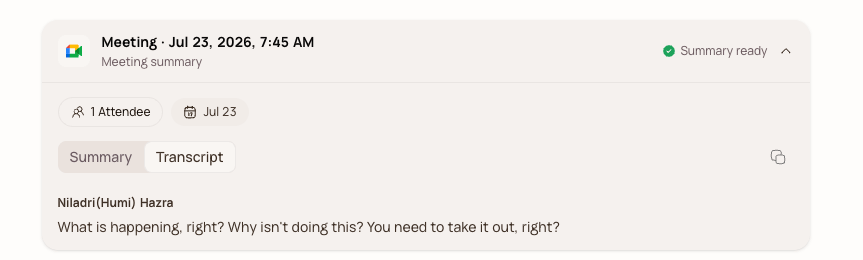
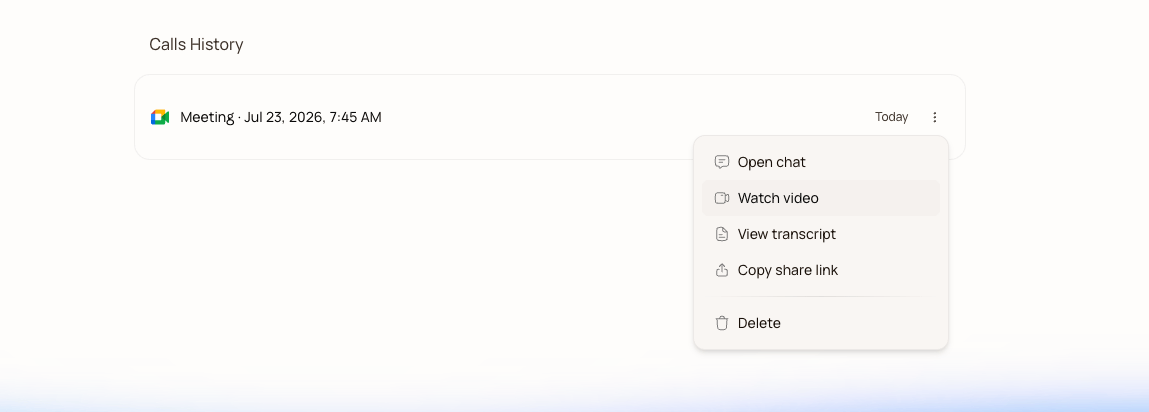 Each finished meeting opens as a chat with the recap pinned at the top.
You can flip between the **Summary** and the full diarized **Transcript**, copy either, preview or download the MP4, and download the transcript as a text file.
Each finished meeting opens as a chat with the recap pinned at the top.
You can flip between the **Summary** and the full diarized **Transcript**, copy either, preview or download the MP4, and download the transcript as a text file.
 Sharing is a public link. Anyone with it sees the notes and transcript without signing in, which is the difference between "sharing notes" and "asking your client to create an account." More in [Share meeting notes](/meet/share-notes).
## Ask the meeting anything
Because the meeting is a chat, you can just ask it things:
```text theme={null}
what did we commit to for the pilot?
draft a one-paragraph update for my manager
pull every number mentioned in this call into a table.
```
The agent answers from the transcript, and since it's a full Runable chat, it can also go further: turn the meeting into a slide deck, a project brief, or a report, the same way any Runable conversation can.
## Next steps
Let the agent do the follow-up automatically after every meeting.
One public link — every recipient gets their own private chat.
Sharing is a public link. Anyone with it sees the notes and transcript without signing in, which is the difference between "sharing notes" and "asking your client to create an account." More in [Share meeting notes](/meet/share-notes).
## Ask the meeting anything
Because the meeting is a chat, you can just ask it things:
```text theme={null}
what did we commit to for the pilot?
draft a one-paragraph update for my manager
pull every number mentioned in this call into a table.
```
The agent answers from the transcript, and since it's a full Runable chat, it can also go further: turn the meeting into a slide deck, a project brief, or a report, the same way any Runable conversation can.
## Next steps
Let the agent do the follow-up automatically after every meeting.
One public link — every recipient gets their own private chat.