> ## Documentation Index
> Fetch the complete documentation index at: https://docs.runable.com/llms.txt
> Use this file to discover all available pages before exploring further.
# Build Your First Website
> Go from a prompt to a live website with a database, payments, and custom domain.
This guide walks you through building a website from scratch. You describe what you need, the agent builds it, and you deploy it live.
On the home dashboard, click the artifact picker and select **Website** (or type directly and mention you want a website).
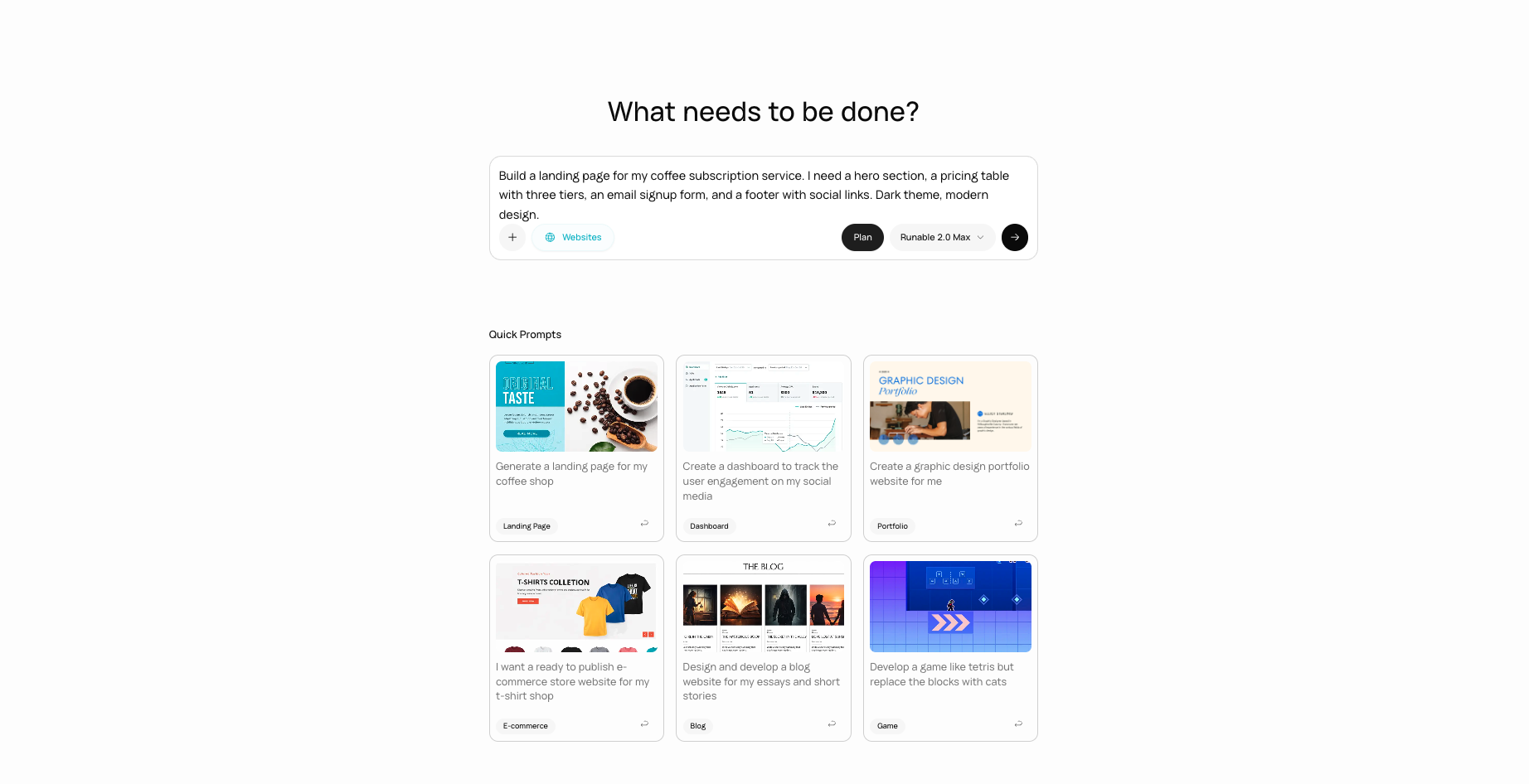 Tell the agent what your site needs to do. Be specific about features, pages, and functionality.
Build a landing page for my coffee subscription service. I need a hero section, a pricing table with three tiers, an email signup form, and a footer with social links. Dark theme, modern design.
Build a project management app where users can sign up, create projects, add tasks, and mark them complete. Include a dashboard showing active projects and a simple Kanban board.
Create a personal portfolio website for a photographer. Gallery page with image grid, about page, and a contact form that sends me an email when someone submits it.
The agent asks about your requirements before writing code: what pages you need, whether you need a database, user authentication, payments, or any specific integrations. Answer these questions so the agent builds the right thing the first time.
As the agent writes code, a live preview appears in the side panel. The preview updates in real time as the agent adds features and makes changes.
Tell the agent what your site needs to do. Be specific about features, pages, and functionality.
Build a landing page for my coffee subscription service. I need a hero section, a pricing table with three tiers, an email signup form, and a footer with social links. Dark theme, modern design.
Build a project management app where users can sign up, create projects, add tasks, and mark them complete. Include a dashboard showing active projects and a simple Kanban board.
Create a personal portfolio website for a photographer. Gallery page with image grid, about page, and a contact form that sends me an email when someone submits it.
The agent asks about your requirements before writing code: what pages you need, whether you need a database, user authentication, payments, or any specific integrations. Answer these questions so the agent builds the right thing the first time.
As the agent writes code, a live preview appears in the side panel. The preview updates in real time as the agent adds features and makes changes.
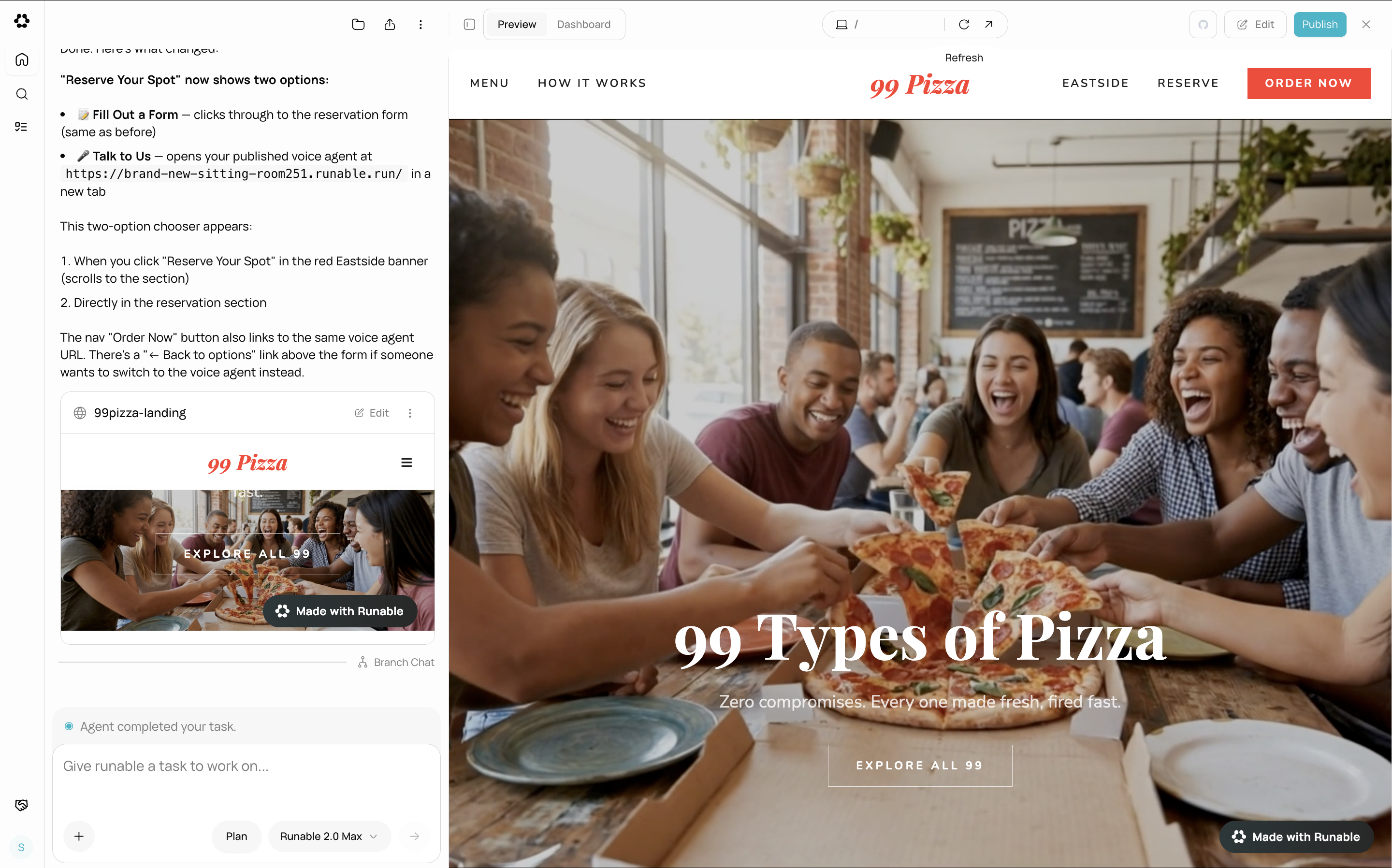 Ask for changes directly in the chat. The agent edits the code and the preview updates.
Make the hero section taller and change the background to a gradient from dark blue to black.
Add a pricing section with three tiers: Free, Pro, and Enterprise. Include a "Get Started" button on each card.
When you are happy with the result, click the **Publish** button in the website header. Your site goes live with a public URL at **yoursite.runable.site**.
See [Deploy & Go Live](/build-websites/ai-websites/deploy-and-go-live) for full deployment details.
Turn on **Plan Mode** before sending your first message for complex websites. The agent researches, asks smart questions, and writes a full plan before building. This prevents having to redo significant work later.
## What the agent sets up automatically
When the agent builds your website, it provisions the following infrastructure without you needing to configure anything:
| Component | What you get |
| ---------------- | ------------------------------------------------------------------------ |
| **Live preview** | An instant preview URL in the side panel that updates as the agent codes |
| **Database** | A SQLite database for storing any data your app needs |
| **File storage** | Object storage for uploads, images, and files |
| **AI gateway** | An API key for adding AI features to your website |
| **Environment** | A `.env.local` file with all necessary configuration pre-filled |
## Next steps
Publish your website and get a public URL.
Connect your own domain to your deployed website.
Ask for changes directly in the chat. The agent edits the code and the preview updates.
Make the hero section taller and change the background to a gradient from dark blue to black.
Add a pricing section with three tiers: Free, Pro, and Enterprise. Include a "Get Started" button on each card.
When you are happy with the result, click the **Publish** button in the website header. Your site goes live with a public URL at **yoursite.runable.site**.
See [Deploy & Go Live](/build-websites/ai-websites/deploy-and-go-live) for full deployment details.
Turn on **Plan Mode** before sending your first message for complex websites. The agent researches, asks smart questions, and writes a full plan before building. This prevents having to redo significant work later.
## What the agent sets up automatically
When the agent builds your website, it provisions the following infrastructure without you needing to configure anything:
| Component | What you get |
| ---------------- | ------------------------------------------------------------------------ |
| **Live preview** | An instant preview URL in the side panel that updates as the agent codes |
| **Database** | A SQLite database for storing any data your app needs |
| **File storage** | Object storage for uploads, images, and files |
| **AI gateway** | An API key for adding AI features to your website |
| **Environment** | A `.env.local` file with all necessary configuration pre-filled |
## Next steps
Publish your website and get a public URL.
Connect your own domain to your deployed website.