> ## Documentation Index
> Fetch the complete documentation index at: https://docs.runable.com/llms.txt
> Use this file to discover all available pages before exploring further.
# Billing & Payments FAQ
> Everything you need to know about subscriptions, billing cycles, renewals, invoices, upgrades, downgrades, refunds, top-ups, and payments.
# Billing & Payments FAQ
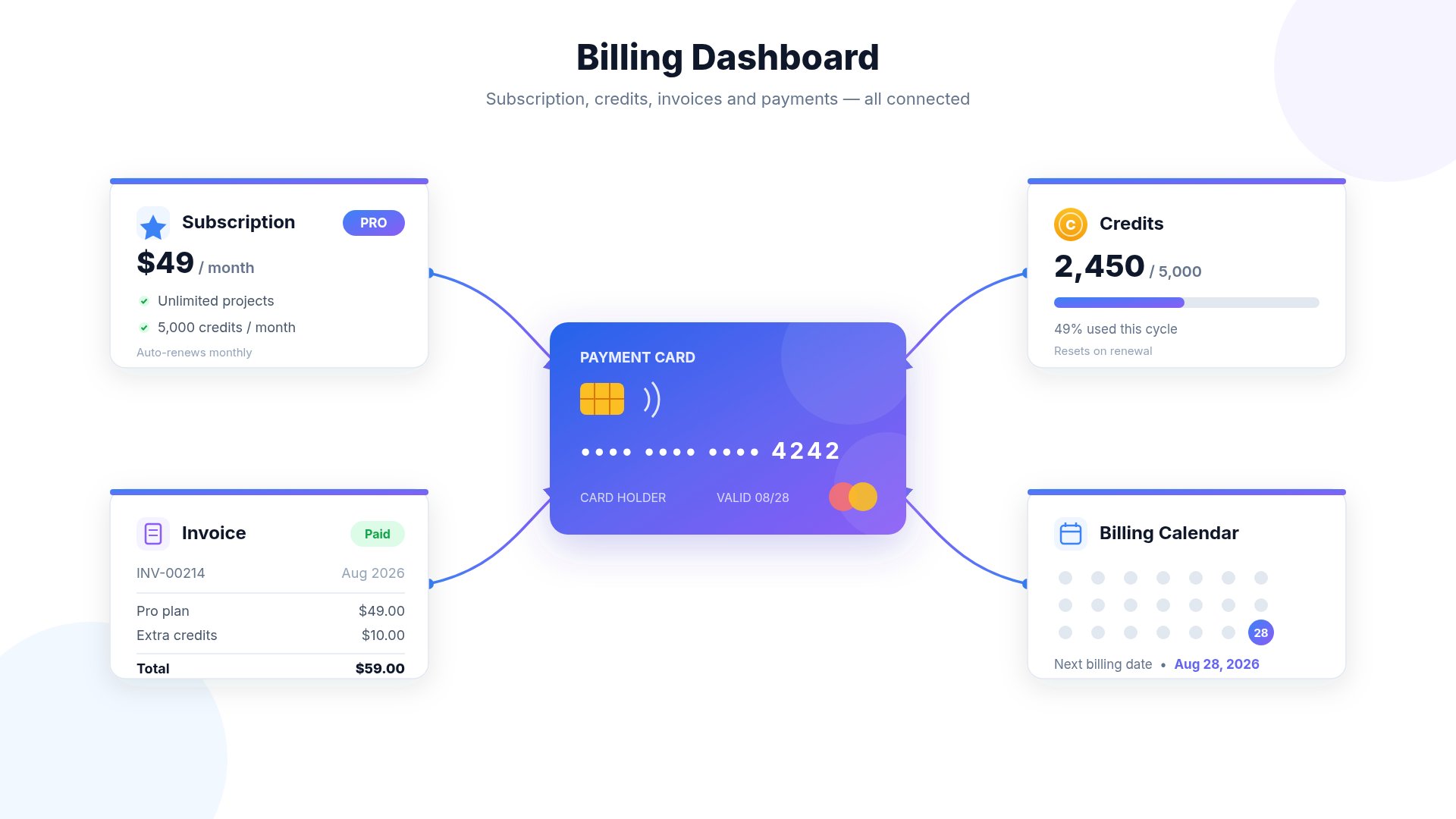 Whether you're subscribing for the first time, upgrading your plan, purchasing additional credits, or reviewing an invoice, this guide explains how Runable's billing system works.
***
# Billing Overview
Runable offers two different ways to purchase credits:
Monthly recurring plans that include Monthly Credits and access to premium features.
One-time purchases that add permanent credits to your account.
Subscriptions and Lifetime Credit Top-Ups are completely separate purchases.
Buying Lifetime Credits **does not** renew, replace, extend, or cancel your subscription.
***
# Understanding Your Billing Cycle
Whether you're subscribing for the first time, upgrading your plan, purchasing additional credits, or reviewing an invoice, this guide explains how Runable's billing system works.
***
# Billing Overview
Runable offers two different ways to purchase credits:
Monthly recurring plans that include Monthly Credits and access to premium features.
One-time purchases that add permanent credits to your account.
Subscriptions and Lifetime Credit Top-Ups are completely separate purchases.
Buying Lifetime Credits **does not** renew, replace, extend, or cancel your subscription.
***
# Understanding Your Billing Cycle
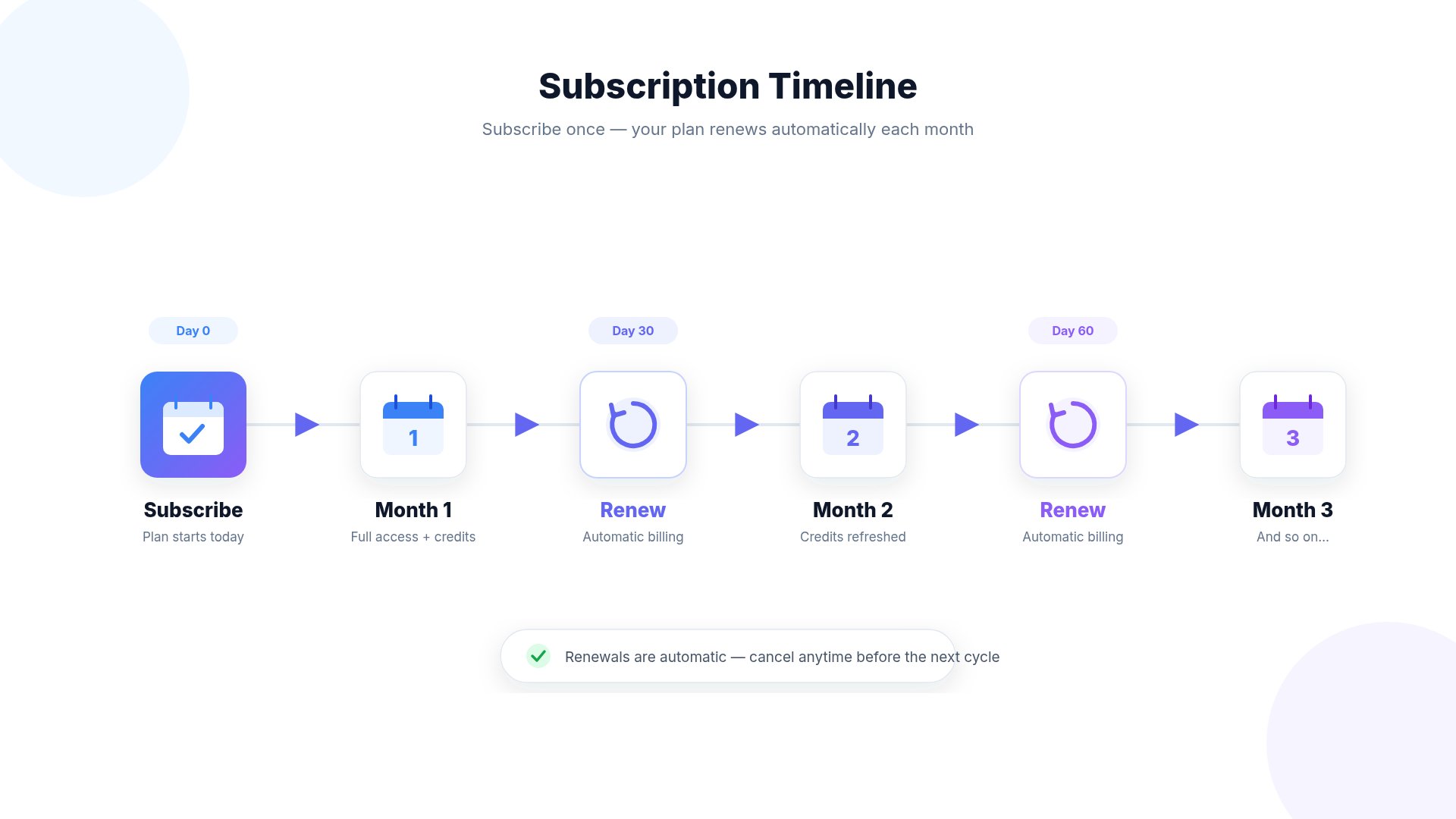 Your billing cycle starts on the day you purchase a subscription.
Example
| Purchase Date | Renewal Date |
| ------------- | ------------ |
| January 10 | February 10 |
| February 10 | March 10 |
| March 10 | April 10 |
Your subscription automatically renews on the same day each billing cycle unless cancelled beforehand.
***
# Auto Renewal
Subscriptions automatically renew at the end of every billing cycle.
This ensures uninterrupted access to:
* Monthly Credits
* AI Models
* Website Hosting
* Premium Features
* Published Projects
If you don't wish to continue your subscription, cancel before your next renewal date.
***
# How To Cancel Your Subscription
Your billing cycle starts on the day you purchase a subscription.
Example
| Purchase Date | Renewal Date |
| ------------- | ------------ |
| January 10 | February 10 |
| February 10 | March 10 |
| March 10 | April 10 |
Your subscription automatically renews on the same day each billing cycle unless cancelled beforehand.
***
# Auto Renewal
Subscriptions automatically renew at the end of every billing cycle.
This ensures uninterrupted access to:
* Monthly Credits
* AI Models
* Website Hosting
* Premium Features
* Published Projects
If you don't wish to continue your subscription, cancel before your next renewal date.
***
# How To Cancel Your Subscription
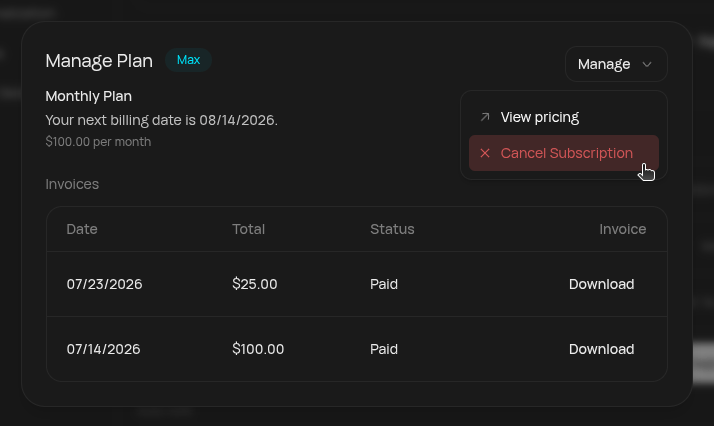 Navigate to:
```text theme={null}
Settings
↓
Account
↓
Manage Plan
↓
Manage
↓
Cancel Subscription
```
After cancellation:
* Your subscription remains active until the end of your current billing cycle.
* No future renewals will occur.
***
# Subscription vs Top-Up Credits
Navigate to:
```text theme={null}
Settings
↓
Account
↓
Manage Plan
↓
Manage
↓
Cancel Subscription
```
After cancellation:
* Your subscription remains active until the end of your current billing cycle.
* No future renewals will occur.
***
# Subscription vs Top-Up Credits
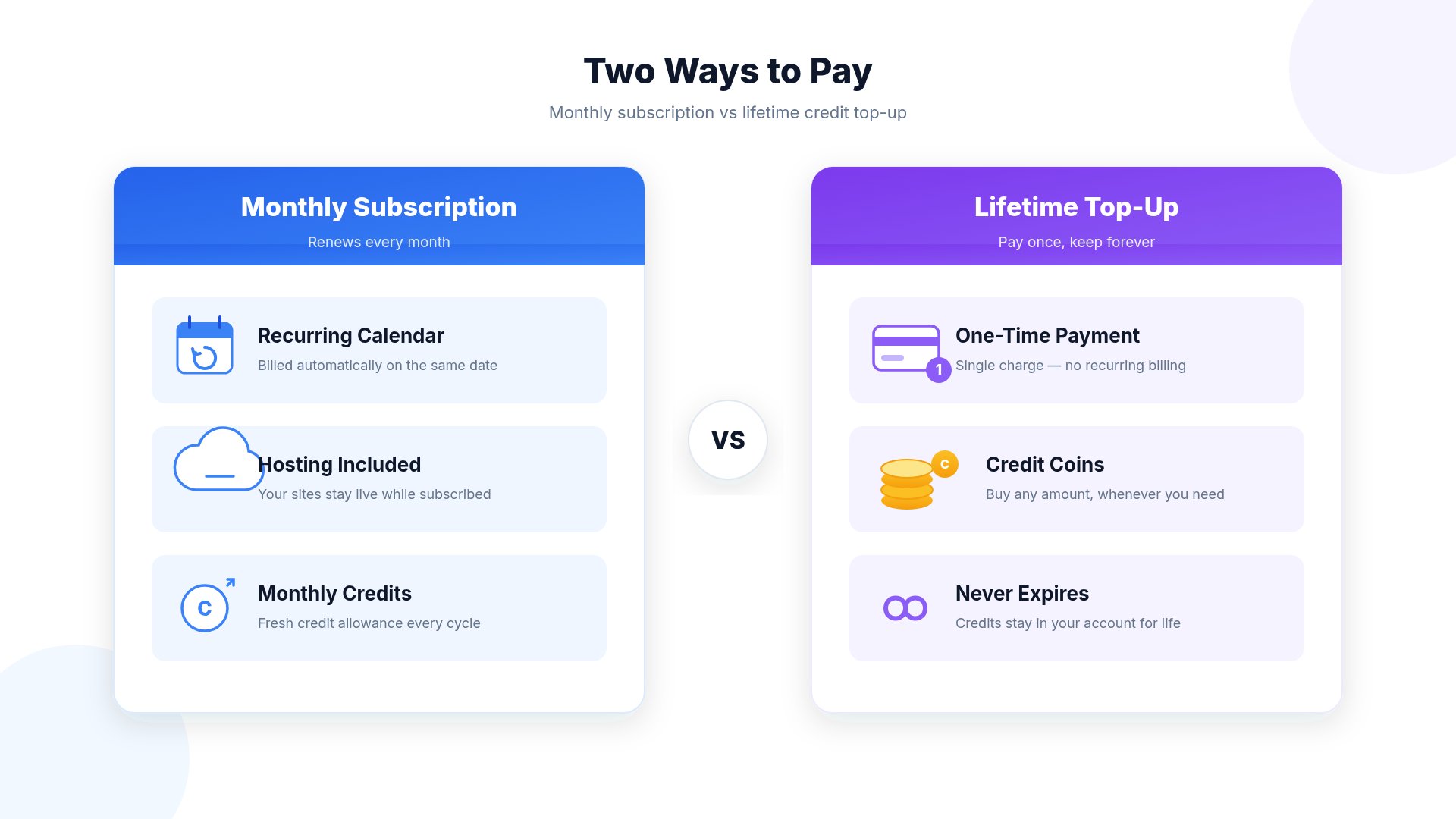 | Subscription | Lifetime Top-Up |
| --------------- | ------------------ |
| Monthly payment | One-time purchase |
| Auto renews | Never renews |
| Monthly Credits | Lifetime Credits |
| Website Hosting | Additional Credits |
| AI Access | Extra Usage |
***
# Upgrading Your Subscription
You can upgrade your subscription at any time.
When upgrading:
* Your plan changes immediately.
* Future renewals occur at the upgraded plan price.
* Depending on where you are in your billing cycle, the upgrade may be charged on a prorated basis.
***
# Downgrading Your Subscription
You can downgrade your subscription to a lower plan.
The downgraded plan becomes active on your next billing cycle.
Until then, you'll continue using your current subscription.
***
# What Happens If My Payment Fails?
| Subscription | Lifetime Top-Up |
| --------------- | ------------------ |
| Monthly payment | One-time purchase |
| Auto renews | Never renews |
| Monthly Credits | Lifetime Credits |
| Website Hosting | Additional Credits |
| AI Access | Extra Usage |
***
# Upgrading Your Subscription
You can upgrade your subscription at any time.
When upgrading:
* Your plan changes immediately.
* Future renewals occur at the upgraded plan price.
* Depending on where you are in your billing cycle, the upgrade may be charged on a prorated basis.
***
# Downgrading Your Subscription
You can downgrade your subscription to a lower plan.
The downgraded plan becomes active on your next billing cycle.
Until then, you'll continue using your current subscription.
***
# What Happens If My Payment Fails?
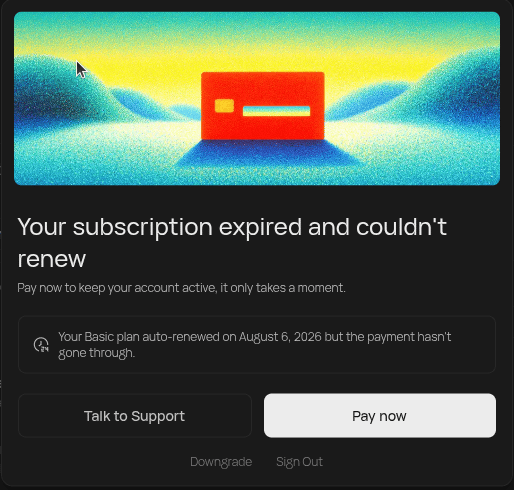 If your renewal payment cannot be processed:
* Your account may enter a **Past Due** state.
* Premium features may become unavailable.
* Website hosting may be paused.
* AI generation may be restricted.
Update your payment method to restore access.
***
# Invoices
If your renewal payment cannot be processed:
* Your account may enter a **Past Due** state.
* Premium features may become unavailable.
* Website hosting may be paused.
* AI generation may be restricted.
Update your payment method to restore access.
***
# Invoices
 OR
Order Id (if transaction through Apple):
OR
Order Id (if transaction through Apple):
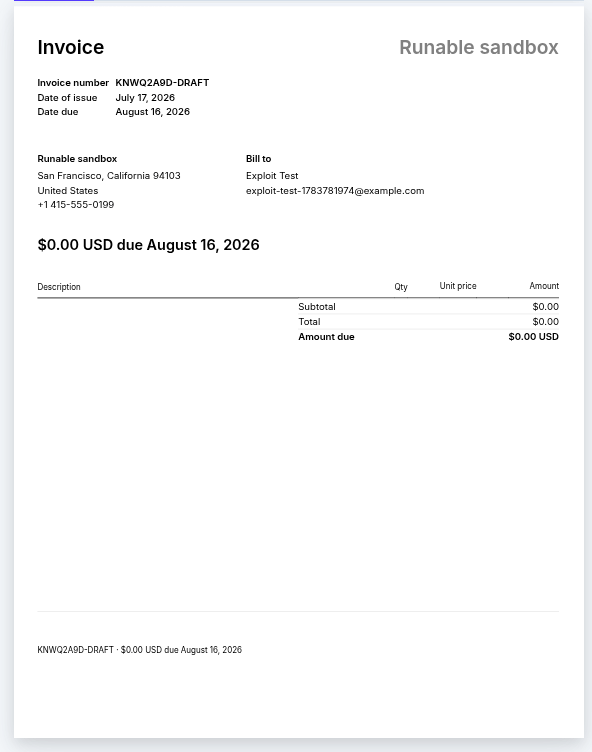
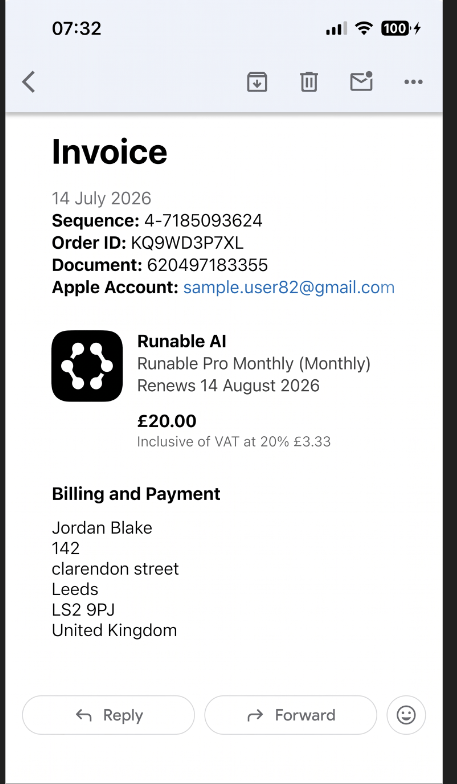 After every successful payment, Runable automatically sends an invoice to the email address associated with your account.
Invoices include:
* Amount charged
* Subscription plan
* Billing date
* Renewal information
* Invoice number
* Payment details
If you cannot find your invoice:
* Check your spam folder.
* Verify you're looking at the correct email address associated with your Runable account.
***
# Refund Policy
Refund eligibility depends on the circumstances of the purchase.
Generally:
* Subscription charges are non-refundable after the billing cycle has started.
* Credit Top-Ups are non-refundable once credited.
* Cancelling a subscription prevents future renewals but does not refund the current billing period.
Please review our Terms of Service for complete details.
***
# Frequently Asked Questions
Your subscription renews automatically at the end of every billing cycle unless cancelled before the renewal date.
Lifetime Credits are separate from your subscription.
Purchasing a Top-Up does not change your subscription or renewal date.
Your subscription renews on the same day of each billing cycle as your original subscription purchase.
Yes.
Your subscription remains active until the end of the current billing cycle.
Yes.
Top-Up Credits can be purchased independently of your subscription.
No.
Unused Monthly Credits expire at the end of each billing cycle.
No.
Lifetime Credits remain on your account until used.
An active subscription is required to access Runable's AI services and use any credits in your account.
No.
Your billing cycle remains unchanged.
Your account may become Past Due until the outstanding payment is resolved.
Invoices are automatically emailed after every successful payment.
Yes.
You can manage your payment method through your Billing Portal.
***
# Best Practices
Keep track of your renewal date.
Cancel before your next billing cycle if you don't wish to continue.
Invoices are sent after every successful payment.
Lifetime Credits do not affect your subscription.
Avoid interruptions by ensuring your payment information is current.
Choose the subscription that best matches your usage.
***
# Related Guides
* Subscriptions Explained
* How Credits Work
* Lifetime Credits vs Monthly Credits
* Website Hosting
* Understanding Credit Usage
After every successful payment, Runable automatically sends an invoice to the email address associated with your account.
Invoices include:
* Amount charged
* Subscription plan
* Billing date
* Renewal information
* Invoice number
* Payment details
If you cannot find your invoice:
* Check your spam folder.
* Verify you're looking at the correct email address associated with your Runable account.
***
# Refund Policy
Refund eligibility depends on the circumstances of the purchase.
Generally:
* Subscription charges are non-refundable after the billing cycle has started.
* Credit Top-Ups are non-refundable once credited.
* Cancelling a subscription prevents future renewals but does not refund the current billing period.
Please review our Terms of Service for complete details.
***
# Frequently Asked Questions
Your subscription renews automatically at the end of every billing cycle unless cancelled before the renewal date.
Lifetime Credits are separate from your subscription.
Purchasing a Top-Up does not change your subscription or renewal date.
Your subscription renews on the same day of each billing cycle as your original subscription purchase.
Yes.
Your subscription remains active until the end of the current billing cycle.
Yes.
Top-Up Credits can be purchased independently of your subscription.
No.
Unused Monthly Credits expire at the end of each billing cycle.
No.
Lifetime Credits remain on your account until used.
An active subscription is required to access Runable's AI services and use any credits in your account.
No.
Your billing cycle remains unchanged.
Your account may become Past Due until the outstanding payment is resolved.
Invoices are automatically emailed after every successful payment.
Yes.
You can manage your payment method through your Billing Portal.
***
# Best Practices
Keep track of your renewal date.
Cancel before your next billing cycle if you don't wish to continue.
Invoices are sent after every successful payment.
Lifetime Credits do not affect your subscription.
Avoid interruptions by ensuring your payment information is current.
Choose the subscription that best matches your usage.
***
# Related Guides
* Subscriptions Explained
* How Credits Work
* Lifetime Credits vs Monthly Credits
* Website Hosting
* Understanding Credit Usage