> ## Documentation Index
> Fetch the complete documentation index at: https://docs.runable.com/llms.txt
> Use this file to discover all available pages before exploring further.
# Common Mistakes & Best Practices
> Avoid the most common mistakes users make when using Runable and learn the best practices for building with AI.
# Common Mistakes & Best Practices
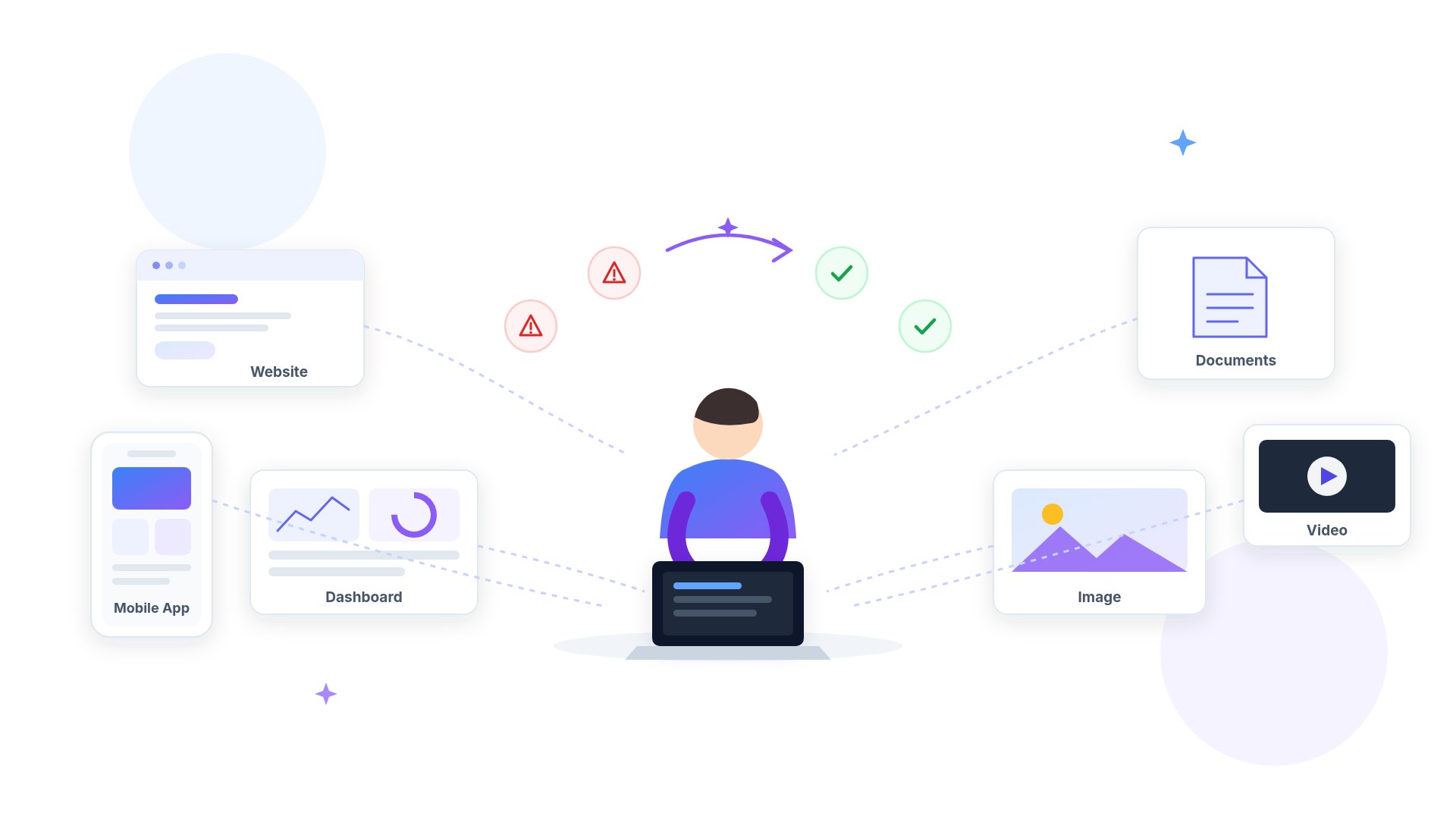 Whether you're building websites, applications, documents, videos, or images, following these recommendations will help you get better results while saving both time and credits.
***
# Mistake 1: Giving Very Short Prompts
Whether you're building websites, applications, documents, videos, or images, following these recommendations will help you get better results while saving both time and credits.
***
# Mistake 1: Giving Very Short Prompts
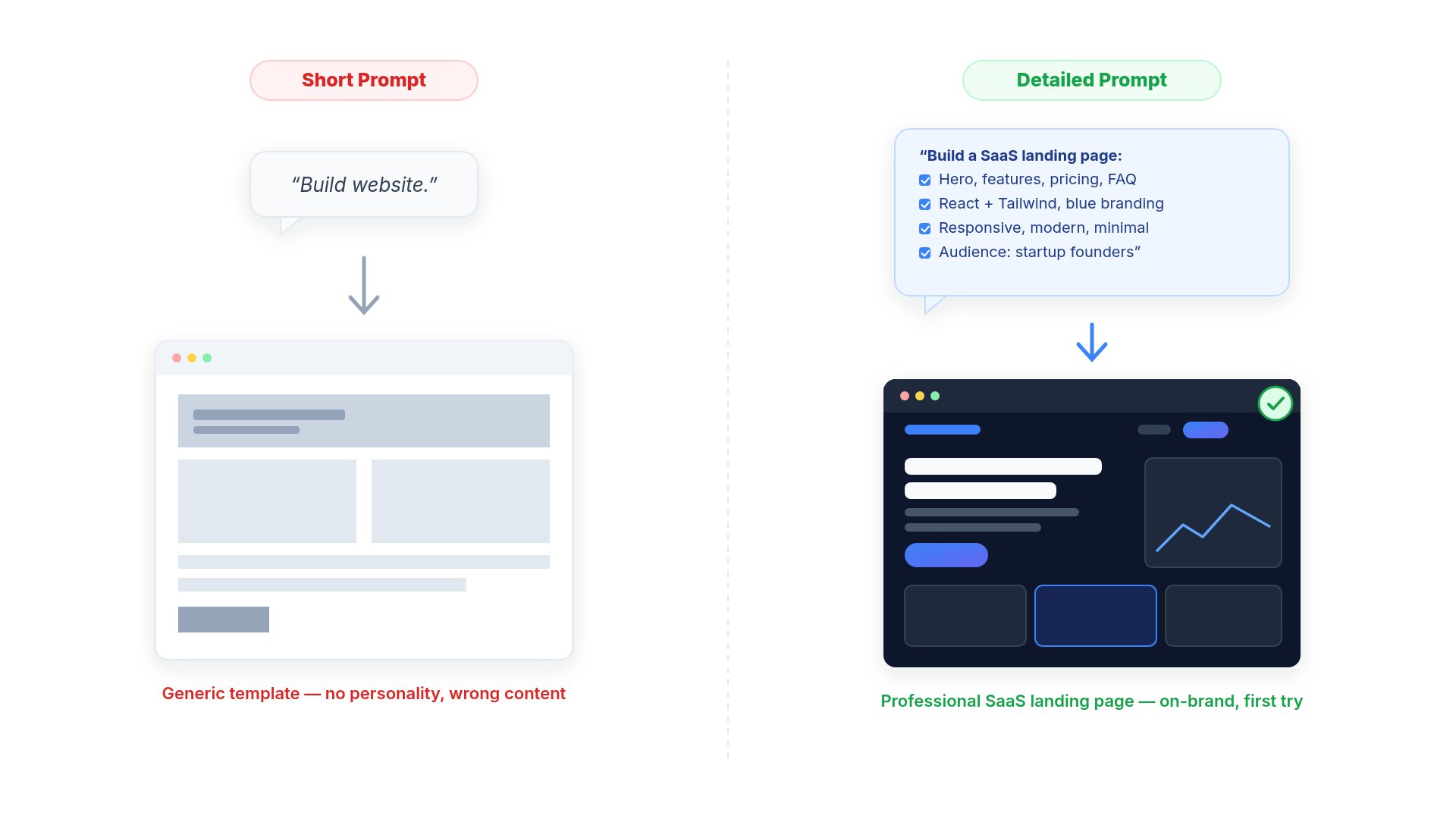 ## ❌ Instead of
```text theme={null}
Build me a website.
```
## ✅ Try
```text theme={null}
Build a SaaS landing page.
Requirements:
• React + Tailwind
• Dark Mode
• Hero Section
• Pricing
• FAQ
• Contact Page
• Mobile Responsive
• Blue branding
Do not use placeholder content.
```
The more context you provide, the better the AI understands your request.
***
# Mistake 2: Asking AI To Rewrite Everything
## ❌ Instead of
```text theme={null}
Build me a website.
```
## ✅ Try
```text theme={null}
Build a SaaS landing page.
Requirements:
• React + Tailwind
• Dark Mode
• Hero Section
• Pricing
• FAQ
• Contact Page
• Mobile Responsive
• Blue branding
Do not use placeholder content.
```
The more context you provide, the better the AI understands your request.
***
# Mistake 2: Asking AI To Rewrite Everything
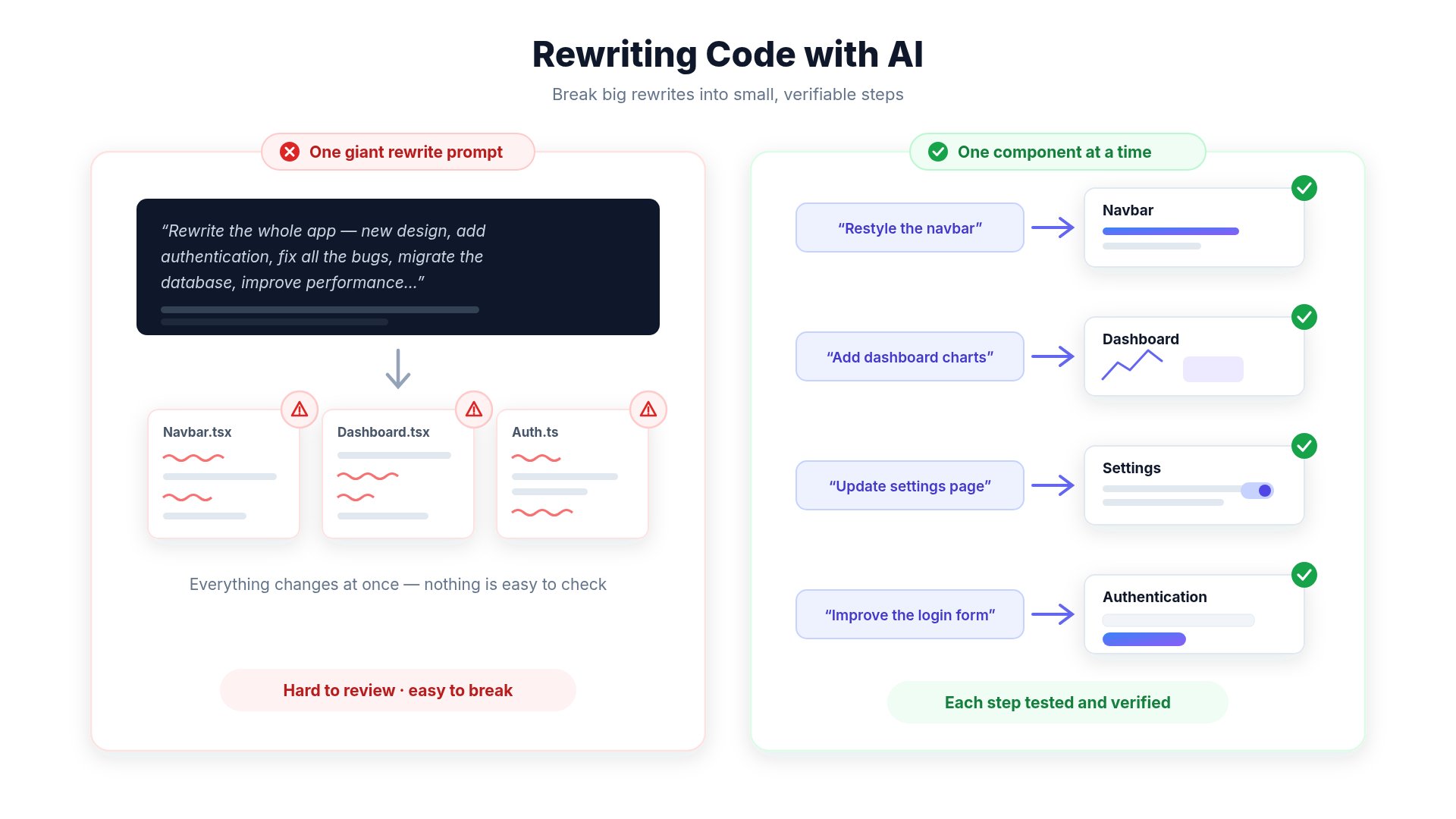 Avoid prompts like:
```text theme={null}
Rewrite my whole application.
```
Large changes increase the chance of:
* unnecessary modifications
* broken layouts
* difficult reviews
* additional iterations
Instead:
* Improve one page
* Update one component
* Add one feature
* Fix one bug
***
# Mistake 3: Not Protecting Existing Code
Avoid prompts like:
```text theme={null}
Rewrite my whole application.
```
Large changes increase the chance of:
* unnecessary modifications
* broken layouts
* difficult reviews
* additional iterations
Instead:
* Improve one page
* Update one component
* Add one feature
* Fix one bug
***
# Mistake 3: Not Protecting Existing Code
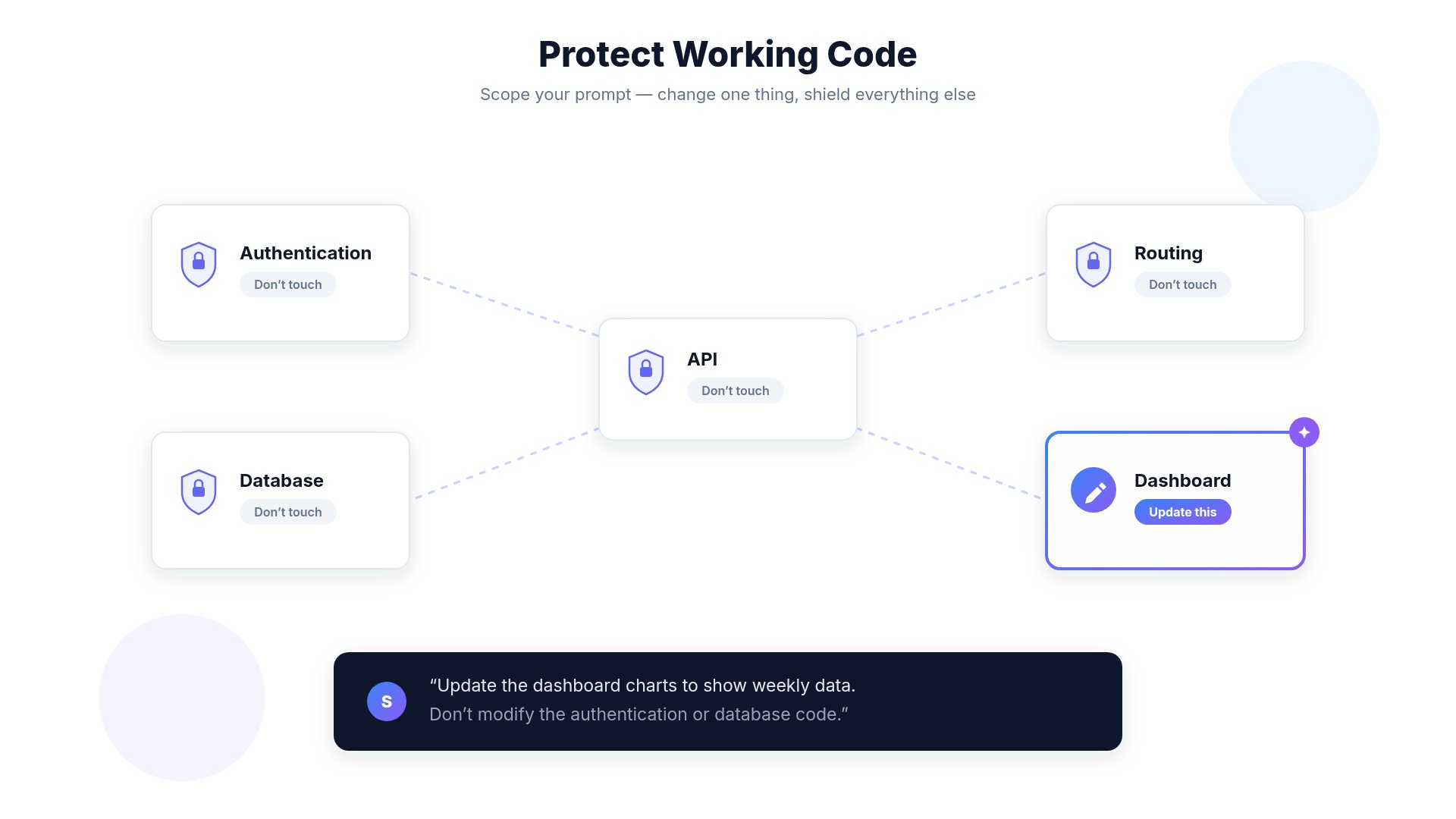 Always tell the AI what **should not change**.
Example:
```text theme={null}
Only update the dashboard.
Do NOT modify:
- Authentication
- Routing
- Database
- API
- Existing UI
```
***
# Mistake 4: Regenerating Instead of Refining
Always tell the AI what **should not change**.
Example:
```text theme={null}
Only update the dashboard.
Do NOT modify:
- Authentication
- Routing
- Database
- API
- Existing UI
```
***
# Mistake 4: Regenerating Instead of Refining
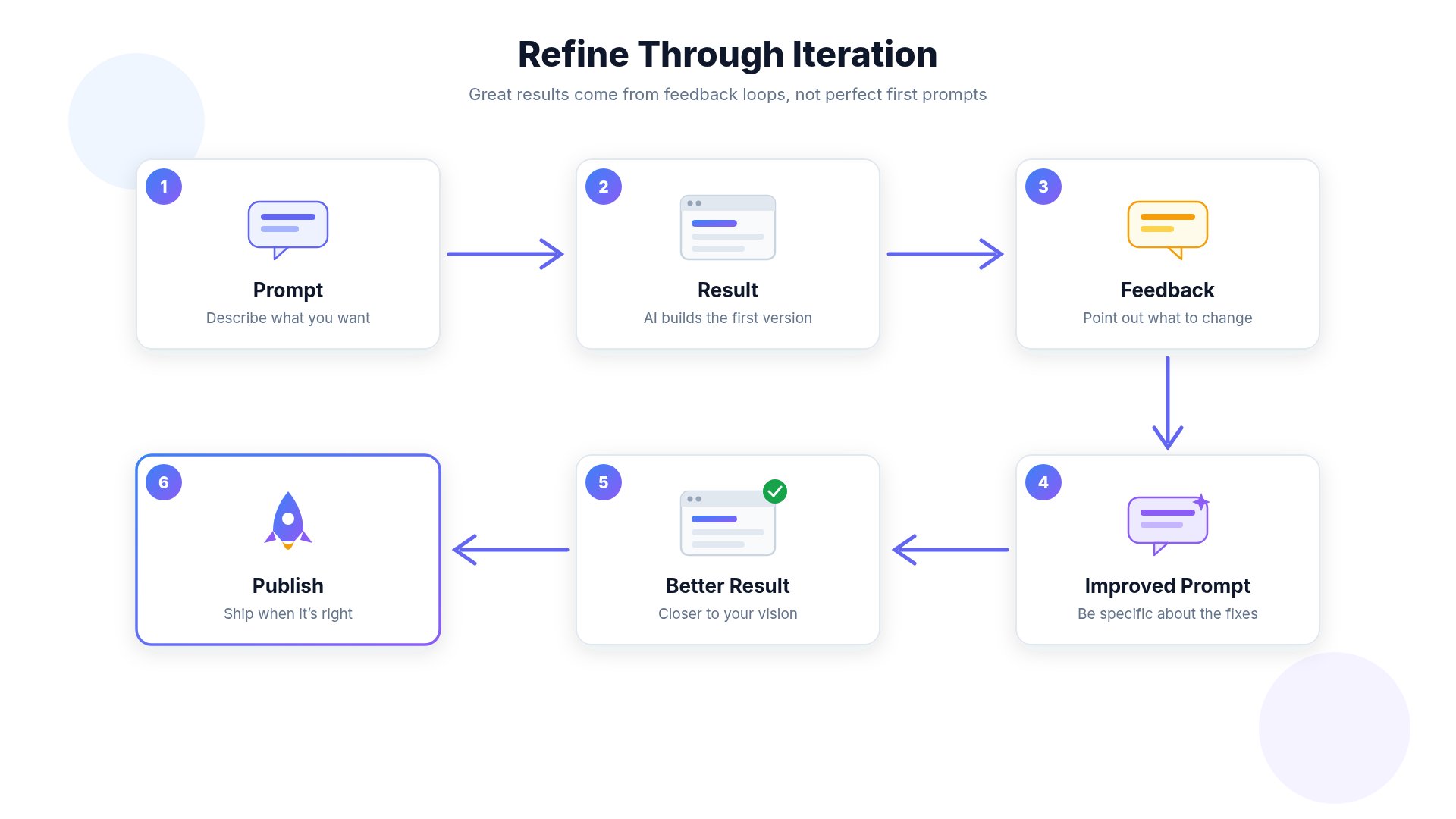 Instead of pressing **Generate** repeatedly:
Improve your previous prompt.
Tell the AI:
* what you liked
* what should change
* what should stay
This usually produces much better results.
***
# Mistake 5: Large Projects In One Prompt
Large projects should be built step by step.
Example roadmap:
1. Navigation
2. Homepage
3. Authentication
4. Dashboard
5. Settings
6. API
7. Deployment
Smaller changes are easier to review.
***
# Mistake 6: Forgetting To Test
Instead of pressing **Generate** repeatedly:
Improve your previous prompt.
Tell the AI:
* what you liked
* what should change
* what should stay
This usually produces much better results.
***
# Mistake 5: Large Projects In One Prompt
Large projects should be built step by step.
Example roadmap:
1. Navigation
2. Homepage
3. Authentication
4. Dashboard
5. Settings
6. API
7. Deployment
Smaller changes are easier to review.
***
# Mistake 6: Forgetting To Test
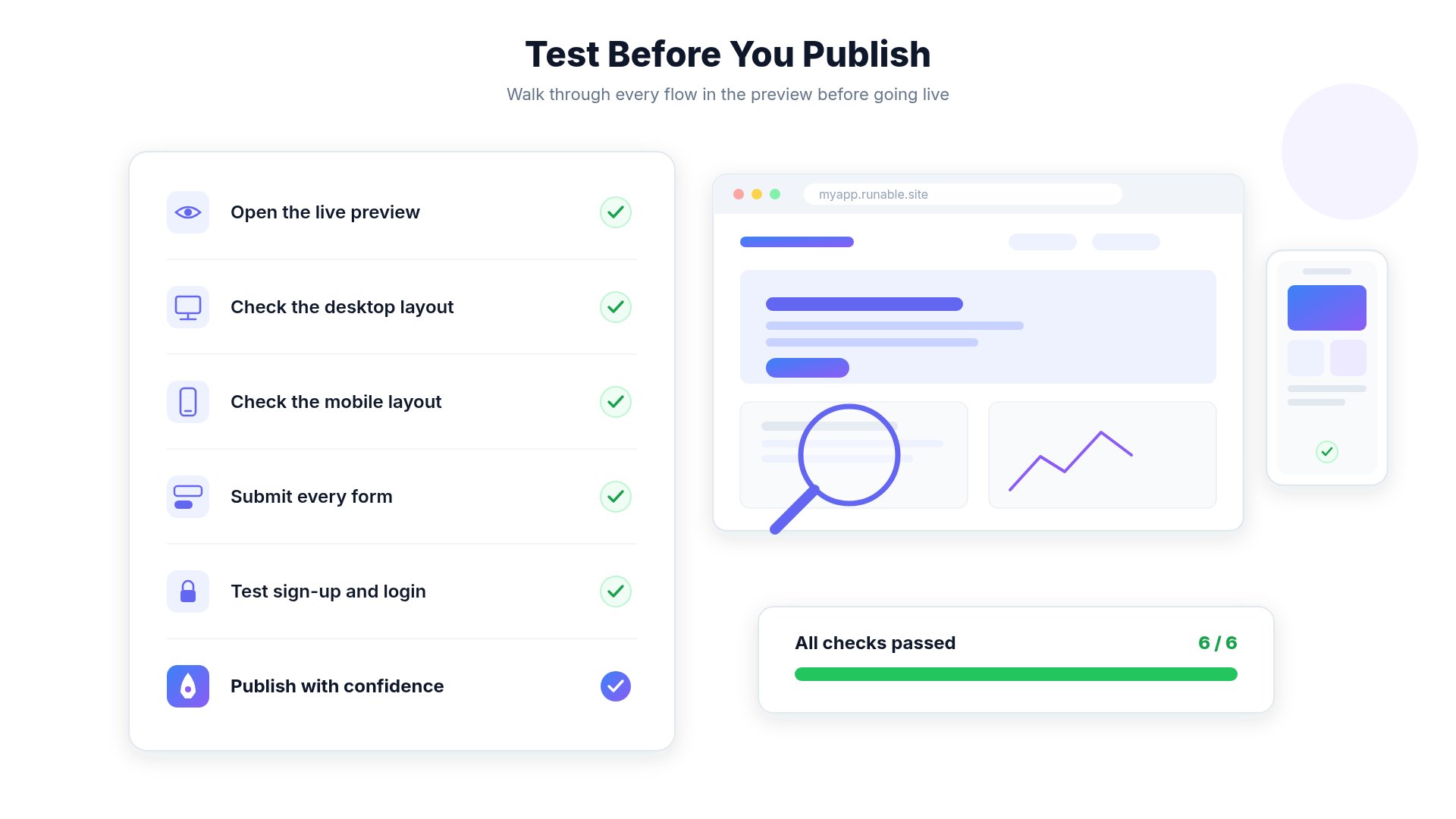 Always test:
* Preview
* Mobile
* Desktop
* Forms
* Authentication
* APIs
* Payments
* Publishing
before deploying.
***
# Mistake 7: Not Using Preview
Preview lets you verify changes before publishing.
Always:
1. Generate
2. Preview
3. Test
4. Publish
***
# Mistake 8: Expecting AI To Read Your Mind
Always test:
* Preview
* Mobile
* Desktop
* Forms
* Authentication
* APIs
* Payments
* Publishing
before deploying.
***
# Mistake 7: Not Using Preview
Preview lets you verify changes before publishing.
Always:
1. Generate
2. Preview
3. Test
4. Publish
***
# Mistake 8: Expecting AI To Read Your Mind
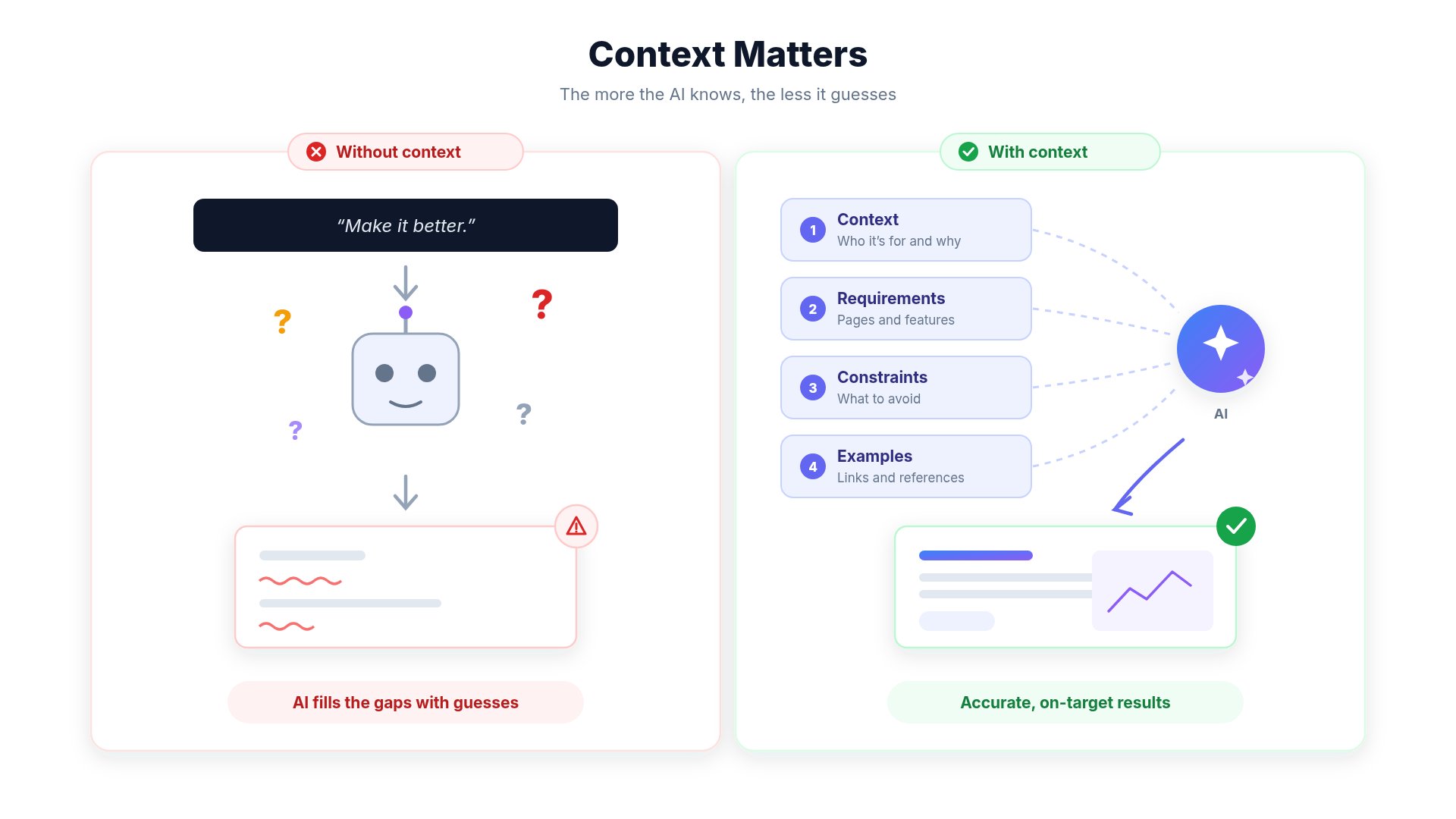 AI only knows:
* your prompt
* uploaded files
* project context
It cannot infer:
* your preferences
* hidden requirements
* future plans
Always explain your goal clearly.
***
# Mistake 9: Ignoring Credit Usage
Large requests usually require more computation.
Instead of
```text theme={null}
Build an entire CRM.
```
Start with
```text theme={null}
Create authentication.
↓
Dashboard.
↓
Customers.
↓
Invoices.
↓
Reports.
```
This gives you better control over quality and credit usage.
***
# Mistake 10: Using Images Without References
Reference images dramatically improve image generation.
Good workflow:
Reference Image
Detailed Prompt
↓
Much Better Results
***
# Mistake 11: Using Long Videos With Lots Of Text
Current AI video models work best with:
* short scenes
* minimal text
* readable subtitles
* clear instructions
Avoid large paragraphs of text inside videos.
***
# Mistake 12: Publishing Without Reviewing
Always verify:
* Layout
* Mobile responsiveness
* Links
* Forms
* Images
* Authentication
* SEO
* Accessibility
before publishing.
***
# Mistake 13: Confusing Top-Ups With Subscriptions
A very common misunderstanding.
**Subscription**
* Monthly payment
* Monthly credits
* Hosting
* AI access
**Top-Up Credits**
* One-time purchase
* Never expire
* Do not renew your subscription
* Do not change your billing cycle
***
# Mistake 14: Cancelling After Renewal
Subscriptions renew automatically on your billing date.
If you don't wish to continue, cancel **before** your next renewal.
Navigate to:
```text theme={null}
Settings
→ Account
→ Manage Plan
→ Manage
→ Cancel Subscription
```
***
# Mistake 15: Letting Projects Become Too Large
As projects grow:
* architecture becomes more complex
* prompts become harder
* AI needs more context
Regularly:
* organize components
* remove unused code
* keep project structure clean
***
# Best Practices
Explain your project before asking for changes.
Small prompts usually produce better results.
Tell AI what should remain unchanged.
Always preview before publishing.
AI-generated content should always be reviewed.
Improve previous prompts instead of starting over.
Reference images improve quality significantly.
Clean projects are easier for AI to understand.
***
# Checklist Before Clicking Generate
AI only knows:
* your prompt
* uploaded files
* project context
It cannot infer:
* your preferences
* hidden requirements
* future plans
Always explain your goal clearly.
***
# Mistake 9: Ignoring Credit Usage
Large requests usually require more computation.
Instead of
```text theme={null}
Build an entire CRM.
```
Start with
```text theme={null}
Create authentication.
↓
Dashboard.
↓
Customers.
↓
Invoices.
↓
Reports.
```
This gives you better control over quality and credit usage.
***
# Mistake 10: Using Images Without References
Reference images dramatically improve image generation.
Good workflow:
Reference Image
Detailed Prompt
↓
Much Better Results
***
# Mistake 11: Using Long Videos With Lots Of Text
Current AI video models work best with:
* short scenes
* minimal text
* readable subtitles
* clear instructions
Avoid large paragraphs of text inside videos.
***
# Mistake 12: Publishing Without Reviewing
Always verify:
* Layout
* Mobile responsiveness
* Links
* Forms
* Images
* Authentication
* SEO
* Accessibility
before publishing.
***
# Mistake 13: Confusing Top-Ups With Subscriptions
A very common misunderstanding.
**Subscription**
* Monthly payment
* Monthly credits
* Hosting
* AI access
**Top-Up Credits**
* One-time purchase
* Never expire
* Do not renew your subscription
* Do not change your billing cycle
***
# Mistake 14: Cancelling After Renewal
Subscriptions renew automatically on your billing date.
If you don't wish to continue, cancel **before** your next renewal.
Navigate to:
```text theme={null}
Settings
→ Account
→ Manage Plan
→ Manage
→ Cancel Subscription
```
***
# Mistake 15: Letting Projects Become Too Large
As projects grow:
* architecture becomes more complex
* prompts become harder
* AI needs more context
Regularly:
* organize components
* remove unused code
* keep project structure clean
***
# Best Practices
Explain your project before asking for changes.
Small prompts usually produce better results.
Tell AI what should remain unchanged.
Always preview before publishing.
AI-generated content should always be reviewed.
Improve previous prompts instead of starting over.
Reference images improve quality significantly.
Clean projects are easier for AI to understand.
***
# Checklist Before Clicking Generate
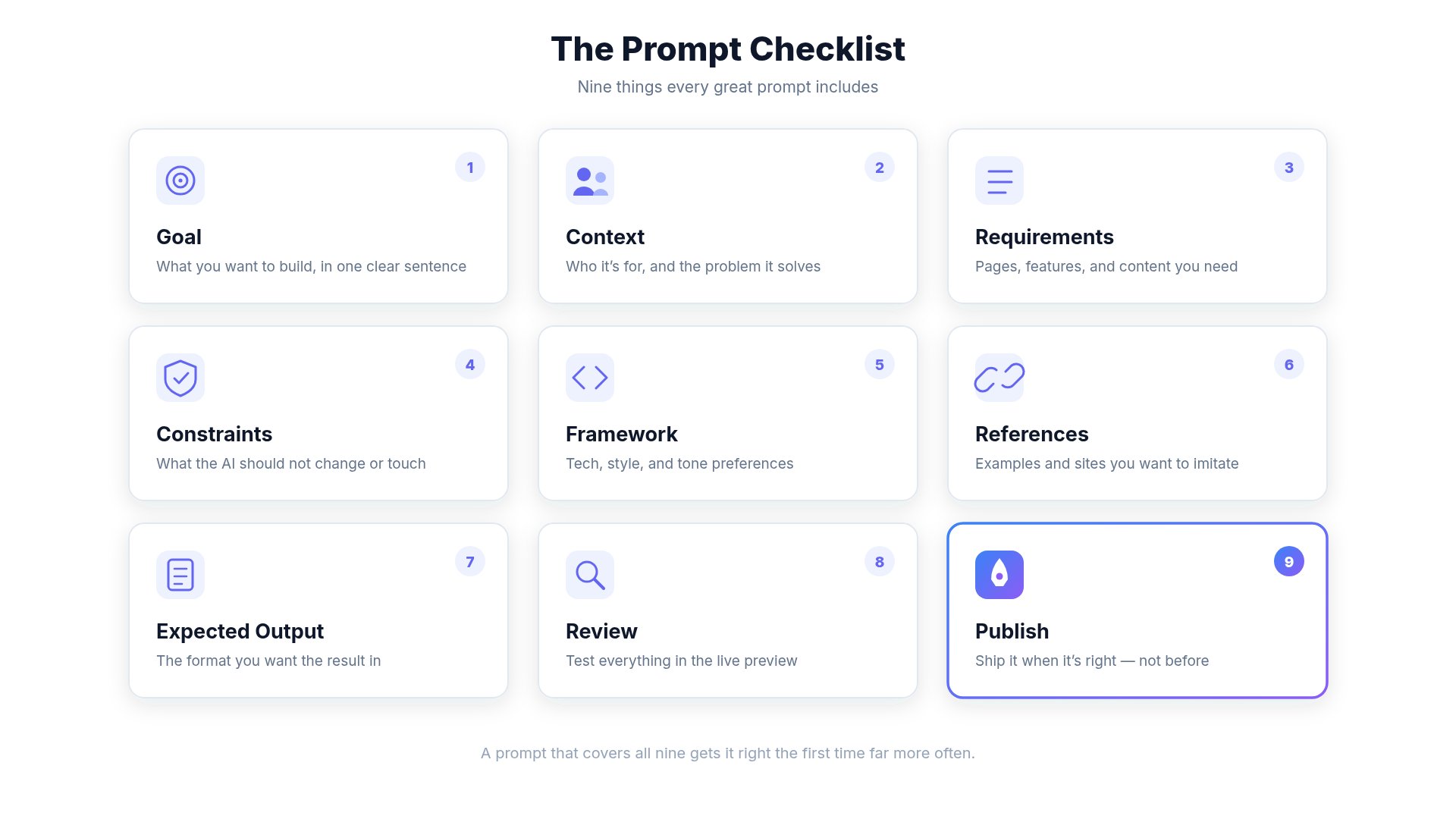 ✅ Did I explain my goal?
✅ Did I give enough context?
✅ Did I specify the framework?
✅ Did I protect existing code?
✅ Did I mention what shouldn't change?
✅ Am I changing only one feature?
✅ Did I upload references if needed?
✅ Will I preview before publishing?
***
# Related Guides
* Prompt Engineering Guide
* AI Limitations
* Understanding Credit Usage
* Image Generation
* Website Hosting
✅ Did I explain my goal?
✅ Did I give enough context?
✅ Did I specify the framework?
✅ Did I protect existing code?
✅ Did I mention what shouldn't change?
✅ Am I changing only one feature?
✅ Did I upload references if needed?
✅ Will I preview before publishing?
***
# Related Guides
* Prompt Engineering Guide
* AI Limitations
* Understanding Credit Usage
* Image Generation
* Website Hosting