> ## Documentation Index
> Fetch the complete documentation index at: https://docs.runable.com/llms.txt
> Use this file to discover all available pages before exploring further.
# Prompt Engineering Guide
> Learn how to write effective prompts that produce better results, reduce credit usage, and improve AI output quality.
# Prompt Engineering Guide
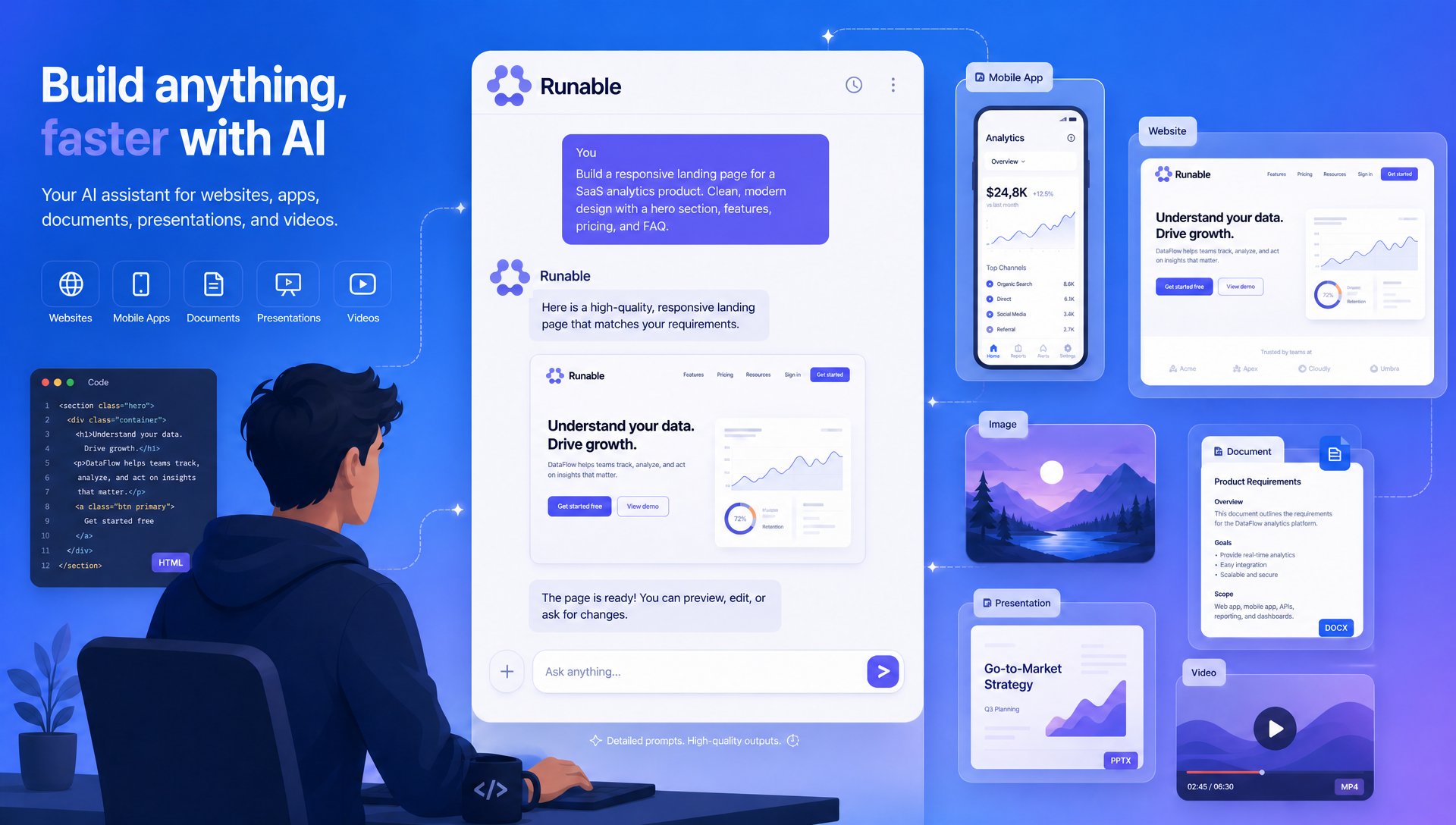 Prompting is one of the most important skills when working with AI.
A well-written prompt helps the AI understand **what you're building, how you want it built, and what should not change**. Better prompts generally lead to:
* Higher quality outputs
* Fewer retries
* Lower credit consumption
* Faster development
* More consistent results
***
## How AI Understands Your Prompt
Prompting is one of the most important skills when working with AI.
A well-written prompt helps the AI understand **what you're building, how you want it built, and what should not change**. Better prompts generally lead to:
* Higher quality outputs
* Fewer retries
* Lower credit consumption
* Faster development
* More consistent results
***
## How AI Understands Your Prompt
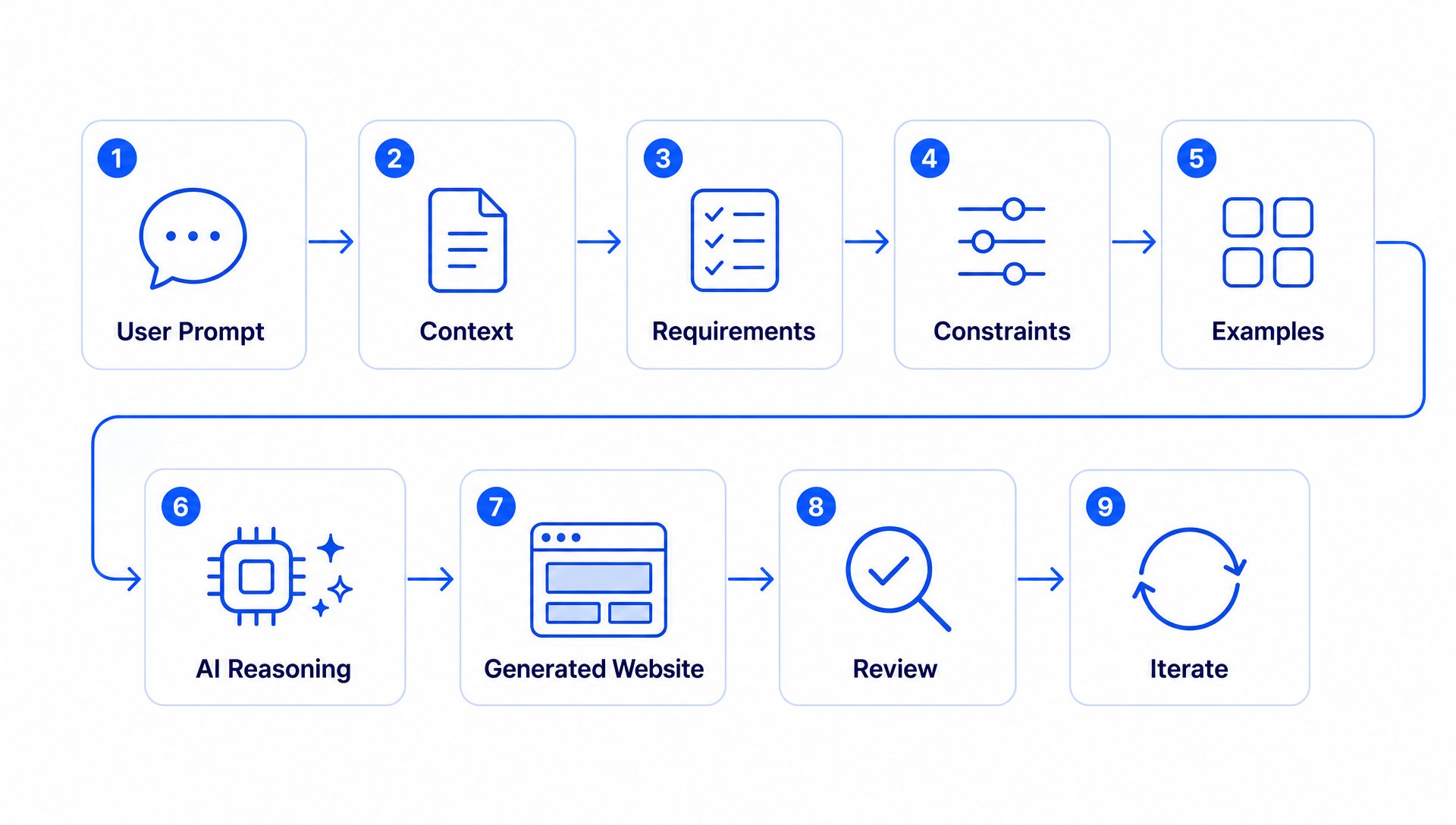 Think of AI like a developer joining your project.
The more information you provide, the better it can understand your intent.
The AI works best when your prompt includes:
Explain what you're building.
Describe what you want to achieve.
List required features.
Explain what should NOT change.
Reference previous screens or designs.
Specify the desired format or result.
***
# The Anatomy of a Great Prompt
Think of AI like a developer joining your project.
The more information you provide, the better it can understand your intent.
The AI works best when your prompt includes:
Explain what you're building.
Describe what you want to achieve.
List required features.
Explain what should NOT change.
Reference previous screens or designs.
Specify the desired format or result.
***
# The Anatomy of a Great Prompt
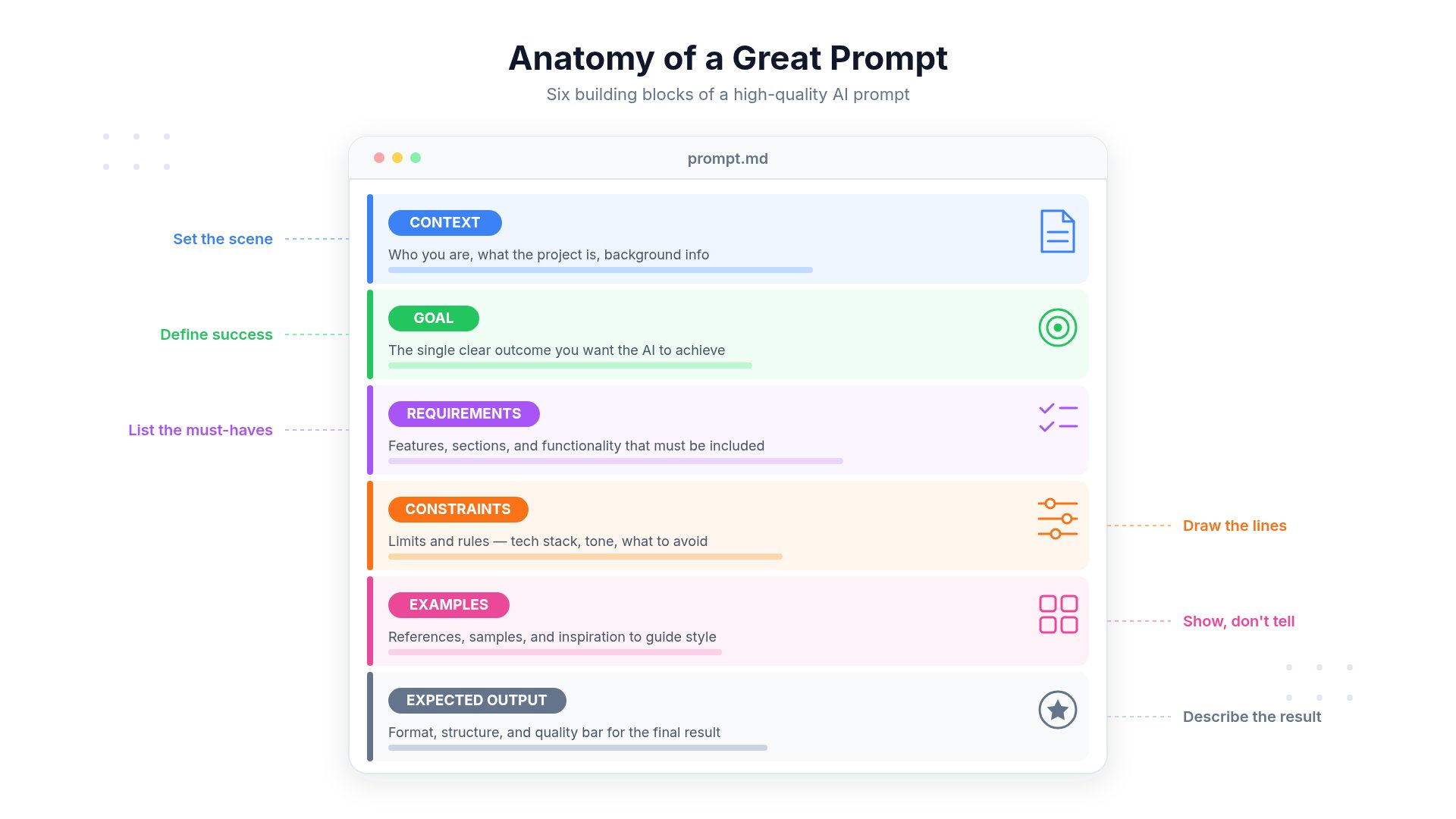 A good prompt usually follows this structure:
```text theme={null}
Context
Goal
Requirements
Constraints
Reference
Expected Output
```
***
# Example: Poor Prompt
A good prompt usually follows this structure:
```text theme={null}
Context
Goal
Requirements
Constraints
Reference
Expected Output
```
***
# Example: Poor Prompt
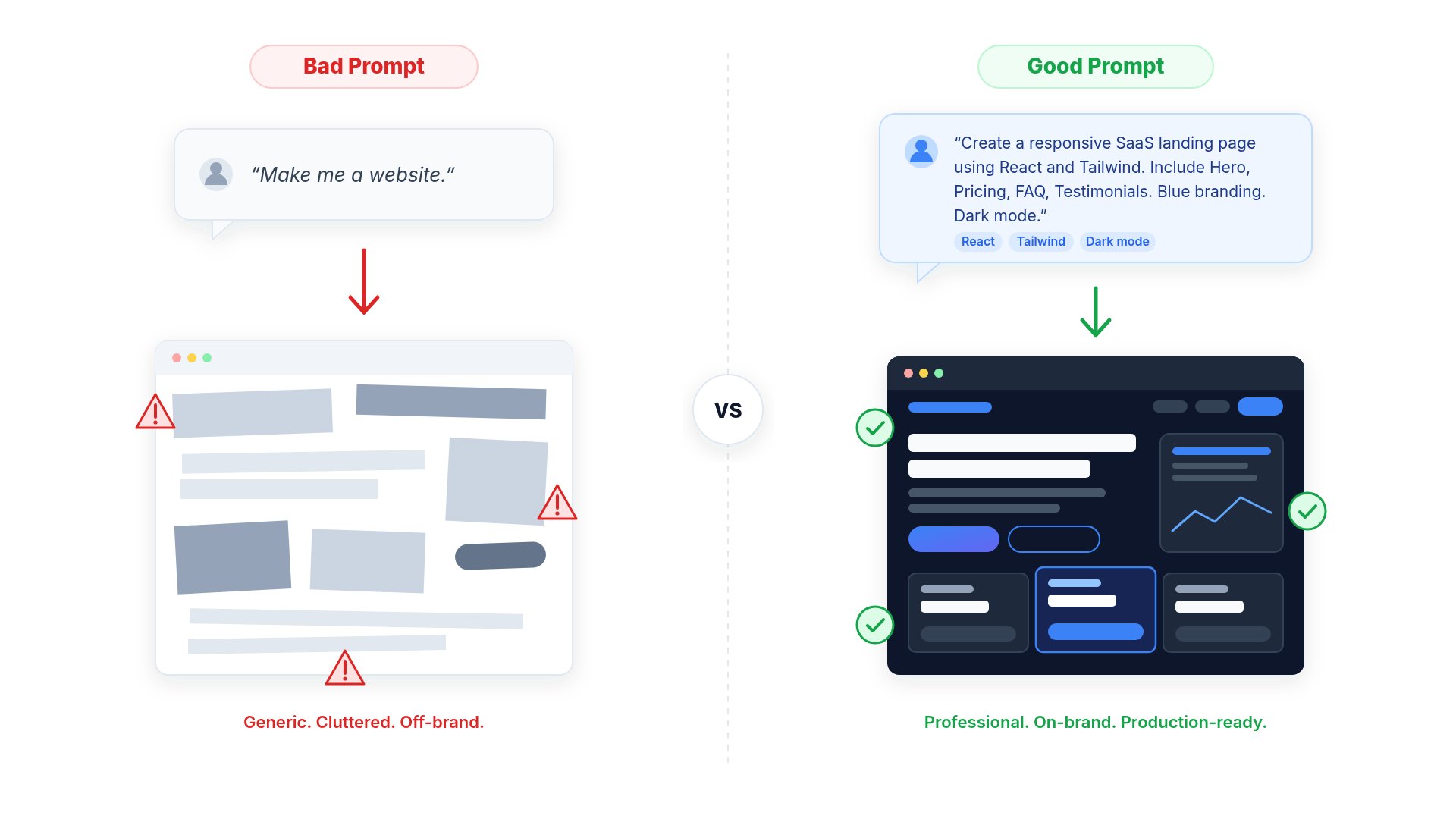 ```text theme={null}
Make my website better.
```
Problems:
* No context
* No requirements
* No design direction
* AI must guess
Result:
* Generic output
* More retries
* More credits
***
# Example: Great Prompt
```text theme={null}
I'm building a SaaS landing page for a CRM platform.
Update only the homepage.
Requirements:
- Improve the hero section
- Add customer testimonials
- Keep existing navigation
- Preserve branding colors
- Do not modify authentication
- Mobile responsive
- Use Tailwind CSS
Return production-ready code.
```
This gives the AI everything it needs.
***
# Give the AI Context
```text theme={null}
Make my website better.
```
Problems:
* No context
* No requirements
* No design direction
* AI must guess
Result:
* Generic output
* More retries
* More credits
***
# Example: Great Prompt
```text theme={null}
I'm building a SaaS landing page for a CRM platform.
Update only the homepage.
Requirements:
- Improve the hero section
- Add customer testimonials
- Keep existing navigation
- Preserve branding colors
- Do not modify authentication
- Mobile responsive
- Use Tailwind CSS
Return production-ready code.
```
This gives the AI everything it needs.
***
# Give the AI Context
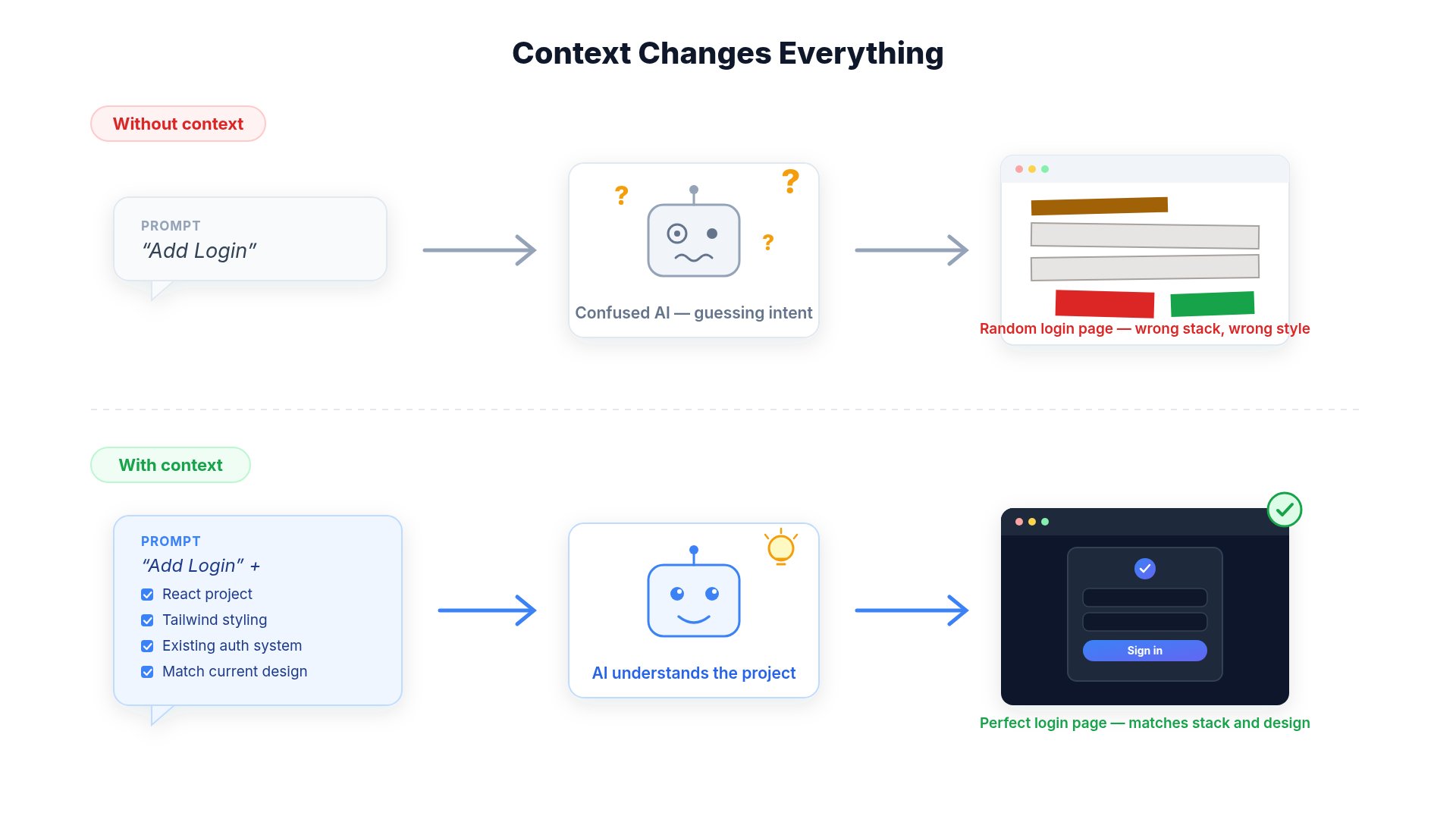 Instead of saying:
```text theme={null}
Add login.
```
Try:
```text theme={null}
This project is a React + Tailwind application.
The authentication already exists.
Add a Forgot Password page that matches the existing design system.
Do not modify any authentication logic.
Only create the new page and routing.
```
***
# Tell the AI What NOT to Change
Instead of saying:
```text theme={null}
Add login.
```
Try:
```text theme={null}
This project is a React + Tailwind application.
The authentication already exists.
Add a Forgot Password page that matches the existing design system.
Do not modify any authentication logic.
Only create the new page and routing.
```
***
# Tell the AI What NOT to Change
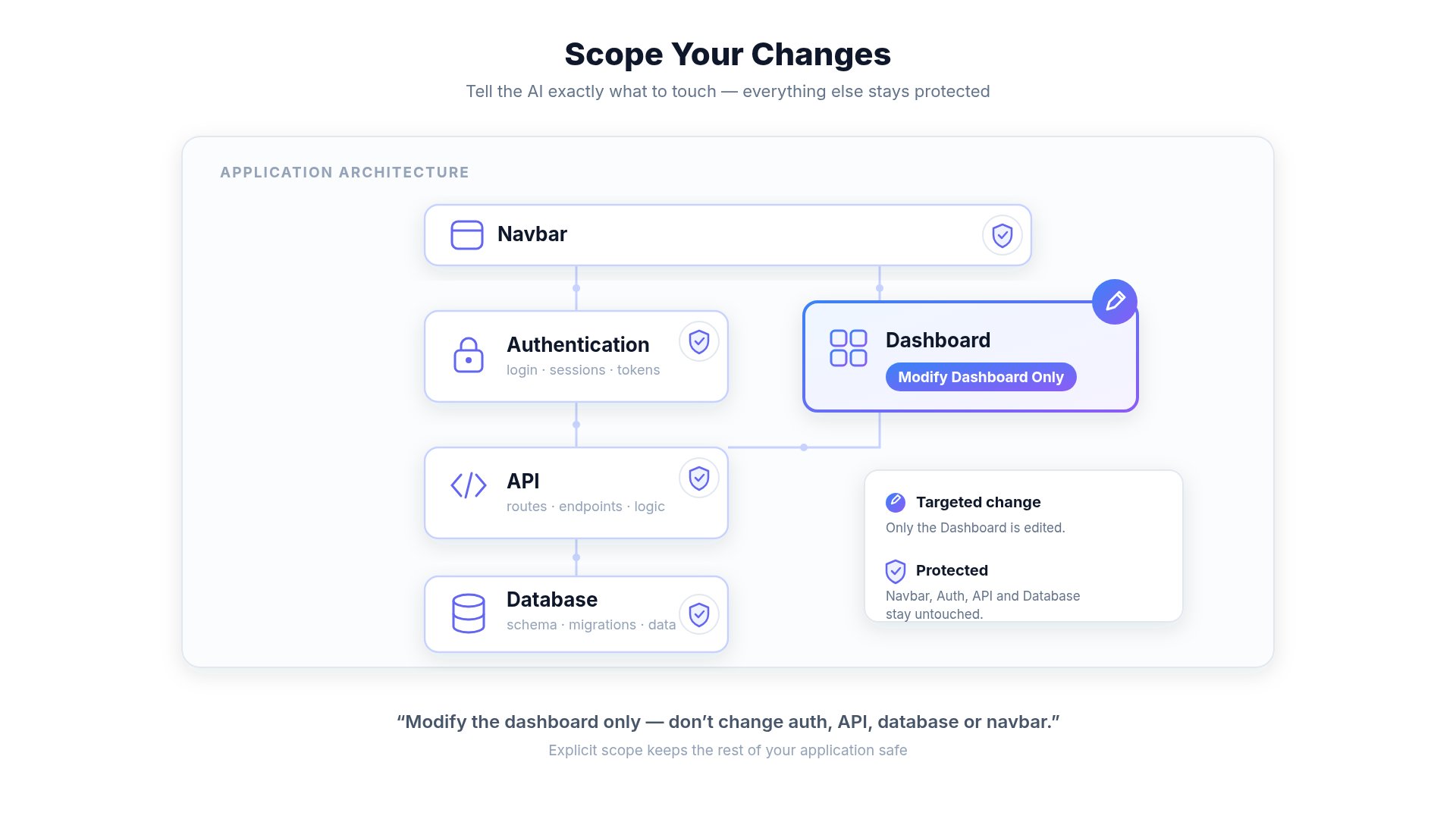 This is one of the biggest mistakes users make.
Instead of:
```text theme={null}
Improve this project.
```
Use:
```text theme={null}
Improve only the dashboard UI.
Do NOT modify:
- backend
- authentication
- routing
- database
- API endpoints
```
This keeps the AI focused.
***
# Make Small Changes
This is one of the biggest mistakes users make.
Instead of:
```text theme={null}
Improve this project.
```
Use:
```text theme={null}
Improve only the dashboard UI.
Do NOT modify:
- backend
- authentication
- routing
- database
- API endpoints
```
This keeps the AI focused.
***
# Make Small Changes
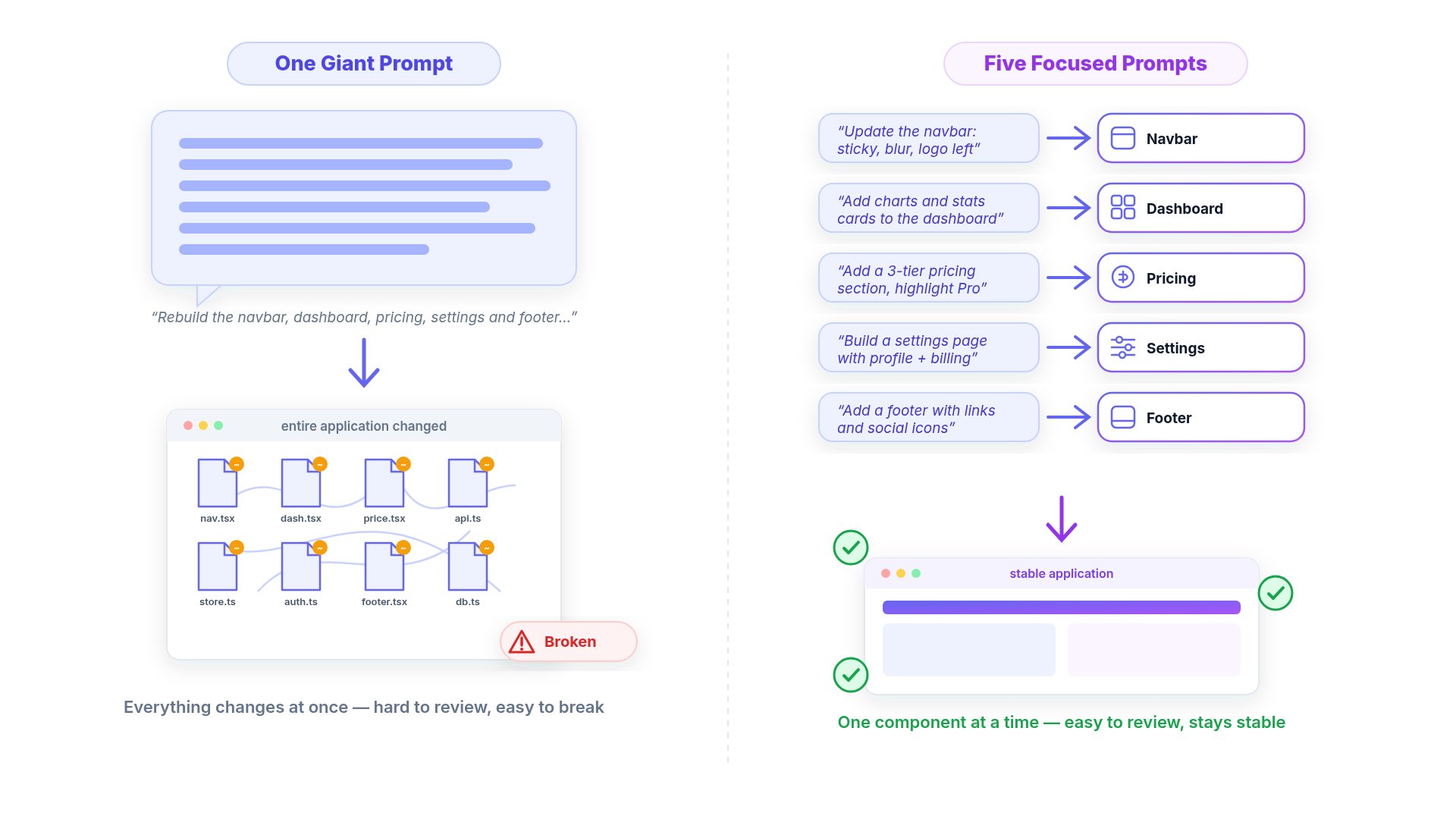 Large prompts usually create larger code changes.
Instead of:
```text theme={null}
Rewrite my application.
```
Break it into steps:
1. Improve navbar
2. Improve dashboard
3. Improve settings page
4. Improve mobile layout
5. Improve performance
Smaller prompts are easier to review and often require fewer credits.
***
# Why Better Prompts Save Credits
Large prompts usually create larger code changes.
Instead of:
```text theme={null}
Rewrite my application.
```
Break it into steps:
1. Improve navbar
2. Improve dashboard
3. Improve settings page
4. Improve mobile layout
5. Improve performance
Smaller prompts are easier to review and often require fewer credits.
***
# Why Better Prompts Save Credits
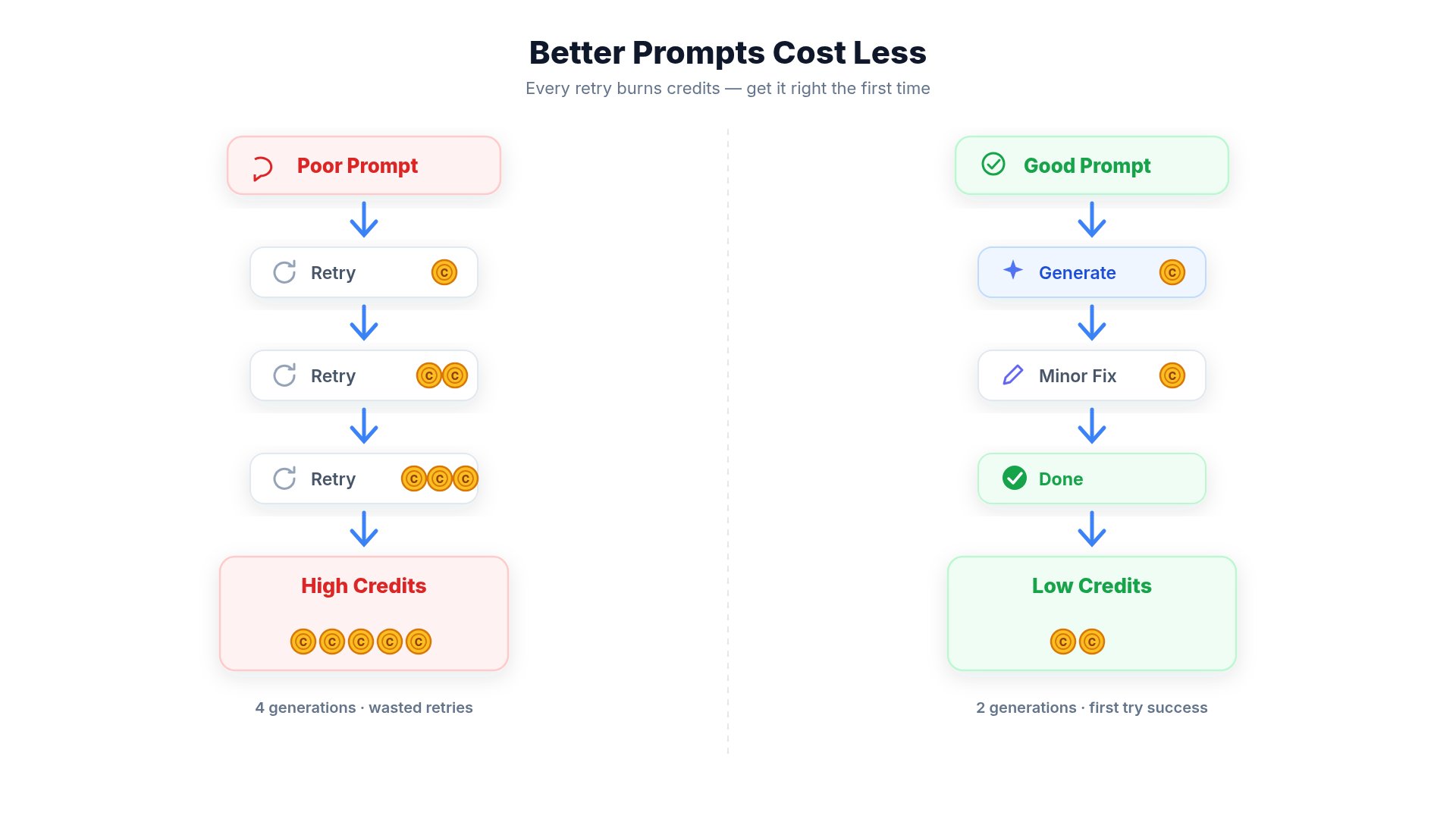 Every AI task consumes credits based on the computing resources required to complete it.
A detailed prompt helps the AI understand your request more accurately, which can reduce unnecessary iterations and make development more efficient.
Poor prompts often require multiple attempts before reaching the desired result.
***
## Example
### ❌ Poor Prompt
```text theme={null}
Improve my website.
```
Possible outcome:
* AI guesses your intent
* Multiple sections may change unexpectedly
* Additional prompts are needed to refine the result
* More credits may be consumed across repeated iterations
***
### ✅ Better Prompt
```text theme={null}
Improve only the homepage hero section.
Requirements:
- Keep existing branding
- Preserve navigation
- Improve typography
- Add a stronger call-to-action
- Do not modify any other pages
```
Possible outcome:
* AI focuses only on the requested section
* Fewer revisions
* More predictable results
* Reduced overall credit usage
***
## Why Credit Usage Varies
Credit usage depends on the amount of work the AI performs, not simply the length of your prompt.
Factors include:
* Number of files modified
* Complexity of the requested changes
* AI model used
* Images or videos generated
* Code generation
* External tools or integrations
* Research and reasoning required
A short prompt can still consume more credits if it results in significant code generation or complex processing.
***
## Best Practices
Describe exactly what should be changed instead of asking for broad improvements.
Tell the AI which parts of your project should remain unchanged.
Split large requests into smaller, focused prompts for better control.
Update your prompt based on the previous result instead of starting over whenever possible.
***
# Use Existing Components
Instead of:
```text theme={null}
Create a pricing page.
```
Try:
```text theme={null}
Create a pricing page using the same design system already used in the dashboard.
Reuse existing buttons, typography, spacing, and color palette.
```
***
# Ask the AI to Think Before Coding
A useful pattern is:
```text theme={null}
Before writing code:
Analyze the project.
Explain your implementation plan.
Identify affected files.
Then implement the solution.
```
This reduces unnecessary rewrites.
***
# For Large Projects
If your application has many files:
Tell the AI:
```text theme={null}
Read the existing project structure first.
Understand all related files.
Only modify files directly related to this feature.
Avoid changing unrelated code.
```
***
# Working With Existing Code
Instead of:
```text theme={null}
Fix my app.
```
Use:
```text theme={null}
Investigate why the application fails.
Identify the root cause.
Explain it first.
Then make only the minimum required changes.
```
***
# Image Generation Tips
Every AI task consumes credits based on the computing resources required to complete it.
A detailed prompt helps the AI understand your request more accurately, which can reduce unnecessary iterations and make development more efficient.
Poor prompts often require multiple attempts before reaching the desired result.
***
## Example
### ❌ Poor Prompt
```text theme={null}
Improve my website.
```
Possible outcome:
* AI guesses your intent
* Multiple sections may change unexpectedly
* Additional prompts are needed to refine the result
* More credits may be consumed across repeated iterations
***
### ✅ Better Prompt
```text theme={null}
Improve only the homepage hero section.
Requirements:
- Keep existing branding
- Preserve navigation
- Improve typography
- Add a stronger call-to-action
- Do not modify any other pages
```
Possible outcome:
* AI focuses only on the requested section
* Fewer revisions
* More predictable results
* Reduced overall credit usage
***
## Why Credit Usage Varies
Credit usage depends on the amount of work the AI performs, not simply the length of your prompt.
Factors include:
* Number of files modified
* Complexity of the requested changes
* AI model used
* Images or videos generated
* Code generation
* External tools or integrations
* Research and reasoning required
A short prompt can still consume more credits if it results in significant code generation or complex processing.
***
## Best Practices
Describe exactly what should be changed instead of asking for broad improvements.
Tell the AI which parts of your project should remain unchanged.
Split large requests into smaller, focused prompts for better control.
Update your prompt based on the previous result instead of starting over whenever possible.
***
# Use Existing Components
Instead of:
```text theme={null}
Create a pricing page.
```
Try:
```text theme={null}
Create a pricing page using the same design system already used in the dashboard.
Reuse existing buttons, typography, spacing, and color palette.
```
***
# Ask the AI to Think Before Coding
A useful pattern is:
```text theme={null}
Before writing code:
Analyze the project.
Explain your implementation plan.
Identify affected files.
Then implement the solution.
```
This reduces unnecessary rewrites.
***
# For Large Projects
If your application has many files:
Tell the AI:
```text theme={null}
Read the existing project structure first.
Understand all related files.
Only modify files directly related to this feature.
Avoid changing unrelated code.
```
***
# Working With Existing Code
Instead of:
```text theme={null}
Fix my app.
```
Use:
```text theme={null}
Investigate why the application fails.
Identify the root cause.
Explain it first.
Then make only the minimum required changes.
```
***
# Image Generation Tips
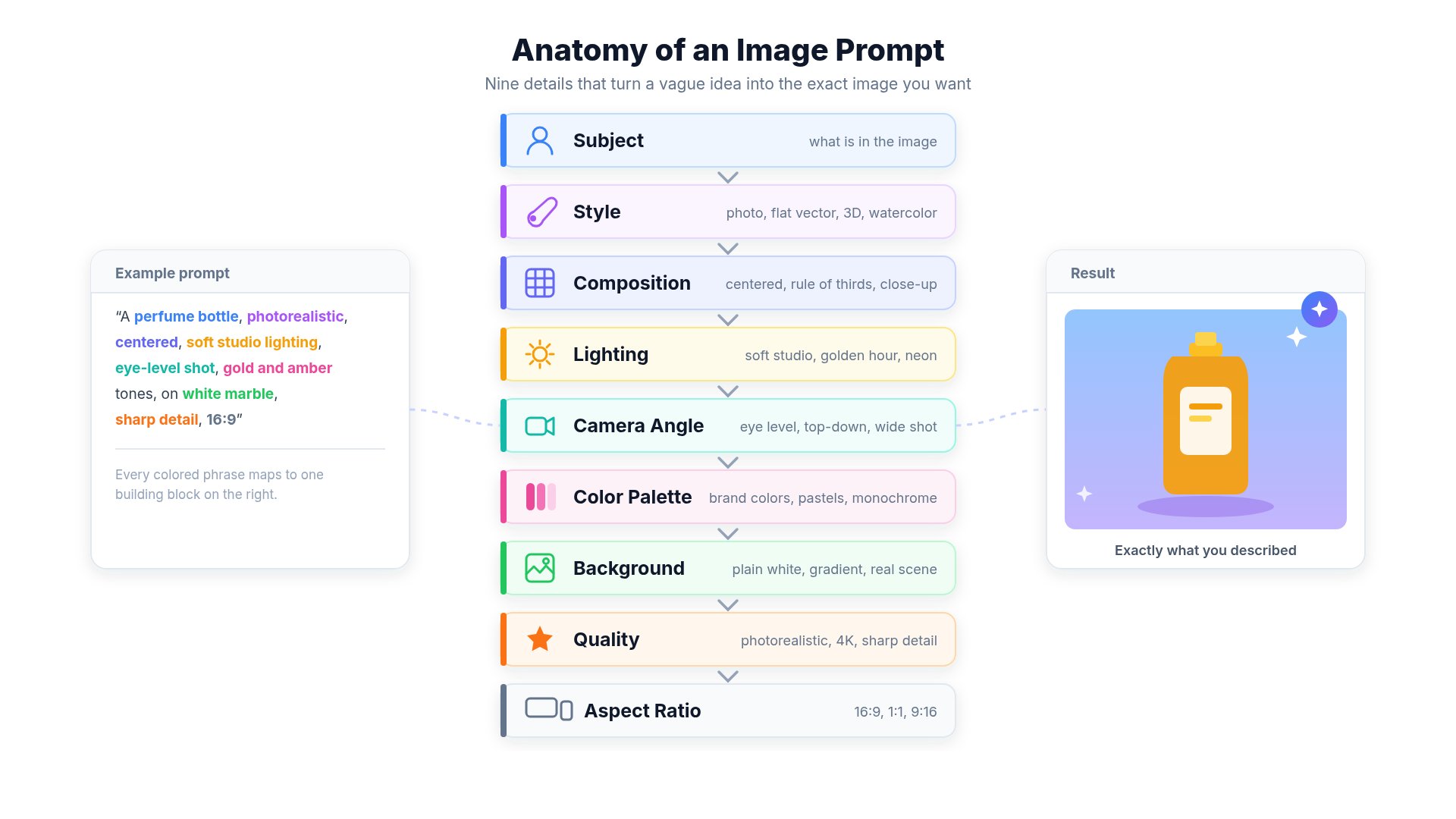 Good prompt:
```text theme={null}
Modern fintech dashboard
Blue gradients
Minimal UI
Glassmorphism
Dark mode
4K
16:9
Professional SaaS style
```
Bad prompt:
```text theme={null}
Make image.
```
***
# Video Generation Tips
Good prompt:
```text theme={null}
Modern fintech dashboard
Blue gradients
Minimal UI
Glassmorphism
Dark mode
4K
16:9
Professional SaaS style
```
Bad prompt:
```text theme={null}
Make image.
```
***
# Video Generation Tips
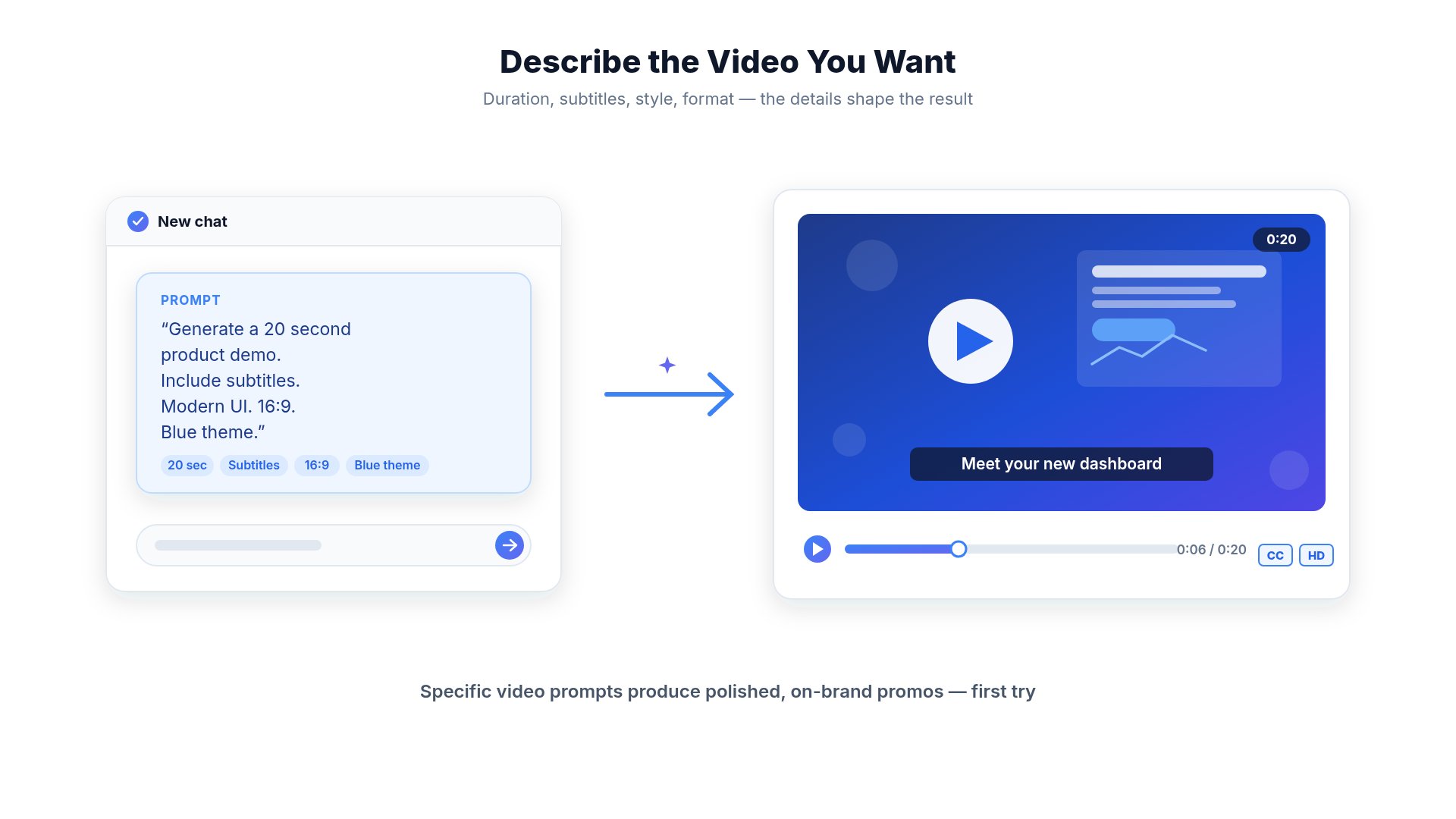 Always specify:
* duration
* language
* subtitles
* aspect ratio
* animation style
* camera movement
* background music
* audience
Example:
```text theme={null}
Generate a 20-second promotional video.
Aspect ratio: 16:9
Language: English
Include subtitles.
Use smooth transitions.
Professional business style.
Keep text readable.
Background music should be upbeat.
```
***
# Website Generation Tips
Example:
```text theme={null}
Create a landing page for an AI resume builder.
Tech stack:
- React
- Tailwind
- TypeScript
Pages:
- Home
- Pricing
- Blog
- Contact
Requirements:
- Dark mode
- SEO friendly
- Mobile responsive
- Accessibility compliant
Do not use placeholder text.
```
***
# Mobile App Generation Tips
Example:
```text theme={null}
Create an Expo React Native application.
Requirements:
- Bottom navigation
- Authentication
- Offline support
- Light and Dark mode
Keep the folder structure clean.
Use TypeScript.
Do not use deprecated libraries.
```
***
# Document Generation Tips
Instead of:
```text theme={null}
Create documentation.
```
Use:
```text theme={null}
Create Mintlify documentation.
Include:
- Overview
- Installation
- Examples
- API Reference
- FAQ
- Best Practices
Use MDX.
Include callouts and code blocks.
```
***
# Before Pressing Generate
* Did I explain the goal?
* Did I mention my framework?
* Did I tell the AI what NOT to change?
* Did I include examples?
* Did I explain the expected output?
* Is my request specific?
***
# Common Mistakes
Short prompts force the AI to guess your intent.
Always include context and requirements.
Break large tasks into smaller prompts.
Tell the AI what should remain unchanged.
Instead of clicking Generate again, improve your prompt.
Large rewrites are harder to review and can introduce unnecessary changes.
Modify one feature at a time.
***
# AI Limitations
Even with excellent prompts, AI may occasionally:
* Misinterpret instructions
* Produce unexpected results
* Require multiple iterations
* Generate inefficient code
* Miss edge cases
Always review generated output before publishing.
***
# Best Practices
Explain your project before asking for changes.
Small prompts usually produce better results.
Tell the AI what should not change.
Screenshots, designs, and examples improve accuracy.
Always test AI-generated changes.
Improve prompts instead of regenerating repeatedly.
***
# Related Guides
* How Credits Work
* AI Limitations
* Website Hosting
* Common Mistakes
Always specify:
* duration
* language
* subtitles
* aspect ratio
* animation style
* camera movement
* background music
* audience
Example:
```text theme={null}
Generate a 20-second promotional video.
Aspect ratio: 16:9
Language: English
Include subtitles.
Use smooth transitions.
Professional business style.
Keep text readable.
Background music should be upbeat.
```
***
# Website Generation Tips
Example:
```text theme={null}
Create a landing page for an AI resume builder.
Tech stack:
- React
- Tailwind
- TypeScript
Pages:
- Home
- Pricing
- Blog
- Contact
Requirements:
- Dark mode
- SEO friendly
- Mobile responsive
- Accessibility compliant
Do not use placeholder text.
```
***
# Mobile App Generation Tips
Example:
```text theme={null}
Create an Expo React Native application.
Requirements:
- Bottom navigation
- Authentication
- Offline support
- Light and Dark mode
Keep the folder structure clean.
Use TypeScript.
Do not use deprecated libraries.
```
***
# Document Generation Tips
Instead of:
```text theme={null}
Create documentation.
```
Use:
```text theme={null}
Create Mintlify documentation.
Include:
- Overview
- Installation
- Examples
- API Reference
- FAQ
- Best Practices
Use MDX.
Include callouts and code blocks.
```
***
# Before Pressing Generate
* Did I explain the goal?
* Did I mention my framework?
* Did I tell the AI what NOT to change?
* Did I include examples?
* Did I explain the expected output?
* Is my request specific?
***
# Common Mistakes
Short prompts force the AI to guess your intent.
Always include context and requirements.
Break large tasks into smaller prompts.
Tell the AI what should remain unchanged.
Instead of clicking Generate again, improve your prompt.
Large rewrites are harder to review and can introduce unnecessary changes.
Modify one feature at a time.
***
# AI Limitations
Even with excellent prompts, AI may occasionally:
* Misinterpret instructions
* Produce unexpected results
* Require multiple iterations
* Generate inefficient code
* Miss edge cases
Always review generated output before publishing.
***
# Best Practices
Explain your project before asking for changes.
Small prompts usually produce better results.
Tell the AI what should not change.
Screenshots, designs, and examples improve accuracy.
Always test AI-generated changes.
Improve prompts instead of regenerating repeatedly.
***
# Related Guides
* How Credits Work
* AI Limitations
* Website Hosting
* Common Mistakes